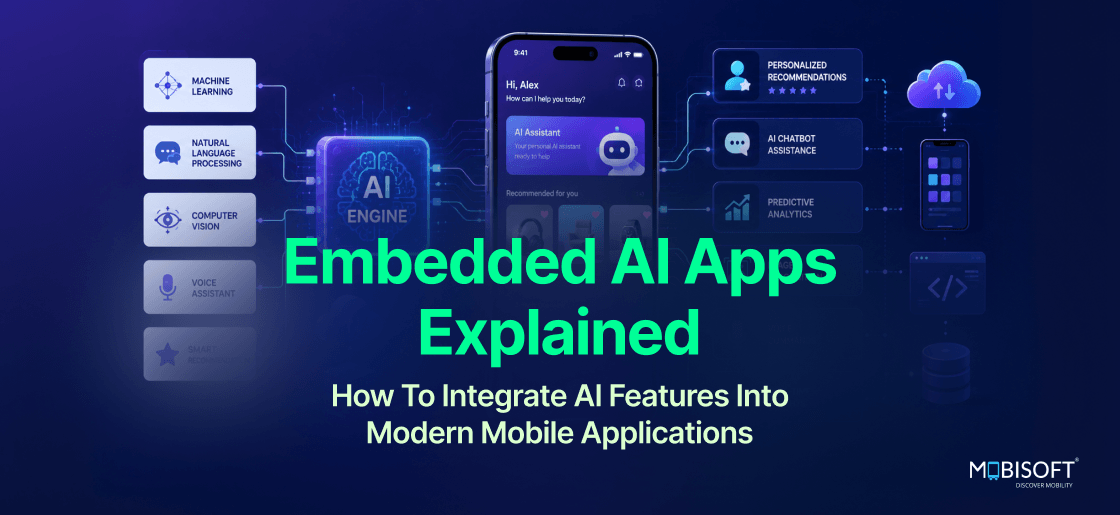
The line between a mobile app and an intelligent one is fading fast. Users in 2026 expect their apps to understand context and personalise everything. They want image recognition, voice commands, and predictions without asking for them. These capabilities no longer sit behind premium subscription tiers. They decide whether an app feels modern or dated. They separate products people keep from products people delete.
AI-powered mobile app development has become the baseline, not the exception. The real question is no longer whether to add intelligence. Teams must decide which capabilities to build first. They must also choose the right architecture and budget for each. This guide walks through the eight categories in practical detail.
You will learn how each feature works in production. You will see where the user value actually sits. You will also understand what each one demands from your team. By the end, you can sequence your roadmap with confidence.
How Do You Integrate AI Features Into A Mobile App?
Modern apps draw from eight distinct AI feature categories. Each one carries its own architecture and privacy profile. Each one also needs a different quality measurement approach. Picking the wrong category for a problem wastes months.
The categories include LLM text generation and smart personalisation. They cover computer vision and voice processing, too. Predictive features and semantic search add further depth. Conversational interfaces and generative media complete the full set.
Most production apps now follow a hybrid pattern. Simple, private operations run on the device itself. Complex, high-capability tasks route to cloud APIs instead. This blend beats both pure cloud and pure on-device builds. It protects privacy while keeping high capability intact.
Here is the fact that matters most for AI integration in mobile apps. Features delivering value within the first session retain users far better. That single principle decides success more than model choice.
The Eight AI Feature Categories That Define Modern Mobile Products
The conversation around AI features in mobile apps has moved past one question. Teams no longer ask whether to add intelligence at all. They ask which of the eight categories their product still misses. They also ask how deeply each one is integrated.
The fastest way to build a weak feature is to start with technology. The fastest way to build a strong one reverses that order. You begin with the user problem and work backward. A summary nobody wanted is worse than no summary. An irrelevant recommendation is worse than a simple curated list. Technology enables the improvement, but it never creates value alone.
This guide builds around the engineering decisions that actually matter. AI mobile app development rewards teams who treat tools as enablers. The surface question of which service to call comes second.
Why The Category Choice Comes Before Technology?
Every category solves a different user problem. Each one asks for a different kind of data. Each one also exposes a different privacy risk. Treating them as interchangeable leads to poor outcomes.
An LLM feature handles content and language tasks. A vision feature connects the camera to digital workflows. A personalisation engine learns preferences over many sessions. Choosing between them depends on the problem you face.
The table below maps the core tradeoffs across all eight. It compares user value, privacy risk, and time-to-value clearly.
| Category | User Value | Privacy Risk | Time-To-Value |
| LLM Text Generation | Saves writing time, improves drafts | High on cloud, low on device | Immediate |
| Smart Personalisation | Surfaces relevant content automatically | Medium behavioural profiling | Slow, needs data |
| Computer Vision | Photo search, automated data entry | High for faces and documents | Immediate |
| Voice And Speech | Hands-free, accessible interaction | High for cloud audio | Immediate |
| Predictive Features | Anticipates needs before they appear | Medium behavioural signals | Slow to medium |
| Semantic Search | Finds items by meaning, not keywords | Low to medium query intent | Immediate |
| Conversational UI | Natural language access to features | High conversation content | Medium |
| Generative Media | Personalised content creation | Medium prompt exposure | Immediate |
How User Value Differs Across The Eight Types
LLM features save writing time and improve content quality. They explain complex topics and translate content across audiences. They also generate first drafts that users then edit. The value appears in the very first interaction.
Personalisation surfaces content that users would never find manually. It reduces decision fatigue and increases engagement over time. Vision features automate manual data entry through scanning. They also enable accessibility for visually impaired users.
Voice features remove friction in high-context situations. Driving, cooking, and exercise all suit voice interaction. Predictive features anticipate needs before users express them. Semantic search understands intent rather than matching exact words.
How Complexity And Privacy Vary Across Categories
Engineering effort changes sharply between categories. Vision and voice features carry low to medium complexity. Pre-built frameworks handle most model work for you. A trusted app development company ships these within days.
Personalisation sits at the heavier end of the scale. It needs event pipelines, feature stores, and serving infrastructure. Generative media demands content safety alongside the generation itself. Conversational UI requires careful function-calling work to feel useful.
Privacy risk follows a similar spread across the eight. Cloud LLM calls send user content to external servers. Face recognition counts as biometric data under strict law. The practical takeaway guides your sequencing nicely. Pair high value with low complexity, then build outward.
LLM Integration Architecture For Mobile Apps
LLM features top the request list in AI app development today. They also show the widest quality gap in production builds. One team embeds an API key inside the app bundle. That team ships no streaming and no error handling. The response takes several seconds with no progress shown.
Another team proxies every call through a secure backend. That backend authenticates the user and rate-limits each account. It streams tokens to the screen as they generate. It also routes to an on-device fallback when needed. The difference between these two builds is enormous. Partnering with an experienced artificial intelligence company helps you avoid the weaker path.
Protect Your API Keys With A Backend Proxy
Never place an LLM provider key inside the mobile bundle. Anyone who decompiles the app can extract it easily. Exposed keys lead to fraud, abuse, and stolen data. This remains the most costly mistake in this space.
The correct pattern uses a Backend for Frontend proxy. The app authenticates to your own backend first. It uses a JWT session for that authentication. Your backend holds the provider key in an environment variable. It then proxies the call to the model provider. The app never sees the provider key at all.
The stakes here are genuinely high. An exposed key can generate huge fraudulent charges quickly. Bad actors find leaked keys within hours of exposure. This single precaution prevents the most expensive failure mode.
Stream Responses To Reduce Perceived Latency
A non-streaming call makes users stare at a spinner. They wait several seconds before any text appears. Then the full response arrives all at once. The feature feels slow, even when the latency stays acceptable.
Streaming changes that experience completely. Your backend proxies the token stream to the screen. Text appears progressively within a few hundred milliseconds. The Vercel AI SDK delivers this in React Native cleanly. Its streamText and useChat tools cut the boilerplate sharply.
The impact on perception is dramatic. Streaming reduces perceived latency many times over. Users who see immediate text trust the app. Users who watch a blank spinner assume it broke. Strong AI software development treats streaming as non-negotiable.
Handle Errors With Clear User Messages
LLM APIs fail sometimes due to several causes. Rate limits, server errors, and timeouts all happen. Typical uptime sits near 99.5 percent. For frequent features, failures will reach users regularly.
Your build must distinguish each error type clearly. Network failures need a different message than rate limits. Content filters and context limits each deserve their own handling. Retry transient errors with exponential backoff timing.
A graceful degradation path protects the experience. Offer a simpler response when the model fails. Unhandled errors damage trust far beyond their frequency. One bad failure can end the use of the feature.
Control Costs With Per-User Rate Limiting
Cost control deserves attention from the very start. Without limits, a single script generates thousands in charges. A compromised account creates the same risk quickly. No cost attribution means no way to spot abuse.
Apply per-user rate limiting at the backend layer. Track calls per user across each hour and day. Return a clear retry response when limits hit. Log every call by user, model, and token count.
Tiered limits separate free users from paying ones. These guardrails protect both the budget and fair access. They also reveal abusive patterns through the logs. Cost discipline keeps the feature sustainable at scale.
Manage Prompts And Context On The Server
Hardcoded prompts force a full app update for changes. Server-side prompt management removes that friction entirely. Store system prompts in your backend database instead. Tools like Langfuse and Helicone handle versioning well.
This approach brings two real advantages. You update prompts without store review cycles. You also A/B test prompt versions across user segments. Prompt quality strongly affects LLM feature quality. Fast iteration here improves output noticeably.
Context windows need a clear strategy too. Including the full history makes each call expensive. Eventually, the context limit breaks the call entirely. Use a sliding window of recent turns. Summarise older turns into a compact form. Summarisation cuts context cost substantially in long conversations.
This worked example shows the streaming pattern in React Native.
javascript
// Backend endpoint (Node.js + Fastify)
import { streamText } from 'ai';
import { anthropic } from '@ai-sdk/anthropic';

app.post('/api/chat', authenticate, rateLimit, async (req, reply) => {
  const { messages } = req.body;
  const systemPrompt = await getPrompt('assistant', req.user.tier);
  const result = streamText({
    model: anthropic('claude-haiku-4-5'),
    system: systemPrompt,
    messages,
    maxTokens: 1024,
    onFinish: ({ usage }) => trackTokenUsage(req.user.id, usage.totalTokens),
  });
  return result.toDataStreamResponse();
});
The client side stays equally clean with the useChat hook. It manages state, streaming, and errors with little code. Thoughtful AI application development keeps this layer simple and reliable.
Smart Personalisation And Recommendation Systems
Personalisation carries the highest long-term engagement value. It also takes the longest to prove itself. An LLM feature shows value in the first session. A recommendation engine needs data about each user first. It must understand individual preferences before it helps.
The investment here differs from other categories sharply. You need an event collection and a feature store. You also need a model and a serving layer. That serving layer returns ranked results in milliseconds. The infrastructure pays compound returns as data grows.
Collect User Events With Privacy In Mind
Every meaningful interaction reveals preference signals. Items viewed, liked, dismissed, or purchased all count. Search queries and dwell time add further context. Favourites and ratings express preference directly.
Several tools handle collection well in React Native. Segment routes events to many destinations. Amplitude offers analytics with ML-ready exports. Firebase connects to BigQuery for deeper analysis. Each includes a client-side queue for offline events.
Privacy must guide what you actually gather. Collect only events that provide a genuine signal. Avoid capturing sensitive characteristics around health or politics. Consent management and data minimisation apply throughout. Users should view and delete their personalisation profile.
Store Features For Fast Real-Time Retrieval
A feature store holds pre-computed facts about each user. These include category affinity and price preference. They also cover recent items and engagement rates. The serving layer reads them during requests.
Your options range from managed to lightweight. AWS Feature Store integrates tightly with SageMaker. Feast offers an open-source, Kubernetes-native approach. Redis works well for fast time-to-market needs.
The key requirement stays constant across choices. Feature retrieval must finish in under ten milliseconds. A hybrid design balances accuracy with low latency. Batch features are computed nightly for stable signals. Real-time features capture recent activity within the hour.
Choose The Right Recommendation Model
Model choice depends on catalogue size and data richness. Collaborative filtering suits apps with abundant interaction data. E-commerce and content apps fit this profile well. Content-based filtering handles new users without history.
Neural collaborative filtering fits large catalogues with rich features. It uses embeddings inside a deep learning model. Managed services compress this build dramatically. AWS Personalize offers the fastest route for small teams. Google Recommendations AI suits retail and content cases.
The cold start problem deserves a deliberate answer. New users arrive with no interaction history at all. Three approaches solve this challenge effectively:
- Show popular or trending items as a baseline.
- Capture explicit preferences during the onboarding flow.
- Initialise from aggregate preferences of similar users.
Serve Recommendations Within A Hundred Milliseconds
At request time, the serving layer retrieves user features. It runs the model or reads pre-computed results. It then returns a ranked list very quickly. The whole step must finish under a hundred milliseconds.
Managed serving options scale automatically. SageMaker Endpoints and Vertex AI both work well. TensorFlow Serving suits self-hosted setups. For high traffic, pre-compute results instead.
The Redis pattern handles large-scale efficiently. A nightly batch job scores all user-item pairs. It stores the top results per user in Redis. The serving layer then reads them in a few milliseconds. This proves cheaper than scoring on every request.
Measure Recommendation Quality Continuously
Measurement keeps the engine honest over time. Route sessions into control and treatment groups. The control uses trending or rule-based results. The treatment uses your machine learning model.
Compare click-through rate and conversion across groups. Track session length and return visits, too. Apply statistical significance before promoting any model. Guardrail metrics catch the damage a single metric hides. A model can lift clicks while quietly frustrating users. Watch quick-backs and session quality to spot that.
Watch the balance between relevance and serendipity. Pure relevance creates filter bubbles that limit discovery. A small serendipity component surfaces fresh content occasionally. Strong AI-driven app development measures its effect on retention.
Computer Vision And Image AI In Mobile Apps
Computer vision delivers the clearest user value of any category. A user photographs a receipt and watches it populate a form. No written description captures that moment fully. The camera becomes a direct bridge between physical and digital.
Powerful on-device models have democratised this category. Google ML Kit runs entirely on the device for free. Apple Vision integrates deeply with iOS hardware. Cloud APIs handle harder cases when accuracy matters. This makes AI features in mobile apps accessible to any team.
Read Text And Documents With OCR
Optical character recognition powers many everyday workflows. Receipt scanning and business cards both rely on it. Document digitisation and ID extraction extend their reach. Menu translation and packaging reading add further uses.
Start on-device for most OCR needs. ML Kit Text Recognition handles printed text accurately. Apple Vision supports eighteen languages with excellent results. React Native uses Vision Camera with ML Kit processors.
Escalate to the cloud only for difficult documents. Google Cloud Vision handles mixed layouts and handwriting. AWS Textract extracts structured forms and tables. Cloud pricing runs around a small fee per thousand pages. Reserve it for messy or multi-page documents.
Detect And Classify Objects In Real Time
Object detection enables visual search and inspection. Food identification and plant recognition both apply. Vehicle damage assessment serves insurance workflows. Defect detection supports manufacturing quality control.
On-device wins for clear and real-time camera previews. ML Kit detects and tracks objects in the preview. Apple Vision classifies images on iOS efficiently. TensorFlow Lite deploys custom domain-specific classifiers.
The speed difference decides the approach here. Thirty frames per second demand local processing. Cloud latency makes that frame rate impossible. Reserve cloud calls for one-shot analysis tasks. There, accuracy matters more than instant response.
Scan Barcodes And QR Codes On-Device
Barcode scanning belongs entirely to the device. ML Kit scans codes in under fifty milliseconds. It supports QR, Code128, EAN, UPC, and more. Apple Vision offers near-instant native scanning, too.
Common uses span many app types. Retail apps look up products instantly. Warehouse apps track assets through codes. Event apps verify tickets at the door. Loyalty programmes scan member codes.
There is no reason to use the cloud here. The quality gap between local and cloud is zero. Cloud calls only add latency and privacy exposure. Always keep barcode scanning on the device.
Handle Faces And Visual Search Responsibly
Face features are split into two different risk levels. Detecting that a face exists carries a lower risk. Identifying whose face it is means biometric data. That distinction matters greatly under GDPR Article 9.
Build consent and data handling before any face feature. The EU AI Act bans certain real-time biometric uses. A capable software development services partner helps you stay compliant. Use detection rather than recognition where possible.
Visual search benefits from a hybrid design. Generate the query embedding on the device with CLIP. Run that through Core ML or ONNX Runtime locally. Search the server-side product index through an API. This keeps user photos local while searching millions of items.
Understand Document Structure With Cloud Tools
Some documents need more than basic OCR. Invoices, contracts, and forms carry a complex structure. Tables and key-value pairs require deeper parsing. On-device models cannot match cloud capability here yet.
AWS Textract leads for structured extraction. It distinguishes table cells, labels, and checkbox states. Azure Document Intelligence handles pre-built form types. Invoices, receipts, and tax forms each have models.
Use on-device tools for simple document scanning. Apple Vision offers perspective correction during capture. Reserve cloud parsing for genuinely complex documents. This split keeps cost and privacy in balance.
Voice And Speech AI In Mobile Apps
Voice AI spans two complementary abilities. Speech-to-text converts spoken words into usable input. Text-to-speech produces natural audio output from text. Together, they enable hands-free interaction patterns.
These patterns serve accessibility, safety, and convenience. Users who cannot type easily gain real independence. Drivers and cooks interact without touching the screen. Whisper and neural TTS systems have raised the quality enormously. Output now sounds close to a human voice.
Pick The Right Speech-To-Text Approach
On-device options keep audio private and fast. Apple Speech delivers real-time results with strong noise handling. It returns partial results almost instantly. Android SpeechRecognizer offers on-device mode from Android 13.
Whisper raises accuracy across ninety-nine languages. The whisper.rn binding runs it on-device for React Native. It excels with accents and technical vocabulary. Model sizes range from tiny to small. Larger models trade speed for higher accuracy.
Cloud Whisper suits batch transcription of recorded audio. It charges a small fee per minute of audio. Google Speech-to-Text adds domain-specific acoustic models. The table below compares the main choices clearly.
| Approach | Privacy | Best For |
| Apple Speech | On-device | Real-time iOS transcription |
| Android SpeechRecognizer | On-device mode | Mainstream Android voice input |
| Whisper.cpp | On-device | High-accuracy multilingual notes |
| OpenAI Whisper API | Cloud | Batch transcription at scale |
Choose Text-To-Speech By Quality And Cost
Platform-native TTS covers basic output well. Apple AVSpeechSynthesizer and Android TextToSpeech cost nothing. Both work offline with very low latency. They suit accessibility and simple voice feedback. Newer iOS versions add neural voice quality.
Premium voice quality requires cloud services. ElevenLabs produces near-human speech with voice cloning. It offers emotional range across many voices. OpenAI TTS provides natural voices at a lower cost. Google Cloud TTS supports hundreds of voices and SSML.
Match the service to your product goals. Use native TTS when neutral quality suffices. Reserve premium APIs for voice-led differentiators. Storytelling and education apps justify the higher cost.
Design Voice Interactions Around Clear Feedback
Recognition quality alone does not guarantee trust. Poor accuracy destroys confidence in the feature immediately. Users abandon voice input after a few failures. Feedback during recording keeps them oriented.
An animated waveform signals active listening. It tells users the app heard them. Background noise needs graceful handling, too. Apply a confidence threshold before acting on input.
Always provide a text fallback alongside voice. This protects users in noisy environments. It also helps when recognition simply struggles. Good voice design assumes occasional failure gracefully.
AI-Powered Search And Semantic Discovery
Search marks the highest-intent action in most apps. A user who opens a search already wants something. Result quality decides whether they find it. Poor results push them to leave entirely.
Keyword matching fails most real queries badly. People express intent with synonyms and context. A search for comfortable walking sandals shows the gap. Keyword systems miss products described in other terms. Semantic search retrieves conceptually relevant items instead. This capability strengthens many AI-enabled mobile apps today.
Embed Your Content Catalogue First
The pipeline begins by embedding every searchable item. Products, articles, and profiles all become vectors. The embedding model captures their meaning numerically. Several models suit different needs.
OpenAI text-embedding-3-small offers strong quality affordably. It produces high-dimensional vectors at low cost. The all-MiniLM-L6-v2 model runs on-device at a small size. Cohere embed-multilingual-v3 suits multilingual catalogues well.
Store these vectors in a dedicated database. Pinecone offers the simplest hosted experience. The pgvector extension adds search to the existing PostgreSQL. Qdrant handles high-throughput cases efficiently. Re-embed content whenever it changes meaningfully.
Embed Queries And Run Similarity Search
At search time, embed the user query the same way. Use the identical model for queries and content. Embedding a short query takes under two hundred milliseconds. On-device embedding finishes even faster.
Caching reduces repeated work here. Store common query embeddings in Redis. This avoids calling the model for popular searches. It also lowers cost at scale.
Vector similarity then finds the closest matches. Cosine similarity ranks items by conceptual closeness. The system returns the most relevant results quickly. Target total query latency under three hundred milliseconds.
Combine Hybrid Search With Personalisation
Pure vector search struggles with exact names sometimes. Model numbers and proper nouns confuse embeddings. Hybrid search solves this by blending two signals. It fuses vector similarity with keyword BM25 scoring.
Reciprocal Rank Fusion merges the two result sets cleanly. Weaviate and Elasticsearch support this pattern natively. Hybrid search outperforms pure vector for specific queries. It handles product names and codes much better.
A final personalisation layer refines the order. Re-rank results using user affinity scores from earlier. The base ranking reflects semantic relevance to the query. Personalisation then aligns those results with individual taste. This combination feels both relevant and personal.
Predictive Features And Intelligent Suggestions
Predictive features occupy a distinctive position. They help most when accurate and hurt most when wrong. A correct prediction builds confidence in the app. A wrong one teaches users to distrust it.
The guiding principle favours precision over recall. Three accurate predictions beat seven with four misses. A user who sees a bad guess loses faith. Conservative confidence thresholds protect that trust. This care defines mature AI mobile app development.
Build Simple Predictions With Rules First
Many useful predictions need no machine learning. Smart alarm timing uses accelerometer sleep data directly. It reads motion sensors to detect sleep stages. Deadline reminders detect recurring calendar events through rules.
Smart alarms align wake time with light sleep. They adjust within a user-defined window only. This raises the share of well-timed alarms noticeably. It also reduces snooze-button usage measurably.
Conservative bounds prevent waking users too early. The system never wakes someone far ahead of schedule. Waking too early hurts more than no optimisation. These guardrails keep the feature genuinely trustworthy.
Layer Machine Learning For Complex Predictions
Behaviour prediction needs trained models over time. Contextual shortcuts predict the likely next action. They read navigation events, time, and recent taps. Accuracy improves with several weeks of usage data.
A good shortcut system shows three likely actions. If one fits, the feature delivers value. Apply a confidence threshold before showing suggestions. Display shortcuts only when confidence stays high enough.
Irrelevant suggestions carry a real cost. Users stop checking the area after a few misses. One bad streak ends engagement with that surface. Restraint matters more than aggressive prediction here.
Prefetch Content And Detect Anomalies Carefully
Predictive prefetching improves perceived performance. The app loads likely-next content in the background. This removes the load time that the user would feel. Network conditions guide how aggressively prefetch becomes.
A prefetch budget prevents wasting data and battery. Monitor cache hit rates across sessions. Disable prefetching for users with low hit rates. Well-tuned prefetch wastes very little data.
Anomaly detection catches unusual readings or activity. Statistical methods work for simple time-series data. Machine learning handles complex sensor patterns instead. Keep the false positive rate very low. More than one false alarm in twenty disables alerts. High-severity alerts deserve a user confirmation step.
Time Reminders Around User Behaviour
Reminder intelligence learns optimal timing per user. It detects recurring events after a few occurrences. Weekly meetings and monthly bills both qualify. Detection accuracy climbs quickly with repeated events.
Timing tuned to habits raises action rates. Send reminders when users typically act on them. Notification response data reveals those windows. This beats fixed-time reminders by a clear margin.
User control prevents reminder fatigue. Let people choose which events trigger reminders. Too many reminders push users to mute everything. Balance helpfulness against the risk of annoyance.
Generative Media In Mobile Apps
Generative media produces the most dramatic capabilities. AI image generation and voice cloning both qualify. Video creation rounds out the category. A user types a description, and an image appears.
These features also carry high commercial sensitivity. Poor builds generate inappropriate content or enable misuse. Deepfake risk and copyright issues both arise. As generated visuals become more realistic, an AI image detector can provide an additional layer of assessment for determining whether an uploaded image may have been generated or manipulated using AI. Engineering remains inseparable from content safety. You must design both together from day one.
Choose An Image Generation Provider
Several APIs serve different priorities and budgets. The table below compares the leading options clearly.
| Provider | Cost Per Image | Strength |
| DALL-E 3 | Around $0.04 | Built-in safety, broad quality |
| Stability AI SDXL | Around $0.008 | Low cost at high volume |
| Ideogram 2.0 | $0.08 to $0.20 | Accurate text in images |
| Google Imagen 3 | $0.02 to $0.06 | Photorealism and provenance |
DALL-E 3 offers the safest starting point. It's built-in filter handles most misuse attempts. Stability AI suits cost-sensitive, high-volume creative apps. It's lighter filtering needs your own moderation, though.
Ideogram excels at rendering text inside images. Posters and social cards benefit from that strength. Image 3 leads on photorealism and provenance. On-device generation serves privacy-first apps at lower quality.
Build Safety And Cost Controls Around Generation
Never call generation APIs straight from the app. Keep provider keys in the backend proxy. Route every generation request through your authenticated backend. This protects keys and enables central control.
A content safety layer must precede every display. Run each image through a moderation API first. OpenAI Moderation and Google SafeSearch both work. Reject and hide images that fail the checks. Keep that moderation step under one second.
Cost control follows the same discipline as LLM features. Limit the number of generations per user each day. Show remaining credits clearly to the user. A per-account budget keeps spending predictable. Store generated images with content-addressed URLs.
Manage Latency During Generation
Image generation takes several seconds to complete. A blank spinner makes that wait feel broken. Show a progress animation with an estimated time. Partial previews keep the user engaged meaningfully.
The novelty effect drives strong early engagement. Users feel delight from the first generated image. Protecting that delight requires honest waiting states. Never leave the screen empty during generation.
This honesty preserves the experience that draws users back. Well-built AI-powered applications treat the wait as part of the flow. The first image must feel worth it.
Measuring AI Feature Quality And Business Impact
AI features resist measurement uniquely. Quality splits into two separate dimensions. Technical quality asks whether the output is accurate and safe. Business quality asks whether the feature moves real metrics.
These dimensions relate but never match perfectly. A technically excellent feature can still fail commercially. A flawed one can succeed when outcomes beat alternatives. Sound AI development services track both dimensions together. Ignoring either one hides the real picture.
Track Output Quality With Clear Benchmarks
Technical quality starts with offline evaluation. Test against a labelled set before deployment. Measure accuracy, hallucination rate, and latency carefully. Use BLEU or ROUGE for text generation tasks.
In production, gather quality signals continuously. Collect user ratings through thumbs up and down. Use LLM-as-judge scoring for subjective quality. Compare against the previous version through experiments.
Concrete targets keep teams honest. Keep LLM hallucination below five percent in production. Hold speech error rates low for English. Aim for fast first tokens on streaming features. These benchmarks define acceptable quality clearly.
Measure Engagement And Business Outcomes
Engagement metrics reveal real adoption. Watch these signals closely across cohorts:
- Adoption rate above forty percent within thirty days.
- Retention above sixty percent, returning within seven days.
- Output acceptance above seventy percent was kept without heavy editing.
These numbers separate genuine value from novelty. A feature tried once and dropped fails the test.
Business impact requires controlled experiments. Compare an AI-enabled group against a control group. Measure conversion, task completion, and session depth. Check results across seven, thirty, and ninety days. AI personalisation lifts e-commerce conversion noticeably. AI writing assistance cuts task completion time substantially.
Monitor Safety, Trust, And Cost
Safety metrics protect trust and reputation. Keep inappropriate content far below one percent. Hold user report rates very low. Test for bias across demographic groups regularly. No group should see worse quality consistently.
Trust surveys add a direct signal. Ask a few questions about the AI feature. Run them quarterly inside the app. A positive score shows users value the feature.
Cost efficiency decides whether a feature survives. Track cost per interaction, including infrastructure. Measure that cost against revenue per user. Model routing sends easy tasks to cheaper models. Caching answers common queries without repeated calls.
The Embedded AI Mobile App Technology Stack
Building intelligence into an app is not one decision. It is a sequence of choices that compounds. Provider choice influences embedding compatibility downstream. On-device model choice dictates your inference framework.
The reference stack below suits a production React Native app. It treats AI-powered mobile app development as a staged journey. For teams building these capabilities with React Native, a dedicated React Native development approach can simplify cross-platform delivery while keeping AI integrations flexible.The goal is quick impact plus durable infrastructure. Each choice should support the next one.
Sequence Features By Time-To-Value
Smart sequencing delivers impact while building foundations. Start with high-value, low-complexity categories first. Vision, voice, and LLM text features fit that bracket. Each one ships within days to a few weeks.
Vision features reach production fastest of all. A working scanner or OCR ships in days. The user value is immediately obvious. LLM text features follow close behind in speed. The backend and SDK pattern move quickly.
Save the heavier categories for later phases. Personalisation and semantic search need data accumulation. Conversational UI needs careful function-calling work. These reward patience with compounding long-term value. Their quality improves as users generate more data.
Match Each Category To Its Stack
The recommended tools differ clearly by category. This mapping turns strategy into concrete decisions:
- LLM text features use a backend proxy with the Vercel AI SDK.
- Vision features use ML Kit and Apple Vision on-device.
- Voice features start with native APIs, then add whisper.rn.
- Personalisation pairs Segment, Redis, and AWS Personalize.
- Semantic search combines pgvector with OpenAI embeddings.
- Generative media routes through a backend with safety filtering.
Conversational UI deserves its own attention here. It uses useChat with function calling to your APIs. Conversation history persists in local storage. A performant chat list keeps scrolling smoothly. Strong AI technology for mobile apps depends on these pairings.
Estimate Realistic Build Timelines
Each category carries a rough timeline. Vision OCR or scanning ships in a few days. LLM text features take two to four weeks. That covers the backend, streaming, and monitoring.
Personalisation needs a longer runway. The full stack takes six to ten weeks. Managed services compressed that to a few weeks. Additional weeks pass before data proves the model.
Semantic search reaches production within two weeks. The pgvector path moves especially fast. Generative media needs three to four weeks. Most of that time covers safety and cost controls.
Prioritise The Interface Around The User
Technology alone never guarantees adoption. The interface decides whether people understand the feature. Clear onboarding teaches users what the assistant can do. Thoughtful ui ux design services make intelligence feel natural.
Conversational features depend especially on this clarity. Users need to know what the system handles. Good design surfaces capabilities without crowding the screen. It also signals progress during slower AI operations.
This focus separates intelligent mobile apps from gimmicks. A capable model behind a confusing screen fails. The experience around the model decides adoption. Design and engineering must move together here.
Conclusion: Building AI That Users Actually Use
The risk in this work is rarely the technology. The models work, and the APIs stay reliable. The frameworks make integration genuinely accessible. The real danger is building around capability instead of need.
A summary of the wrong content helps nobody. An irrelevant recommendation loses to simple trending content. A slow generator with weak output disappoints users. The entire framework here serves one clear goal. Deliver unmistakable value within the first session of use.
Features that achieve this create a powerful flywheel. Users return, generate data, and improve the model. They also tell others about the experience. Features that miss this get tried once and dropped. Model sophistication cannot save a feature without value.
AI-powered mobile app development succeeds when that first session earns trust. Choose categories by the problems they solve. Sequence them by value against complexity. Measure both technical quality and business impact. Build for that first moment, and the rest follows.

Frequently Asked Questions
What Are The Main Ways To Add AI Features To A Mobile App?
Eight categories cover the full range of options. LLM text generation uses cloud APIs through a proxy. Personalisation flows from events to a recommendation model. Computer vision relies on ML Kit and Apple Vision. Voice uses platform STT and premium TTS services. Predictive features mix rules with trained models. Semantic search pairs embeddings with a vector database. Conversational UI adds function calling to a chat interface. Generative media routes through a backend with safety filters.
How Do You Integrate LLM Features Into A React Native App?
Four steps cover the complete process. Build a backend proxy that authenticates and rate-limits. Stream responses using the Vercel AI SDK and Expo fetch. Handle each error type with clear user messages. Manage prompts server-side to skip store review cycles. This pattern powers reliable mobile app AI integration at scale.
How Do You Add Computer Vision Features To A Mobile App?
Start on-device with Google ML Kit for common tasks. It covers OCR, barcodes, faces, and object detection. Apple Vision delivers similar power on iOS. Vision Camera handles high-performance frame processing in React Native. Use cloud Textract only for complex multi-page documents. Keep barcode scanning on-device for the lowest latency.
How Do You Build Semantic Search For A Mobile App?
Embed your catalogue using a consistent embedding model. Store the vectors in pgvector or Pinecone. At search time, embed the query the same way. Blend vector and keyword scores through Reciprocal Rank Fusion. Re-rank the results using user preferences afterward. The pgvector path ships within two weeks.
What Is The Best Way To Add Voice Features To A Mobile App?
Begin with platform-native STT for fast integration. Upgrade to whisper.rn for higher accuracy on-device. Use Cloud Whisper for batch transcription needs. Start TTS with native synthesisers at zero cost. Reach for ElevenLabs or OpenAI TTS for premium voices. Always offer a text fallback beside voice input.
How Do You Measure AI Feature Success In A Mobile App?
Measure across five dimensions together. Track output quality through accuracy and hallucination rate. Watch adoption, retention, and output acceptance closely. Run experiments to confirm real business outcomes. Monitor safety metrics across demographic groups. Keep cost per interaction sustainable against revenue.
How Do You Add Image Generation To A Mobile App?
Never call generation APIs from the app directly. Choose a provider matched to your budget. Run every image through moderation before display. Limit generations per user to control cost. Show progress animations during the generation wait. Store generated images with content-addressed URLs.
What Is The Difference Between On-Device And Cloud AI?
On-device AI processes data locally without a network. It works offline and keeps sensitive data private. Cloud AI offers higher capability and broader knowledge. It needs a connection and charges per query. Most apps blend both in a hybrid pattern. That balance defines effective embedded AI applications today.
This content is for informational purposes only and may include AI-assisted research or content generation. While we strive for accuracy, information may evolve over time. Readers are advised to independently verify critical information before making decisions.

Nitin Lahoti
Read more
Nitin Lahoti is the Co-Founder and Director at Mobisoft Infotech. He has 15 years of experience in Design, Business Development and Startups. His expertise is in Product Ideation, UX/UI design, Startup consulting and mentoring. He prefers business readings and loves traveling.
 Nitin Lahoti
 June 30, 2026