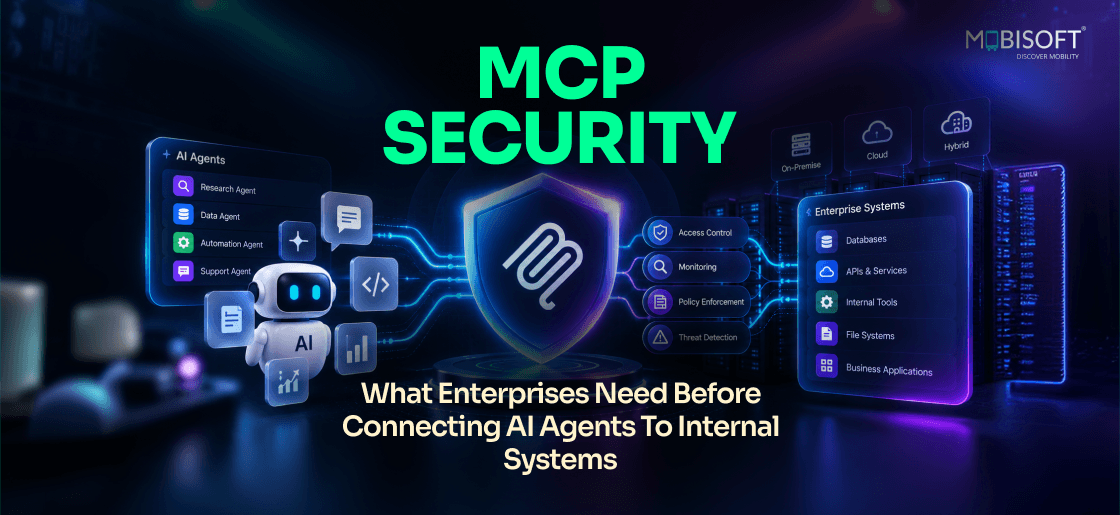
Every enterprise rushing to connect AI agents to internal systems is placing a bet, wagering that speed will not cost them a security incident somewhere down the line. That bet does not always pay off. MCP security is what decides which way it goes. The Model Context Protocol gives AI agents real reach into your systems. It can read files, query databases, and trigger actions across your tools. That reach is exactly why the old API security playbook falls short here. An AI agent does not just execute code someone already reviewed. It interprets instructions, follows context, and sometimes acts on data as a command.
That is a fundamentally different kind of caller to secure. So where do MCP security risks actually hide, and what stops them? This guide breaks down the real threat model behind that question. It covers the twelve controls that belong in any production deployment, plus the checklist that tells you when a rollout is genuinely ready to ship.
Why MCP Security Demands A Different Playbook Than API Security
Security teams have spent years hardening API integrations. That experience matters, but it does not fully transfer here. The differences are not cosmetic at all. They change what a control needs to assume about the caller. Skipping this step means importing old assumptions into a new problem.
The Caller Is No Longer Predictable
A traditional API integration behaves in a deterministic way. Given input A, it always calls endpoint B. An AI agent works differently by design. It decides which capability to invoke based on intent. That decision is not fully knowable in advance.
This matters for enterprise MCP security in a direct way. Your controls cannot rely on assumptions about known behavior. Two individually safe MCP servers can still combine badly. An agent might connect them in a sequence nobody planned. Testing each server in isolation misses that combined risk entirely.
Data Content Now Steers Agent Behavior
A traditional application processes data without letting it change the logic. That holds true barring an actual vulnerability somewhere in the code. An AI agent works differently by design and intent. It treats retrieved content as part of its reasoning context. That content can steer what the agent does next.
This single property creates an entire class of MCP security threats. Classic application security has no real equivalent for it. A document, an email, or a record can carry instructions. Those instructions can redirect agent behavior without any warning signs.
Scope Expands Beyond A Single Call
One agent session can span multiple MCP servers at once. It can also chain together multiple actions in sequence. A single API call in a traditional system stays narrow. It does exactly what the code specifies and nothing else. An agent session does not stay bound the same way. Authorization has to cover the full combination of actions. It cannot just cover one isolated call at a time.
Error Recovery Behaves Unpredictably Too
A traditional API failure is deterministic and easy to trace. It produces a specific error code and simply stops there. An AI agent tends to behave very differently after failure. It might attempt to recover by trying an alternate approach. It could request different data or change its overall plan. That recovery behavior can open paths nobody actually designed for. Security reviews need to account for these unplanned recovery paths.
Who Actually Owns MCP Security In The Enterprise
A dangerous assumption shows up in early MCP rollouts often. Teams assume the model provider owns the whole system's safety. That assumption is wrong in a specific and costly way. Understanding the real ownership split changes how you plan a rollout.
| Security Layer | Who Owns It | What They Control |
| AI model safety | Model provider (Anthropic, OpenAI, Google) | Model behavior, safety training, content policy |
| MCP server security | The enterprise building the server | Authentication, data scope, input validation, logging |
| MCP gateway security | The enterprise operating the gateway | Cross-server access control, rate limiting, anomaly detection |
| Business system access | The enterprise operating the system | Row-level and field-level data permissions |
The model provider trains and aligns the model itself. Everything past that point belongs to the enterprise instead. That includes the MCP server, the gateway, and business permissions. It also includes the human oversight layer above all of it. A well-aligned model connected through a weak server stays unsecured. It saves teams from discovering the gap only after an incident.
This division also guides procurement conversations with vendors and internal teams. A vendor claiming their model handles security misunderstands the boundary. Ask any vendor exactly which layer their product actually covers. That single question exposes most gaps before a contract gets signed. Governance teams should document this ownership map early in planning. It becomes the reference point during every later security review. Many enterprises now turn to experienced partners for custom MCP servers. That partnership starts with this ownership split from day one.
The Complete MCP Threat Model Every Security Team Should Know
Eight distinct attack vectors apply to enterprise MCP deployments today. Some resemble familiar threats wearing a new AI disguise. Others have no real precedent in traditional application security work. Understanding each one grounds the controls that follow later.
Prompt Injection Through Ordinary Business Data
This is the most underestimated threat in enterprise MCP deployments. It deserves close attention before any other item on this list. A user might ask an agent to summarize a document. The MCP server retrieves that SharePoint document exactly as requested. Somewhere inside it, hidden in white text, sits a line. It might read something like an override telling the agent to ignore the request. That instruction could direct the agent to email a finance folder externally.
Without mitigation, the agent may treat that text as a command. It stops being content to summarize at that point. The same pattern shows up in email and ticket summarization. It also appears whenever customer feedback flows into an agent's context. Security teams that focus only on network access often miss this entirely. The real entry point here is data, not a network request.
Consider a support ticket submitted by an external customer. That ticket might contain hidden instructions aimed at the agent. An employee asks the agent to summarize open tickets for the week. The agent retrieves the malicious ticket alongside legitimate ones. Without content sanitization, it may follow the embedded instruction directly. This scenario plays out across nearly every content type an MCP server touches.
Privilege Escalation Through Shared Service Accounts
Some MCP servers authenticate using a shared service account instead. When that happens, the AI agent inherits that account's full access. A service account with broad Salesforce reach changes the picture completely. It lets the agent pull records that the real user could never see. This ranks among the most common MCP security risks in early deployments. It stays invisible until someone actually audits access against real permissions.
Picture a junior sales representative using an AI assistant for lookups. Their own account only sees accounts assigned to their territory. A shared service account behind the MCP server sees everything instead. The representative can now query records well outside their normal scope. Nobody flagged this because the AI session looked routine on paper.
Runaway Automation And Agentic Loops
An AI agent recovering from an error can behave unpredictably. It might retry an action repeatedly without human awareness. That retry loop can create hundreds of duplicate records quickly. It can also send a flood of emails before anyone notices. This differs from a normal application bug in one key way. The agent is actively trying alternate approaches instead of failing predictably. Left unchecked, a runaway loop degrades a production system fast. It can outpace what a human operator would catch manually.
Agentic loops often start from something small and easy to miss. A single malformed record triggers a retry that also fails. The agent interprets that failure as a reason to try harder. Within minutes, a session can generate thousands of duplicate entries. Rate limiting and circuit breakers exist specifically to stop this pattern.
Data Exfiltration Through Legitimate Calls
A compromised AI session does not need to exploit anything technical. It can simply use the MCP resource calls already available. Those calls run at a volume no individual user would generate. This makes exfiltration through an AI session harder to spot. Every individual call still looks fully authorized on its own.
An attacker who gains access to a live session inherits its reach. They can ask the agent to retrieve records in bulk repeatedly. Each retrieval matches a permitted resource call exactly as designed. Traditional monitoring built around single requests misses the aggregate pattern. Only volume-based anomaly detection catches this behavior reliably.
Supply Chain Risk In Third-Party MCP Servers
Public MCP server registries are growing at a fast pace. Vetting quality across those registries still varies widely today. Malicious code injected into a third-party package executes with granted access. This risk currently occurs less often than prompt injection does. Its potential impact stays severe, since a compromised server exposes everything.
A convenient community-built MCP server can look attractive during a rushed rollout. Skipping code review to save time invites exactly this risk. Every dependency an MCP server pulls in deserves the same scrutiny. Treat third-party MCP packages the way you treat any external library. Most teams follow an AI agent development process and MCP server code review internally. Third-party code deserves that same review before it ships.
The Remaining Threat Categories
Credential theft happens when an agent retrieves exposed configuration content. That risk grows unless output filtering catches it early. Session hijacking occurs when a stolen token impersonates a real user. The attacker then acts through the MCP layer using that identity. Model manipulation, sometimes called jailbreaking, uses adversarial prompts on purpose. Well-aligned models resist this reasonably well without extra help.
| Threat | Primary Entry Point | Core Mitigation |
| Prompt injection | Business data (documents, emails, tickets) | Content sanitization and output monitoring |
| Privilege escalation | Shared service account identity | User identity propagation |
| Runaway automation | Agent error recovery loops | Rate limiting and circuit breakers |
| Data exfiltration | Legitimate resource calls at scale | Volume-based anomaly detection |
The Twelve Controls Every Production MCP Deployment Needs
These twelve controls form the minimum bar for production deployment. A rollout missing even one of them has a real gap. Attackers specifically probe for missing controls rather than guessing randomly. Treat every control below as a requirement, not a suggestion.
Identity And Access Foundations
Enterprise SSO through OAuth 2.0 or OIDC forms the base layer. Pair it with multi-factor authentication across every AI session. Without SSO, MCP servers fall back on shared service accounts. That fallback breaks the user-level audit trail entirely. Short-lived access tokens limit the damage window after compromise. Most enterprise deployments expire tokens within fifteen to sixty minutes. Teams building AI agent solutions should treat identity as the true starting point. It should never sit as an afterthought bolted on before launch.
User identity propagation builds directly on that same foundation. The agent must act using the requesting user's own permissions. It should never inherit a system account's broader access instead. This single control prevents most privilege escalation risk covered earlier. It deserves priority early in any serious rollout plan.
Role-based access control at the MCP layer adds another boundary. A sales representative's session should never reach HR salary data. That holds true even when underlying systems technically allow the path. Building this correctly from day one matters for the whole program. It reflects how the strongest AI-driven Business Solutions get designed with security leading.
Guarding Against Prompt Injection Specifically
Prompt injection earns its own layered defense. Three layers work together to close most of the gap. Content sanitization at the MCP server catches suspicious patterns early. It flags instruction-like text inside retrieved documents before the agent sees it. Structured prompt construction in the AI host separates content from instructions. The model then treats retrieved data as data, not as guidance. Output monitoring watches for a mismatch between intent and action. It flags anything that looks like a redirected instruction mid-session.
None of these three layers works perfectly on its own. A regex-based sanitizer misses cleverly obfuscated injection attempts sometimes. Structured prompts reduce risk but cannot fully eliminate model interpretation. Output monitoring catches what slips past the first two layers. Together, the three layers cover far more ground than any single one.
Input Validation, Output Filtering, And Logging
Every input reaching an MCP server needs schema validation first. That check happens before the input touches the business system. Parameterized queries prevent injection at the database layer directly. This is the same discipline that traditional application security has always required. Learning to develop and use MCP servers for AI agents builds this habit early. That habit sticks well past launch day.
Output filtering works in the opposite direction from input checks. It scans data coming back before it joins the agent's context. Credential patterns and unauthorized PII both need catching here. Most teams reuse existing DLP tooling for this exact purpose.
Audit logging ties the entire system together for forensic review. Every interaction needs a timestamp, user identity, and session identifier. It also needs the specific capability invoked and the outcome. All of that belongs in a tamper-resistant log by default. When an incident happens, this log becomes the only reliable record. Logs without user-level detail turn an investigation into pure guesswork.
Rate Limits, Circuit Breakers, And Human Oversight
Rate limiting caps how many MCP calls a session can make. Tune those limits to normal usage patterns for your use case. Circuit breakers go a step further than rate limits alone. They suspend a session the moment behavior turns genuinely anomalous. Repeated write attempts or unapproved external requests both qualify as triggers.
A thirty-day read-only period should precede any write capability launch. It gives security teams time to validate logging and RBAC. It also confirms that anomaly detection performs correctly under real traffic. Human-in-the-loop approval for significant write actions stays permanent, not temporary. Deletions, external communications, and financial changes all belong in that category. No AI agent should modify production data there without human review.
This read-only period often meets resistance from teams eager to ship. Explain the reasoning in terms leadership already understands well. A thirty-day delay costs far less than an unvalidated write incident. Frame the period as insurance rather than as a bureaucratic hurdle.
| Control Category | Example Controls | Why It Matters |
| Identity foundation | SSO, MFA, user propagation, RBAC | Prevents privilege escalation and enables real audit trails |
| Injection defense | Sanitization, structured prompts, output monitoring | Stops the most underestimated MCP threat |
| Operational safety | Rate limits, circuit breakers, read-only period | Contains runaway automation before damage occurs |
| Human oversight | Approval workflows for write actions | Keeps a person accountable for high-impact decisions |
Building A Deployment Readiness Checklist That Actually Works
A readiness checklist only helps if it forces a clear answer. Treat it as a binary decision, not a percentage score.
Why Partial Compliance Is Not Real Readiness
A deployment with twenty-three of twenty-four items checked still has a gap. That gap is specific, and it remains fully exploitable. Sophisticated attackers actively target known control gaps. Treating readiness as a spectrum creates false confidence across the team. A ninety-six percent score feels reassuring but hides a real hole. This is exactly why a working MCP security checklist stays binary by design.
The Categories That Belong In Every Checklist
Authentication items verify SSO, MFA, token expiry, and RBAC boundaries. Testing should include an actual attempt to bypass an assigned role. Data security items confirm validation and injection handling under real conditions. Filtering rules need testing against live test cases.
Operational security items confirm that logs reach your SIEM in real time. They also confirm circuit breakers trigger correctly during simulated anomalies. Human oversight items confirm approval workflows appear before write actions execute. A defined timeout should cancel unapproved actions rather than queue them.
Supply chain items belong on this list too, often overlooked entirely. Confirm every dependency has passed a vulnerability scan recently. Confirm production MCP servers run in an enterprise-controlled environment. Vendor-hosted servers may work fine for early testing and prototyping. Production traffic deserves the tighter control of enterprise hosting instead, since real MCP server security depends on where that server actually lives.
Setting Realistic Timelines
Most of these twenty-four items ship within eight to fourteen weeks. That estimate applies to a mid-complexity enterprise deployment overall. The thirty-day read-only period sets the real floor on speed. That floor should not move regardless of internal launch pressure. Teams that skip it are making a deliberate risk decision. That decision belongs at the CISO level, not inside a sprint.
Executive pressure to accelerate deployment timelines is common and understandable. Every skipped validation step becomes a documented, named risk decision instead. Put that decision in writing and route it through proper approval. This single habit prevents most post-incident finger pointing later on.
Responding When An MCP Security Incident Actually Happens
Even a well-controlled deployment needs a tested response path ready. No control set catches every single incident on the first attempt.
Detecting The Right Signal
Detection usually starts from a SIEM alert or a direct report. A circuit breaker trigger can also surface the first signal. Within five minutes, an engineer should classify the incident type. That classification separates a confirmed injection from a runaway loop quickly.
Containing Before Investigating
Containment always comes before investigation, and speed matters here. Suspend the specific session involved without waiting for full context. Freeze any pending write operations tied to that same session. Preserve the session's audit log before anything else changes further. If data may have already left the system, notify the owner immediately.
Following Through On Recovery
Recovery means remediating whatever specific gap allowed the incident through. Re-run the relevant checklist items for that exact control afterward. Only then should the agent's access get restored to normal. A post-incident review within five business days closes the loop. Any circuit breaker that missed the issue needs a lower threshold. Each of these gaps traces back to one of the known MCP security threats covered earlier.
Documenting Lessons For The Next Rollout
Every incident, even a contained one, teaches something worth recording. Update the AI risk register with a summary of what happened. Share the lesson with teams planning their own MCP rollouts soon. This habit turns one incident into protection for the entire organization.
What Regulatory Frameworks Expect From MCP Deployments
Regulated industries carry documentation requirements beyond the technical controls above. The good news is that most controls already generate the needed evidence.
GDPR And Data Processing Records
Any MCP access to personal data counts as processing under GDPR. That triggers a record of processing activities in most cases. Higher-risk cases also require a data protection impact assessment. Audit logging from the controls above supplies most of that record automatically. The impact assessment itself still needs separate documentation work.
Industry-Specific Requirements
Healthcare deployments touching PHI need business associate agreements in place. Those agreements must cover any MCP infrastructure provider involved directly. The same minimum-necessary access principle from healthcare law still applies. Financial services deployments involved in credit decisions face additional scrutiny. Model risk management frameworks require documentation beyond MCP-specific controls alone. SOC 2 Type II audits pull MCP servers handling customer data into scope. The same access control and audit evidence discussed here applies there, which is part of why Enterprise MCP security and regulatory readiness tend to overlap so closely.
The EU AI Act And High-Risk Use Cases
AI agents supporting decisions in credit, hiring, or medical categories qualify as high-risk. High-risk classification under the EU AI Act triggers conformity assessment requirements. Technical documentation and human oversight evidence both become mandatory then. The audit logging control from earlier covers much of that evidence trail. Human-in-the-loop approval workflows supply the human oversight documentation directly. Teams operating in EU markets should map this early in planning.
MCP Security Best Practices For Implementation Teams
Beyond the twelve controls, a set of working habits keeps deployments healthy. These MCP security best practices apply across almost every industry and use case. Teams that adopt them early avoid many of the incidents covered earlier.
Start With The Smallest Viable Scope
Do not connect an agent to every business system at once. Pick one system with clear, low-risk read operations first. Prove the security controls work correctly at small scale. Only then expand toward additional systems and write capabilities. This staged approach mirrors the thirty-day read-only rule in spirit. It also gives your team real operational experience before the stakes rise.
Treat Every MCP Server Like Production Code
An MCP server is not a lightweight integration script anymore. It handles authentication, data access, and business logic all together. Code review, testing, and change management all apply here fully. Skipping these steps because the server feels small invites real risk. A five-hundred-line MCP server can expose an entire customer database, which is exactly the blind spot that weak MCP server security creates.
Build A Central MCP Gateway Rather Than Scattered Servers
A gateway pattern centralizes RBAC, rate limiting, and audit logging. It also gives security teams one place to monitor all traffic. Scattered, independently deployed MCP servers make consistent policy nearly impossible. Each one drifts slightly from the others over time. A central gateway keeps every server aligned to the same baseline.
Revisit The Threat Model As Capabilities Grow
A threat model built for read-only access goes stale quickly. Adding write capabilities changes the risk profile in meaningful ways. Adding a new business system introduces threats nobody considered before. Schedule a threat model review alongside every significant capability change. This habit catches drift before an attacker finds it first.
| Practice | What It Prevents | When To Apply |
| Smallest viable scope | Overexposure during early rollout | Before the first production deployment |
| Production-grade code review | Supply chain and logic vulnerabilities | Before any MCP server goes live |
| Centralized gateway | Inconsistent policy across servers | As soon as a second server is added |
| Recurring threat model review | Drift as capabilities expand | Every time a new capability ships |
How Mobisoft Approaches MCP Security Engineering
Security controls added after launch tend to feel bolted on. Usually, that feeling reflects exactly what actually happened during the build. Building them in from the first line changes that outcome entirely. A proper engagement starts with threat modeling specific to your environment. It defines the RBAC matrix with both security and business stakeholders present. It also identifies injection scenarios relevant to your actual content types.
Every control in this guide becomes an engineering requirement during the build. It does not sit as a review checkbox added at the end. Penetration testing against RBAC bypass runs before production every time. The thirty-day read-only period stays non-negotiable regardless of launch pressure. This standard should apply from the first design conversation onward, because real AI agent security gets built in, not bolted on.
Enterprises weighing a full move toward agent-based workflows benefit from this same discipline. A fast rollout without these controls tends to cost more later. Rebuilding trust after an incident takes longer than building it correctly once. That same discipline applies broadly across nearly every connected business system. It applies whether the rollout touches one department or spans many. Governance, budget, and staffing decisions all influence how well that discipline holds. Teams that skip this planning stage tend to feel it later.
Measuring MCP Security Posture After Launch
Deployment day is not the finish line for security work. Ongoing measurement tells you whether controls still perform as designed.
Tracking Metrics That Actually Signal Risk
Raw call volume alone tells you very little about real risk. Watch the ratio of write attempts to total session calls instead. A rising ratio can signal either legitimate growth or a problem. Watch circuit breaker trigger frequency and false positive rate closely. A rate climbing over time often points to configuration drift.
Running Quarterly Access Reviews
RBAC configurations tend to drift as roles and teams change. Quarterly reviews catch permissions that no longer match actual job needs. Compare the MCP RBAC matrix against current organizational charts directly. Retire any capability grant that no active role still requires. This discipline keeps the access model honest over time.
Testing Detection With Purple Team Exercises
Static controls need active testing, not just passive monitoring. Run periodic exercises that simulate real prompt injection attempts. Confirm the three-layer defense actually catches the simulated attack. Document how long detection and containment took during each exercise. Compare that time against your incident response targets consistently.
| Metric | What It Signals | Review Cadence |
| Write-to-read call ratio | Session behavior drifting toward risk | Weekly |
| Circuit breaker false positive rate | Calibration accuracy of anomaly detection | Monthly |
| RBAC grants versus active roles | Permission drift across the organization | Quarterly |
| Simulated injection detection time | Real effectiveness of the three-layer defense | Quarterly |
Preparing Your Organization Before The First MCP Server Ships
Technical controls only work when the organization around them is ready. Governance, budget, and staffing all need attention before launch day.
Assigning Clear Ownership Across Teams
Security, platform engineering, and business system owners all touch MCP deployments. Without clear ownership, controls fall into gaps between teams. Assign one accountable owner for the MCP gateway specifically. Assign a second owner for each connected business system separately. This split keeps accountability clear when an incident review happens later.
Budgeting For The Full Control Set
Many AI budgets focus heavily on model usage and infrastructure costs. Security engineering for MCP servers deserves its own dedicated budget line. Underfunding this layer creates exactly the gaps covered throughout this guide. Treat MCP security spending as core infrastructure, not an optional add-on.
Training Security Teams On AI-Specific Threat Patterns
Traditional security training rarely covers prompt injection or agentic loops. Security analysts need specific training on these newer attack patterns. Tabletop exercises built around the incident categories above build real readiness. Run at least one simulated prompt injection scenario before going live.
Communicating Limits Clearly To Business Users
Users interacting with an AI agent should understand its actual boundaries. Tell them clearly which actions require human approval before execution. Tell them what happens when a session gets suspended unexpectedly. Clear communication reduces confusion and support tickets after launch. It also builds trust in the system faster than silence would.
Read Access Versus Write Access: Why The Distinction Matters
Not every MCP capability carries the same level of risk. Treating read and write access as equivalent is a common mistake.
Read Operations Still Need Real Guardrails
Read-only access feels safer, but it is not risk free. A poorly scoped read capability can still expose sensitive records. Prompt injection can also occur through read operations alone. An agent summarizing a document does not need to write anything. It can still act on injected instructions found inside that document. Treat read capabilities with the same scrutiny as write capabilities, since underestimating them is one of the quieter MCP security risks teams overlook.
Write Operations Carry Consequences That Compound Quickly
A single unauthorized read exposes data, and that damage stays contained. A single unauthorized write can cascade into further bad actions. A wrongly created record might trigger downstream automated workflows. Those workflows can then trigger even more unintended consequences elsewhere. This compounding effect is exactly why write access needs extra scrutiny.
Applying Different Control Intensity By Capability Type
Resources, the read side of MCP, can default to permit for authorized roles. Specific sensitive resources still deserve individual deny rules where needed. Tools, the write side of MCP, should default to deny for everyone. Only capabilities added to an explicit allowlist should ever execute. This asymmetry reflects the real difference in downstream consequences.
| Capability Type | Default Posture | Extra Scrutiny Needed |
| Resources (read) | Permit for authorized roles | Sensitive resources get individual deny rules |
| Tools (write) | Deny by default | Every tool needs explicit allowlist approval |
Getting MCP Security Right From The Start
Connecting an AI agent to enterprise systems is not inherently risky. Connecting one without the controls covered here is risky instead. The MCP security checklist approach works precisely because it refuses partial credit. It forces every gap into the open before production traffic depends on it. Identity, injection defense, and human oversight all have to operate together. The eight threats and twelve controls in this guide are not theoretical. They reflect what actually goes wrong inside real deployments every year. The organizations getting this right treat it as core engineering work.
If your team is planning an MCP rollout, start with these controls. The thirty-day read-only period belongs at the beginning, not as an afterthought. Enterprise MCP security succeeds only when the whole organization treats it as one discipline. Identity controls, injection defenses, and honest audit logs all play a part. Human review before any significant change matters just as much. A rollout skipping even one piece leaves an opening somewhere else. That opening tends to surface at the worst possible moment. Strong Enterprise AI agent security grows from that same shared ownership across every team. What would a single unvalidated write action cost your organization today?

Frequently Asked Questions
How does Mobisoft handle prompt injection during a build?
We layer content sanitization, structured prompts, and output monitoring into every server we build. This three-layer approach directly targets the MCP security risks that ordinary input validation cannot catch on its own.
Can our existing service accounts work with a new MCP server?
We recommend against it, since shared service accounts break user-level audit trails and expand access silently. You get proper identity propagation instead, which keeps enterprise MCP security tied to real user permissions from day one.
Does Mobisoft support AI agent rollouts across multiple business systems?
We build a centralized gateway so RBAC, rate limiting, and logging stay consistent across every connected system. You get one point of control instead of drift, which is central to how we approach AI agent security at scale.
How do we know our MCP deployment is actually ready to launch?
We run the full twenty-four item readiness check across authentication, data security, and human oversight before any go-live decision. A proper MCP security checklist treats this as binary, so a handful of unchecked items still means the deployment waits.
What happens if we skip the thirty-day read-only period?
Skipping it means launching without validated logging, RBAC, or anomaly detection. We treat this period as non-negotiable because it is what proves your MCP server security actually works under real traffic.
This content is for informational purposes only and may include AI-assisted research or content generation. While we strive for accuracy, information may evolve over time. Readers are advised to independently verify critical information before making decisions.

Nitin Lahoti
Read more
Nitin Lahoti is the Co-Founder and Director at Mobisoft Infotech. He has 15 years of experience in Design, Business Development and Startups. His expertise is in Product Ideation, UX/UI design, Startup consulting and mentoring. He prefers business readings and loves traveling.
 Nitin Lahoti
 September 17, 2026