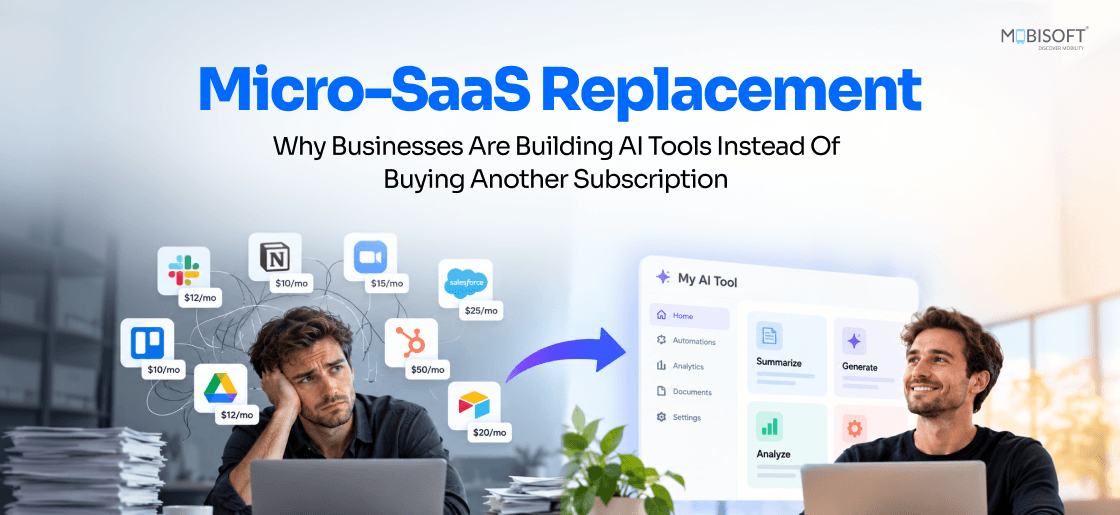
Zylo's 2026 SaaS Management Index found that organizations leave 36% of their SaaS licenses unused. Cutting seats is one answer. Micro-SaaS replacement is another, and it has a catch. A custom AI tool rarely pays for itself in a year. That doesn't make it a bad idea. It makes the choice of tool matter.
Our worked examples show payback between 17 and 46 months depending on the tool. We'd recommend choosing candidates by workflow fit and data ownership first. Price comes second. A team that wants a partner for that call can start with our custom AI solutions practice.
This guide gives you a replacement test and a scoring table. A cost model follows. You'll use them to pick the first subscription to replace. They also show which ones to keep. You'll also see where a five-tool program breaks even. That date arrives later than a quick estimate suggests. We use plain numbers throughout.
What Is Micro-SaaS Replacement With AI?
Some subscriptions don't earn their cost. This section defines the term and shows where it doesn't apply.
A Plain Definition
Micro-SaaS replacement means building a small AI tool to take over one narrow subscription. Proposal generators and report builders are typical targets. The custom tool does only the job your team uses. It won't carry the extras.
What is SaaS replacement in general? It covers any move off a vendor product. Micro-SaaS replacement is the narrow version. It targets tools costing $100 to $500 a month. Software you own replaces them.
For example, a team might pay for a proposal suite and yet send one template. That flow is easy to rebuild. We'd suggest ranking your candidates with AI strategy consulting before any build starts. The first filter is simple. The tool should do one job. Your team shouldn't use most of its features.
Can AI Replace SaaS Software?
Yes, for some tools. Test one small task first. Language model APIs handle reading and summarizing well. AI coding assistants speed up small builds. No-code platforms help non-developers build simple tools without waiting on engineering.
Speed claims need care, though. In GitHub's 2022 experiment, developers finished one coding task 55% faster with Copilot. A July 2025 METR trial told a different story. Across 16 experienced developers working on their own projects, AI tools added 19% to completion time. Results vary by task, and that's the point. Small and well-defined tools suit AI help best.
Who Does This, and What Stays Out
Technology-forward small and mid-size firms lead the way. Internal IT teams at larger firms aren't far behind. Operations staff with no-code skills now build AI-powered internal tools themselves. For example, an ops lead might automate a weekly status report.
Some software isn't a fit. Full suites like Salesforce or SAP stay out. So do infrastructure products like AWS. Regulated systems that need formal certification stay out too, since a custom build can't match them quickly.
The API Economy Behind It
Any developer can call the same models that power consumer chat products. Cost per call is small, and it's easy to estimate. Take a worked example with illustrative numbers. Say a tool makes 500 calls daily at one cent each. That's about $150 a month, though your provider's rates may differ.
Compare that with a $300 subscription your team opens weekly. Which line item would your finance lead question first?
Five Forces Behind Micro-SaaS Replacement
Five changes landed within a few years of each other. Together they altered the math on build vs buy software. Each one either lowers build cost or raises the price of staying put.
Language Model APIs Made Intelligence Cheap
Drafting a customer reply once took months of language engineering. Now a prompt such as "Reply politely and offer a refund" does the job. Treat the model as a rented utility, much like hosting. Several major labs sell capable models. That puts custom AI tools for business within reach of small teams. Open-weight models add another option. A team with strict data rules can host one itself.
Coding Assistants Speed Up Small Builds
A tool with a tiny scope can reach prototype stage in days. Writing the boilerplate is where assistants help most. Design choices still need a person. Teams short on engineers can use software product development services for version one. A five day sprint would be ideal. Pick a task like drafting a quote from this brief. The METR result above shows why you'd measure the speed yourself.
No-Code Platforms Opened the Door
Several no-code platforms now include AI components like Bubble and Retool. A finance analyst can link an invoice reader to a sheet without code. That suits AI workflow automation on simple tasks. A prompt to extract the invoice total is a typical first step. Complex integrations still call for a developer. They're brittle in no-code tools. A no-code tool that links one system stays tidy. Six systems make it messy. Teams without spare capacity can add digital product engineering outsourcing for a fixed scope.
Vendors Raised Prices
Price rises often trigger replacement talks and they're hard to ignore. Say your renewal lands next month. SaaStr's 2025 roundup lists several recent rises.
| Vendor | Change | Date |
| Salesforce | 6 percent rise on Enterprise and Unlimited editions | 1st August 2025 |
| Slack | Business+ from $12.50 to $15 per user | After 17th August 2025 |
| Microsoft | 5 percent surcharge for monthly billing on annual plans | 1st April 2025 |
Zylo's 2026 index adds a second point. It found 78 percent of IT leaders saw surprise charges from consumption or AI pricing. Usage-based plans make next year's bill harder to predict. That's a fair reason to look at fixed-cost software you own. A sound SaaS subscription management habit starts with a renewal calendar.
Teams Already Use AI Every Day
ChatGPT is now the most expensed app in Zylo's data. AI-native app spend rose 108 percent overall. Business users don't need convincing anymore. Many start the talk themselves. Finance sees the invoice. Operations knows how little of the tool it uses. A common opener is "Why pay $300 a month for a wrapper around a model we already use?"
Multi-step jobs take more than a prompt. Those jobs call for AI agent implementation services that add tool use and approvals. That makes replacing SaaS with AI safer for work that interacts with other systems.
Examples of SaaS Tools Businesses Can Replace With AI
Narrow tools that do one job are the best targets. Broad suites don't qualify. This section lists likely candidates. It also gives a short test for the rest of your stack.
Which SaaS Tools Can Businesses Replace With AI?
The table covers common categories. Product names are examples only. Don't treat them as a shopping list.
| Tool type | Example products | What the custom tool uses | Difficulty |
| Proposal and quote generation | PandaDoc, Proposify | Language model, templates, CRM data | Low to medium |
| Meeting notes and summaries | Otter.ai, Fireflies | Speech-to-text, language model | Low |
| Lead scoring | MadKudu, Clearbit | CRM data, enrichment API, model | Low to medium |
| Report generation | Databox, DashThis | Data connectors, model, templates | Low to medium |
| Internal knowledge search | Guru, Notion AI | Document search over company files | Medium |
| Contract summaries | Kira, Evisort | Document parsing, language model | Low |
| Invoice processing | Bill.com, Tipalti | OCR, model, accounting integration | Medium to high |
| Job descriptions | Textio | Model, template library | Very low |
Support and knowledge bots are a common first build. They're easy to scope. For planning advice, read about custom AI chatbot development. Retrieval quality matters more than the model you pick. It is better to test it early on real questions.
Meeting notes are often the easiest first project and they're simple to judge. Custom AI tools for business start well here. A speech-to-text service plus a language model covers most of the job. Output quality is easy to judge. Anyone can compare the summary to the recording.
Difficulty follows the number of systems a tool connects to. A job description writer works from one template. An invoice tool must link to your ledger and your bank. Start with the first kind. Quick wins build trust, and they don’t cost much.
Tools You Should Keep
Some tools do earn their fees. When a vendor's pitch says "network effects," treat the tool as a poor target. Its value sits in data or a network. DocuSign's legal standing is one example. ZoomInfo's contact database is another.
Deep integrations also hurt the case. Build cost can climb fast if a tool connects with eight systems. Weigh custom software vs SaaS with that cost in mind before you commit. Plenty of SaaS alternatives also exist off the shelf. A cheaper vendor might beat a build.
The Replacement Test
We'd recommend three questions for every candidate.
- Does the value come from software logic or from data and certifications? Logic is replaceable. But data and networks usually aren't.
- What share of features does your team use? Under 30 percent makes a strong case, while 30 to 60 percent calls for evaluation. Above 60 percent, mark it "keep."
- Two years of fees should exceed twice the build cost plus upkeep. If they don't, the build case is weak.
Say a team pays $300 a month and uses two features. Two years of fees come to $7200. A $3000 build passes question three easily. A quick review like this is a low-effort form of SaaS cost optimization.
Micro-SaaS Replacement Versus Full SaaS Replacement
The main difference between Micro-SaaS replacement and SaaS replacement is scale. A micro-SaaS replacement targets one narrow tool. The build is smaller, and so is the risk.
For example, swapping one note-taking tool is a micro-SaaS replacement. Moving off a full CRM isn't. Both share one trigger. Fees grew faster than the value delivered. Is that happening in your stack?

Build vs Buy Software: How the Economics Compare
The sticker price rarely tells the full story on either side. This section adds up both bills. It ends with payback examples you can adapt.
The True Cost of a SaaS Subscription
The monthly fee is only the start. It is rarely the full bill. Zylo's 2026 index found that organizations leave 36 percent of SaaS licenses unused. You pay for those seats anyway. For a wider view of both options, read our guide to build vs buy AI solutions.
A fully loaded subscription includes these lines.
- The list price, plus any renewal increase.
- Seats that nobody uses.
- Connector fees for tools that sync data.
- Admin time for onboarding and renewals.
- The cost of leaving, including data export.
Good SaaS subscription management captures all five. Many teams track only the first. A "$200 tool" with $60 of connector fees really costs $260. Add four hours of admin time a month. The real figure climbs again.
The True Cost of Building a Custom AI Tool
A build has hidden lines too. The first invoice isn't the last. Our breakdown of custom software development cost shows how scope and integrations set the total.
As illustrative planning ranges, a job description writer might cost $1500 to $3000. A knowledge base might cost $8000 to $20000. Integration work often takes the largest share. The AI logic and the interface follow.
Add these recurring items to the bill.
- Hosting and model API fees each month.
- Upkeep as models and your systems change.
- A security and privacy review.
- A period of running both tools side by side.
- Internal time from the people who know the workflow.
A $4000 build with no upkeep line looks cheaper than it is. We'd recommend a maintenance line even for a simple tool. Label the row "upkeep" so nobody skips it. Leaving it out is a common error in early models.
Break-Even Examples With Illustrative Numbers
The table uses made-up but plausible inputs, so read the "payback" column as a guide. Swap in your own invoices. Monthly running cost covers hosting and upkeep.
| Use case | Monthly SaaS cost | Build cost | Monthly running cost | Payback |
| Contract summarizer | $400 | $6000 | $55 | 17 months |
| Lead qualification agent | $500 | $9000 | $80 | 21 months |
| Meeting notes with CRM sync | $146 | $2500 | $30 | 22 months |
| Email personalization tool | $200 | $4000 | $50 | 27 months |
| Proposal generator | $200 | $5000 | $45 | 32 months |
| Social content scheduler | $120 | $3000 | $30 | 33 months |
| Report generator | $169 | $4500 | $35 | 34 months |
| Internal knowledge base | $240 | $8000 | $65 | 46 months |
Payback runs between 17 and 46 months. That wide range matters for any build vs buy software call. The knowledge base case is marginal, so label it "buy" for now. The build is costly and the savings are modest. The contract summarizer looks strong.
Set 24 months as the build line. Past 36 months, buy. Weigh fit and vendor risk between them.
Is Custom AI Software Cheaper Than SaaS?
Often yes over three years, but rarely in year one. That holds for custom AI tools for business with steady use. The table shows why. You pay the build cost upfront, and savings arrive month by month. A $300 subscription costs $10800 over three years. A $6000 build with $60 monthly running cost totals $8160 over three years. The gap is real, yet it depends on your inputs.
For example, a five-person team on a $300 plan gains little from ownership. Volume changes the answer. A tool used by fifty gains a lot. Seat-based fees climb with headcount.
The Hidden Value of Building
In any custom software vs SaaS debate, some benefits don't show up in a payback table. A tool that fits your workflow ends the daily workarounds. Sensitive data can stay in your own systems. Costs don't rise with every new seat. You also set the roadmap instead of a vendor.
One more point deserves attention. Owning the tool also means owning its data model. A team can add a field or change a rule in an afternoon. A vendor ticket for the same change may sit for weeks. Treat these as tiebreakers. They shouldn't rescue a build that fails the math by a wide margin.
When Should a Company Build Instead of Buy Software?
Build when the tool is narrow. Buy when the vendor owns data or certifications you can't match. This section turns that rule into a scored build vs buy software decision. A shared framework keeps debates short. The AI build vs buy decision framework covers the startup view.
Step 1. Map What You Are Actually Buying
Start with value. Features come later. List what the vendor gives you, with a line such as "logic plus a data feed" for each. A lead scoring tool, for instance, bundles logic with a data feed. A tool whose value is mostly logic is a candidate. One whose value is mostly data isn't. Mapping value this way also keeps SaaS alternatives in view.
Step 2. Score the Criteria
Give each criterion a 1, 3 or 5. The table shows what each score means.
| Criterion | 1 (keep SaaS) | 3 (evaluate) | 5 (build) |
| Feature use | Over 60% used | 30% to 60% used | Under 30% used |
| Monthly cost | Under $100 | $100 to $300 | Over $300 |
| Core value | Data or compliance | Mix of software and data | Software logic only |
| Workflow fit | Fits well | Some workarounds | Many workarounds |
| Build complexity | Many integrations | Medium | One to three integrations |
| Data sensitivity | Standard, vendor terms fine | Some concern | Highly sensitive |
| Vendor risk | Stable, little lock-in | Some lock-in | High lock-in or price risk |
| Differentiation | Generic workflow | Some value | Competitive edge |
Say a proposal tool scores 5 on feature use and 5 on cost. It scores 5 on core value and 3 on workflow fit. Build complexity earns a 5, and data sensitivity a 3. Vendor risk scores 3 and differentiation 1. That totals 30, the top of the evaluate band.
Add up the eight scores. We'd read 8 to 20 as keep and 31 to 40 as build. The middle band means evaluate. These bands are our recommendation and aren't an industry standard. Tune them to your risk appetite.
Step 3. Prototype Before You Commit
Run a three to five day prototype sprint first. Aim for a working proof of concept. A finished tool can wait. Feed it twenty real inputs from last month, such as old briefs or call notes. For example, ask it to summarize last month's calls and judge the result. Then compare the outputs with what your team produced.
The sprint answers three questions. It shows whether AI-powered internal tools fit your data. Does the output match today's quality? Is the speed acceptable? What does the integration really take?
Step 4. Define Success Before Building
The common failure is a tool that works but changes nothing. Teams then call it "done" and move on. That happens when "it runs" counts as success. Write the target down first. Say the goal is a 35 minute cut in proposal time. Name the metric and the baseline. A tool that meets both earns a place in your AI workflow automation plan.
A short template helps.
- The tool and the SaaS it replaces, with the monthly cost.
- A workflow metric, such as minutes per proposal.
- A quality metric, such as proposal acceptance rate.
- An adoption target, such as 90% of the sales team within 60 days.
- A financial metric, such as net monthly saving after running costs.
- A review at 90 days, with a fix-or-revert decision.
Signs You Should Keep Buying
Some signals say buy. The vendor holds a certification you can't earn quickly. Your team uses most of the features, and the workflow isn't unique to you. You can't name an owner for upkeep either. When two of these four apply, we'd keep the subscription. Then we'd negotiate the renewal. A regional firm using most of its CRM should stay put.
How Custom AI Tools Get Built
Most narrow AI tools follow one of five patterns. They're easy to spot. These patterns cover most custom AI tools for business you'll meet. Knowing yours sets the stack and the effort. Each pattern below has a typical use and one hard part.
The Form-to-Document Generator
A user fills in a form, or the tool pulls fields from your CRM. A language model then writes the proposal or report. A sales rep enters a client name and scope. A draft arrives in seconds.
A form field labeled "client budget" feeds the draft. The hard part is consistent output. We'd recommend a system prompt and ten to twenty strong samples. Add a validation step. The validator checks that every required section appears.
The Knowledge Search Tool
Company documents are indexed so users can ask plain questions. The tool finds the best passages and writes a cited answer. A question such as "What's our travel policy for contractors?" should return the policy page. A guess counts as a failure.
The hard part is retrieval. Passages that look related but don't answer the question produce confident, wrong replies. Careful chunking and metadata filters reduce that risk. A reranking step helps too. We'd also show the source passage beside each answer. A reader can check it in seconds.
The Scoring Pipeline
Records such as leads or applicants flow in from a CRM. The tool adds outside data and scores each one. It then writes the result back. This pattern suits custom AI tools for business with long queues. For example, a lead scored "hot" can alert a rep within minutes.
The hard part is reliability at volume. A pipeline that scores 200 leads a day must handle rate limits and retries. It also needs a plan for partial failures. Losing records without a trace is the failure to avoid. Keep a human review step for borderline scores.
The Agentic Workflow Tool
An AI agent works through several steps and calls tools along the way. An RFP response is a good case. An instruction like "find our three closest past answers" starts the chain. The agent searches past answers and drafts replies. It then formats the file and emails a reviewer. This is the most advanced form of AI workflow automation on the list.
The hard part is recovery. Any step can fail. An email might bounce, or a file might arrive in the wrong format. Log every intermediate state. A person can step in when the agent stalls.
The Embedded Widget
A small tool lives inside an app people already use. Users keep their routine, and the tool sits beside it. The hard part is the host environment. The widget must handle sign-in and rate limits without slowing the app around it. A CRM sidebar that takes four seconds to load will go unused.
Which Stack Fits Your Team?
Match the stack to the people who will maintain it. Say a marketing team has no developers. A no-code builder and a model API cover a document generator. A full-stack developer opens up search and agents.
| Team | Typical stack | Patterns that fit |
| Non-technical (operations, marketing) | No-code builder, automation tool, model API | Document generator, simple scoring |
| One developer or technical ops | Low-code frontend, small backend, model API | Document, search, scoring |
| Full-stack developer | Web framework, Python API, agent library, vector store | All five, best for search and agents |
| Engineering team | Custom stack, agent framework, infrastructure as code | All five, required at production scale |
Which row describes your team today? Matching the stack to the team is part of AI-powered internal tools work. It saves rework later.
Running a Micro-SaaS Replacement Program
One-off decisions leave savings on the table. A short, staged program works better, and it answers a common question. How long does it take to build a custom AI tool?
Who Owns the Program?
Name one owner before the audit starts. Which person in your company fits? Finance often fits best, since it sees every invoice. Pair that person with a technical lead who can judge feasibility. Add a field called "decision maker" to the audit sheet. Without an owner, the list stalls. Also set a monthly 30 minute review. Decisions shouldn't wait for a quarter.
Phase 1. SaaS Audit (Weeks 1 to 3)
Export a year of card and invoice data. List each subscription with its owner and renewal date. Tag each one "keep," "cut" or "test" after a first look. An audit might surface two overlapping note-taking tools. Duplicates like that feed your SaaS cost optimization list before any code exists.
Phase 2. Prototype Sprints (Weeks 4 to 7)
Each shortlisted tool gets a three to five day sprint. The output is a working proof of concept and a scoped estimate. A sprint might test one question first, "Does the summary match the recording?", before anything else. This stage of replacing SaaS with AI is cheap to run. Drop any tool that fails it as a failed sprint costs days and a failed build costs months.
Phase 3. Build and Rollout (Three to Ten Weeks Per Tool)
Plan three to ten weeks for a narrow tool. Simple generators sit at the short end, so they're the best place to start. Search tools and agents take longer. Integration work often takes more time than the AI logic. Run the new tool beside the old one for a few weeks, since that's the real test. Ask users "Would you go back?" before you cancel the subscription. Check the contract first, as a notice period may apply. A 60-day window, for instance, means sending notice while the pilot is still running.
Phase 4. Optimize and Expand (Ongoing)
Review each tool at 90 days against its success metric. Fix what falls short. Then pick the next candidate from the audit list. Say the first tool saves $400 a month. That result funds the second build, and SaaS subscription management turns into a routine.
SaaS Replacement Cost and ROI: A 12-Month Program Model
Is custom AI software cheaper than SaaS? Sometimes, though rarely in the first year. This custom software vs SaaS model shows a realistic path, and every input is illustrative. Replace them with your own invoices.
The Inputs and Savings
Say a mid-size company runs a program on five tools. The build costs total $28500. Add $10000 for the audit and internal review. That brings the investment to $38500.
| Tool | Monthly saving ($) | Build cost ($) | Live in month | Payback month |
| Lead qualification agent | 420 | 9000 | 3 | 24 |
| Meeting notes with CRM sync | 116 | 2500 | 2 | 24 |
| Email personalization tool | 150 | 4000 | 4 | 31 |
| Proposal generator | 155 | 5000 | 4 | 36 |
| Internal knowledge base | 175 | 8000 | 5 | 51 |
Monthly saving is the old fee minus running costs.
What the Program Delivers
| Measure | Value in Dollars($) |
| Program investment | 38500 |
| Monthly saving with all five live | 1016 |
| Annual saving at full run rate | 12192 |
| Saving collected in year one | 8605 |
| Net position at month 36 | Minus 5511 |
| Break-even | About month 42 |
The result is sobering, but it's honest. This program pays back in about three and a half years. That's longer than the 17 to 22 month paybacks of the best single tools in the earlier table. This model counts every cost, including overhead. A headline of "17 months" ignores that.
How to Shorten the Payback
Scope matters most. Say you cut the list to three tools. Drop the knowledge base and the proposal generator. Keep the other three. Investment falls to $21500 with $6000 of overhead. Break-even then lands near month 35. Fewer, stronger candidates beat a long list. They're easier to manage too. The lead agent and the meeting tool carry most of the value. The dropped tools add cost and complexity faster than they add savings.
We'd also push back on any tool with payback beyond 36 months. Buy it, or look for cheaper SaaS alternatives.
Where the Numbers Get Shaky
Any SaaS cost optimization model has soft spots. Your discounts, usage and wage rates won't match this example. For example, a 30 percent discount at renewal would erase part of the savings. Maintenance can run higher than planned. Productivity gains are real but hard to price, so this model leaves them out. What would your own inputs change?
Four mistakes distort most models.
- Leaving out internal developer time.
- Skipping upkeep in years two and three.
- Counting list price when your plan was already discounted.
- Ignoring the cost of running both tools during the switch.
Adapting the Model to Your Company
Replace each input with a figure from your own invoices. Don't reuse mine. Start with the monthly fee and the number of seats in use. Then price the build from a prototype sprint. Guesses aren't reliable. A one-page version of this table is enough for a finance review. Add a column for the owner, so each saving has a name beside it.
Re-run the numbers each quarter, since vendor prices and your usage both move. For example, a tool that missed the 36 month line last year might pass it now. That's part of good SaaS subscription management. It keeps the program honest.
What Are the Risks of Replacing SaaS With AI?
Replacing SaaS with AI trades vendor risk for your own risk. That's a fair trade only with a plan. Five risks come up often. Each has a practical guard, and none is hard to set up.
Output Quality Falls Short
A custom tool can miss the quality of the product it replaces. Complex outputs take more prompt work than teams expect. A prototype sprint exposes this early. We'd test twenty real documents before signing off on a full build. Compare each output with the vendor tool's version and note every gap. A reviewer's comment like "too formal" is useful data.
Maintenance Becomes a Chore
Model APIs change, and so do the systems around them. Your own needs move too. Plan a few hours each quarter for upkeep and put a line for it in the budget. A calendar entry named "model update review" is enough. Who owns the tool when its builder leaves?
Scope Creep Inflates the Build
A narrow project to build AI-powered internal tools can slowly become a platform. A proposal tool, say, picks up invoicing, then contracts. Budget and timeline slip with it. A one-page functional spec for each build prevents that drift. A request such as "can it also handle invoices?" is the warning sign. Anything outside the spec goes on a second list. The team can revisit it after launch.
Developer Time Goes Elsewhere
Internal engineers have product work they can't drop. Every week on an internal tool is a week off the roadmap. An item labeled "after the launch" can slide for months. An outside partner removes that trade-off for teams with thin capacity, and it keeps AI workflow automation work on schedule.
Dependence on One Model Provider
Replacing SaaS with AI shouldn't lock you into one model vendor either. A provider can change its prices. We'd put an abstraction layer between your tool and the model. Add a plan note such as "swap model B in a week". Then a switch needs no rebuild. Keep prompts and test cases in your own repository. They travel with you.
Can Non-Technical Teams Build Their Own Tools?
Yes, for a limited set of jobs. Document generators and simple bots suit no-code platforms. Limits appear fast. Connecting several enterprise systems takes API work. High-volume jobs can strain the platform. A good first no-code task is "turn this form into a one-page brief". We'd use no-code for the prototype sprint. Then bring in a developer if it succeeds.
Security and Data Handling
Moving data into a custom tool moves the duty to protect it. Start by asking "Where does this data live?" Then review access controls and retention before launch. Whether a use case needs privacy sign-off is a question for legal review. Does your plan name an owner for that review?
How Mobisoft Infotech Builds Custom AI Tools to Replace SaaS Subscriptions
For Micro-SaaS replacement, Mobisoft works as a build partner for teams that have found a replacement candidate. The engagement follows the phases above.
- An audit of your SaaS stack, with a ranked list of candidates.
- Prototype sprints that test output quality and integration effort.
- Builds for the five patterns above.
- Reviews of consent and data handling before launch.
- Ongoing tuning against the success metrics you set.
Scope stays narrow by design, even for AI workflow automation builds. You're never buying a platform by accident. Each build starts with a one-page specification. A success metric such as "minutes saved per proposal" comes next. That keeps timelines short and gives you a clear point to review.
What a First Engagement Looks Like
The first step is the audit. You receive a ranked candidate list with the scoring behind it. The second step is one prototype sprint on the top candidate. It shows real output on your own inputs. Only then do you decide on a full build. Nothing's committed until you've seen the sprint result and compared it with the quote.
That order protects your budget. If the sprint fails, you've spent days instead of months. If it succeeds, you'll have a scoped estimate and a success metric. Compare the quote with the payback table, and ask the team "What did the sprint show?" first. Does the number clear your 36 month line? Does your SaaS cost optimization plan name the owner?
Where To Start This Month
Start with the list of subscriptions. Export twelve months of card and invoice data. It's tedious but quick. Write down every subscription with its owner and renewal date. Then run your top five through the replacement test and label each "build," "buy" or "wait" before the month ends.
Next, score the survivors with the table in this guide. Book a three to five day prototype sprint for the highest scorer. Set the success metric before the sprint begins. Write it as one sentence, such as "cut proposal time by 35 minutes". Share it with the team. A tool that can't hit it doesn't deserve a full build.
Mobisoft offers a complimentary SaaS Audit and Opportunity Map session for technology leaders and operations directors. It's a useful second look at your list and a start on SaaS cost optimization.

Frequently Asked Questions
How do we move our data out of the old tool?
Export first and cancel last. Your proposal tool should let you download templates as Docx files. Save those and your past proposals first. Keep the old plan live meanwhile, so replacing SaaS with AI leaves no gap.
Can a custom tool sit beside our remaining SaaS?
Yes. A full swap isn’t required. Your CRM stays, while a custom proposal tool reads its deal data through an API. That suits AI-powered internal tools built for one narrow job. You can retire more subscriptions later, one at a time.
How do we get our team to switch?
Start with the people who use the old tool daily. They’ll spot gaps faster than anyone else. Ask them to compare ten real outputs during the pilot. Winning that test makes AI workflow automation an easy sell.
What does Mobisoft Infotech need from us before a sprint?
Bring a year of invoices and twenty real inputs. Old briefs or call notes work well. That lets us test custom AI tools for business on real data. Name one owner who’s free to answer questions quickly during the sprint.
Who keeps our tool running after Mobisoft Infotech hands it over?
That depends on the support plan, so settle it before the build starts. Mobisoft tunes the tool against your success metrics after launch. If your own engineers take over, ask for written runbooks at handover. A 90-day review is a good first checkpoint, and it’s easy to schedule.
This content is for informational purposes only and may include AI-assisted research or content generation. While we strive for accuracy, information may evolve over time. Readers are advised to independently verify critical information before making decisions.

Nitin Lahoti
Read more
Nitin Lahoti is the Co-Founder and Director at Mobisoft Infotech. He has 15 years of experience in Design, Business Development and Startups. His expertise is in Product Ideation, UX/UI design, Startup consulting and mentoring. He prefers business readings and loves traveling.
 Nitin Lahoti
 October 29, 2026