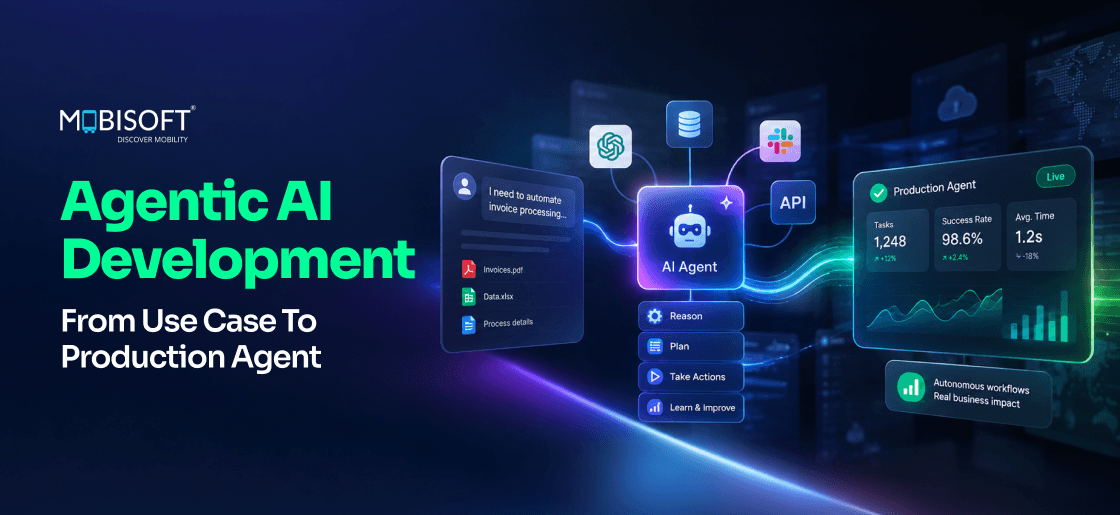
Most teams start agentic AI development with an impressive demo. Getting that same agent to run reliably is a different problem entirely. An AI agent does not just answer questions on request. It picks tools, runs multi-step workflows, and adjusts as results come in. It does all of this with far less human guidance than a chatbot needs.
When an agent works well, it saves hours of skilled human work. When it fails, the failure looks nothing like a typical software bug. An agent that misreads its goal can take many actions before anyone notices. That gap between demo quality and reliability is where AI agent development efforts stall.
This guide walks through the full path to production. It covers how to score use cases properly, and how to choose between single and multi-agent designs. You will find out how to wire up tools and test the agent, then keep it reliable after launch. The guide closes by showing where multi-agent designs fit, and where they do not.
What Counts As An AI Agent In 2026
The term AI agent gets used loosely. It can mean a chatbot with two tool calls. It can also mean a system that runs an entire workflow alone. Getting the definition right guides your architecture and your security plan.
An AI agent is not defined by having a chat interface. Four specific behaviors define an agent, working together consistently.
Autonomy Sets The Pace
An agent decides how to reach a goal on its own. It picks which tools to call and in what order. A chatbot answers the prompt in front of it. An agent decides its next move based on what just happened.
This changes how you test the system. You are not validating one happy path anymore. You are covering many decision branches, since each step influences the next.
Tool Use Makes Actions Real
AI agents call external tools to gather facts and take action. A chatbot draws only from what it already knows. An agent pulls live data and can change something real.
Every tool an agent calls becomes an attack surface. A failed tool call turns into an agent failure. Tool latency adds directly to cost and task time.
Memory Holds The Thread
An agent keeps context across several steps inside one task. Sometimes it keeps context across sessions too. A chatbot works within one conversation window only. An agent can track a workflow spanning several hours.
Memory raises a privacy question as well. What the agent remembers influences what it does next. Memory needs classification, retention limits, and cleanup rules.
Planning Adapts As It Goes
An AI agent builds a plan to reach its goal. It revises that plan when results surprise it. Planning quality depends heavily on the underlying model. Plans must stay observable so humans can review them. You need a way to pause the loop at key points.
Testing planning quality exhaustively is genuinely hard. No fixed test set covers every real scenario. That gap is exactly why evaluation frameworks matter so much later in this guide. A plan that looks sound on paper can still fail against messy, real-world input.
Why The Definition Matters For Governance
Business stakeholders often use the word agent loosely. A precise definition prevents mismatched expectations from the start. It also helps legal and compliance teams scope their review correctly. Enterprise AI agents with real autonomy need different oversight than a scripted workflow. Getting this distinction clear early saves painful conversations later in the project.
Five Agent Architecture Patterns You Will Actually Use
Picking the wrong pattern early adds months to a build. Here is how the five common patterns compare.
| Pattern | How It Works | Best Fit | Complexity |
| Reactive Agent | One input, one LLM call, one output | Simple, single-turn tasks | Very low |
| ReAct Agent | Reason, act, observe, repeat | Variable tool-using tasks | Medium |
| Planning Agent | Full plan built first, then executed | Long tasks needing strict order | High |
| RAG-Powered Agent | ReAct agent plus document retrieval | Knowledge-heavy, changing sources | Medium to high |
| Multi-Agent System | Specialist agents coordinate via A2A | Genuinely parallel, independent work | Very high |
ReAct Is The Default For Good Reason
The ReAct pattern stands for reason and act. It remains the most common single-agent design today. Reasoning about its behavior stays straightforward for most teams. It also fits most agentic AI use cases well. Every major framework supports it, which lowers your build risk.
Planning Agents Suit Long, Expensive Tasks
A planning agent builds its full plan first. This works well when tool calls cost a lot. Getting the sequence right matters more than reacting instantly. Reserve this pattern for tasks with ten or more steps.
Multi-Agent Systems Are The Exception
Multi-agent AI systems only make sense in specific cases. Tasks must split into genuinely parallel, independent subtasks. Each subtask should need different specialist knowledge to justify it. Sequential work suits autonomous AI agents running alone just fine. Teams that default to multi-agent often pay for overhead they never needed.
RAG-Powered Agents Fit Knowledge-Heavy Work
A RAG-powered agent adds retrieval on top of the ReAct loop. It decides when to search a document store. It also decides what to pull back and how to use it. This pattern suits tasks where source material changes often. Policy libraries, product documentation, and compliance rules all fit this profile. Skip this pattern when everything relevant already fits in context.
The Agentic Protocol Stack
Agentic AI development in 2026 runs on three open protocols. Together, they avoid locking you into one vendor or model.
The LLM Integration Layer
The LLM integration layer gives you a provider-agnostic interface.
- LiteLLM is a common choice for this layer.
- You can swap models without rewriting agent logic.
- You can also route tasks by type and track cost centrally.
The Model Context Protocol
The Model Context Protocol, known as MCP, connects agents to business systems.
- It reaches tools like Salesforce, SAP, and internal databases.
- Adding a new system means adding a new MCP server.
- You do not need to rewrite any agent code.
- Security controls sit at this layer and cover every tool call.
The Agent-to-Agent Protocol
The Agent-to-Agent protocol, known as A2A, lets agents coordinate with each other.
- It handles task delegation and result exchange between agents.
- Single agents do not need this protocol at all.
- Reach for it only with real multi-agent coordination needs.
How The Three Protocols Work Together
- A request flows through the LLM layer first.
- From there, it reaches tools through MCP.
- Complex tasks flow further, out to specialist agents through A2A.
- Results then flow back the same way they came.
Why Open Protocols Beat Proprietary Platforms
A proprietary orchestration platform locks your agent to one vendor. Switching models or frameworks later becomes expensive and slow. Open protocols keep that door open from day one. MCP servers work with any agent framework that supports the standard. A2A agents can coordinate across different vendors and models entirely. A broader walkthrough of AI agent development covers custom MCP server builds in depth. This independence matters most as your agent portfolio grows over time.
Scoring Use Cases Before You Build Anything
The use case you pick matters more than any later decision. A well-chosen task can reach production in eight to twelve weeks. A poorly chosen one can stall no matter how well you build it.
Score every candidate across six weighted dimensions before committing time.
| Dimension | Weight | Strong Signal | Weak Signal |
| Task repeatability | 20% | Done daily, process is stable | Rare, highly variable work |
| Success criteria clarity | 20% | Outcome is binary or measurable | Experts disagree on correctness |
| Data and tool availability | 15% | Data and tools already accessible | Several new integrations needed |
| Failure tolerance | 15% | Failures are visible and reversible | Failures are invisible or permanent |
| Human oversight feasibility | 15% | Fast review, no rare expertise needed | Review creates a real bottleneck |
| Business value | 15% | Clear, quantifiable impact | Hard to measure, nice to have |
Good First Agents Share A Pattern
Strong first candidates read information and synthesize it well. They then hand a clear recommendation to a human reviewer. IT incident triage and contract summarization both fit this pattern. Vendor research fits too, since a person reviews the output.
Weak First Agents Share A Pattern Too
Fully autonomous customer responses belong later in your roadmap. Automated credit decisions belong later as well. Both carry regulatory weight and ambiguous success criteria. Build trust with lower-risk agents before attempting these.
Mapping Categories Of Agentic AI Use Cases
- Agentic AI use cases roughly split into four broad categories.
- Information synthesis covers reports, summaries, and research briefs.
- Structured workflow automation covers triage, routing, and approval preparation.
- Research and investigation covers due diligence and compliance checks.
- Coding and technical tasks cover PR review and test generation.
Each category carries a different risk profile worth understanding upfront. Information synthesis is usually the safest starting point available. It stays read-only and a human always reviews the output. Structured workflow automation follows close behind in safety. It has defined rules and a clear approval checkpoint built in.
AI Agent Use Cases That Need Extra Caution
Some AI agent use cases need governance maturity before you attempt them. Fully autonomous customer interaction sits in this category. So does any workflow touching financial or legal decisions directly. These carry real liability if the agent gets something wrong. Save them for later, once your governance framework has proven itself elsewhere.
The Business Case Needs To Survive Scrutiny
Every agent needs an ROI model finance will accept. Calculate benefit as time saved, multiplied by task volume. Add the labor cost that time saved represents. Calculate cost as build cost plus ongoing operating expense. A payback period under six months signals a strong pick.
Weighing several candidate use cases at once gets difficult fast. Working with AI strategy services early can narrow that list. That single step often saves months of wasted engineering time.
When To Bring In Outside Help
Not every team has the bandwidth to score, build, and test an agent alone. Bringing in agentic AI development services at the scoring stage can shorten the path. External teams that have run this process before spot weak use cases faster. They also bring benchmark templates that would otherwise take weeks to build from scratch.
Sensitivity Analysis Protects The Business Case
A good ROI model survives pessimistic assumptions. Ask what happens if human review is needed twice as often. Ask what happens if inference cost doubles unexpectedly next year. Ask what happens if actual task volume comes in far lower. If the case stays positive under those conditions, the use case is sound. If it collapses under mild pessimism, revisit the assumptions before building.
Common Scoring Mistakes Worth Avoiding
Teams often overweight technical feasibility and underweight oversight feasibility. A technically easy agent with no review path still carries real risk. Teams also tend to skip the failure tolerance question entirely. Ask directly whether a wrong output can cause lasting harm. If the answer is unclear, treat that as a weak signal by default.
Designing The Architecture: Single Agent Or Multi-Agent
Architecture choice ranks second only to use case selection. Resist the pull toward multi-agent designs for their own sake. The most common mistake in agentic AI architecture is over-engineering. Teams build A2A coordination when three tool calls would work. Getting the architecture right here saves significant rework later in the build.
Ask Whether The Task Splits Into Real Parallel Work
A sequential task fits a single agent well. Genuine independent subtasks are what justify multi-agent design. Ask whether different specialist knowledge is truly required.
Count The Steps Before Choosing A Loop Style
Tasks under ten steps fit a ReAct loop well. Longer tasks benefit from a planning agent instead. Replanning mid-task on a long chain gets expensive fast.
Check Whether Your Team Can Own The Coordination Layer
Multi-agent systems need someone to own inter-agent security. Someone must also own distributed observability and shared failure modes. Having a tech partner offering AI development services can help bring the required strength. A single agent with parallel tool calls often works just as well. It delivers most of the benefit without the added cost.
Remember Parallel Tool Calls Are Not Multi-Agent Design
A single AI agent can call three tools in parallel. That single step is not a multi-agent system. True multi-agent design needs different models or different teams. It needs separate specialist configurations owning separate parts of the task.
The Hierarchical Orchestration Pattern
When multi-agent design is genuinely justified, hierarchical orchestration works well for most enterprise cases. This form of AI agent orchestration puts one agent in charge overall. It receives the request and breaks it into clear subtasks. It delegates each subtask to the right specialist agent through A2A. Specialist agents execute independently and return structured results. The orchestrator then aggregates those results into one coherent answer.
A human checkpoint agent sits inside this flow for consequential actions. It pauses the workflow and requests approval before anything irreversible happens. This pattern keeps the system auditable even as complexity grows. Every delegation and every approval gets logged for later review. A closer look at harness engineering covers this resilience layer in full.
Engineering The Core Agent: From Design To Working Code
Once the architecture is set, real engineering begins. This section answers a practical question. It covers how to build an AI agent that survives real production traffic. Every component covered here has earned its place through hard lessons.
Framework Choice Influences Your Build Speed
Picking the right AI agent framework guides how quickly you can ship. LangGraph suits complex, stateful workflows with conditional branching. It includes built-in points for human review. CrewAI suits simpler, role-based multi-agent crews instead. It helps smaller builds move faster too. Direct A2A implementation gives you maximum control. It demands a deeper grasp of the specification itself. Structuring what the model sees is a form of context engineering.
Tool Descriptions Decide What The Agent Picks
The agent chooses tools based on how well they read. A weak description offers little beyond a bare label. It might just say "create a support ticket" and stop. A strong description explains exactly when to use that tool. It lists required parameters and what success looks like. Weak descriptions cause agents to pick the wrong tool entirely.
Memory Needs More Than A Chat History
Production agents typically carry four distinct memory types.
- Working memory holds task state inside the model's context window, clearing at task end.
- Episodic memory stores recent interactions in a database. It must respect deletion requests under privacy law.
- Semantic memory holds domain knowledge in a vector store. It inherits access controls from source documents.
- Procedural memory captures patterns that worked before. It gets reviewed and version controlled before reuse.
Tool Integration Follows A Repeatable Pattern
Define the tool contract first, including name and schema. Implement the MCP server with validation and logging built in. Add authentication and rate limiting at the same layer. Connect the agent and test its tool selection carefully. Only then move the tool into live production traffic. Watch how the agent behaves under real, imperfect conditions.
The Agent Loop Needs Hard Limits
Every ReAct loop needs a maximum iteration count set upfront. Without one, a confused agent can loop indefinitely on a task. Set a timeout for each individual step as well. Log every thought, action, and observation for later debugging. This logging becomes essential once something goes wrong in production. You will want a full trace, not a vague summary.
Output Validation Closes The Loop
Never return raw agent output straight to a user or a downstream system. Validate structured outputs against a defined schema first. Run content safety checks and PII detection on the result. Check numerical outputs against reasonable thresholds before accepting them. This final gate catches mistakes before they reach anyone who matters.
Evaluating An Agent Before Real Users See It
Agent behavior is not deterministic by nature. The same goal can follow different paths each run. Standard test assertions often fail on a correct answer. That answer might simply be worded differently than expected. AI agent evaluation needs its own dedicated approach entirely.
Three Levels Catch Different Failures
Component testing checks each tool and prompt in isolation. Integration testing runs full tasks against a benchmark set. It checks whether the agent reached its goal sensibly. System testing throws adversarial inputs and load at the agent. It reveals how the system holds up under real stress.
Trajectory Evaluation Looks Past The Final Answer
An agent reaching the right answer inefficiently is still a problem. A slow or risky path costs more than an efficient one. Trajectory evaluation checks tool selection accuracy across the run. It also checks call count against a human baseline. Reasoning coherence and goal preservation matter just as much.
The Benchmark Dataset Is Worth The Investment
Build one hundred to two hundred representative benchmark tasks. Add fifty to one hundred edge cases on top. Include thirty to fifty adversarial tasks designed to trigger failures. Add a growing set of tasks from real incidents. This dataset becomes the most valuable asset in your AI agent testing process.
Adversarial Testing Deserves Its Own Track
Adversarial tasks should try to break the agent deliberately. Include prompt injection attempts hidden inside tool results. Include ambiguous requests that should trigger a refusal instead. Include goal-hijacking attempts that try to redirect the agent mid-task. A production-ready agent handles all of these without taking harmful action.
CI/CD Integration Makes Evaluation Continuous
Wire the benchmark suite directly into your deployment pipeline. Every prompt change and every tool update triggers a full run. A quality score drop below threshold blocks that deployment automatically. This turns evaluation from a one-time gate into a constant safeguard. It catches regressions long before real users ever see them.
Reliability Engineering For When Agents Fail
AI Agent failure looks different from a typical application crash. By the time an error hits, state already exists. Recovery rarely means simply retrying the whole request.
Know Your Failure Types Before They Happen
Transient tool failures deserve a retry with backoff applied. Permanent failures need the loop to stop entirely. The situation then gets handed off to a human reviewer. Context exhaustion calls for summarizing older context instead of discarding it. Infinite loops need a hard cap on iterations.
Partial Completion Still Has Value
A research agent gathering data from seven of ten sources still produced real value. Discarding that work wastes what the agent already found. Checkpoint state at each major step of the task. Deliver partial results with a clear note on what finished. Prepare a structured handoff so a human can finish cleanly.
Escalation Paths Need To Be Explicit
Define upfront exactly when the agent should stop and escalate. A vague instruction like "ask for help if stuck" is not enough. Specify the conditions clearly, such as three failed retries. Specify who receives the escalation and through what channel. An agent lacking a clear escalation path tends toward two failure modes. It either loops forever, or it fails silently without a trace.
Security Engineering For Production Agents
AI agent security covers two dimensions traditional software rarely faces. One is the model's reasoning, which adversarial input can sway. The other is the agent's ability to act through tools. An attacker who steers reasoning can redirect real actions too.
Six Attack Vectors Deserve Specific Defenses
Direct hijacking happens when a user asks the agent to overstep scope. Indirect hijacking happens when tool output hides new instructions. Tool abuse happens through manipulated parameters in a sensitive call. Memory poisoning writes false context meant to alter future behavior. Rate-based attacks aim to exhaust quotas or probe capabilities. Context stuffing tries pushing earlier security rules out of view.
Controls Need To Sit At Three Points
Pre-execution controls validate input and enforce user-level access rules. They wrap tool output in clear data delimiters too. In-execution controls enforce a strict tool allowlist at runtime. They require human approval before any write action proceeds. They also cap the total number of loop iterations. Post-execution controls validate output against a defined schema. They redact sensitive data and stream logs to audit systems.
Role-Based Access Prevents Privilege Escalation
An agent session should carry only the permissions of the requesting user. It should never run as a broad service account instead. This rule matters most when the agent reaches sensitive systems. Enforce it at every MCP server, not just at the agent layer. A compromised agent session then carries no more power than the user it represents.
Audit Logging Makes Investigation Possible
Log every tool call with user identity, parameters, and the result returned. Stream those logs to your enterprise security monitoring system in real time. This gives your security team the ability to investigate incidents properly. Skip this trail, and a post-incident review has almost nothing solid to examine.
The Twelve-Week Roadmap From Approval To Production
This roadmap moves a signed-off use case to production. It runs across six sprints of two weeks each.
| Sprint | Weeks | Focus | Gate To Pass |
| 1 | 1 to 2 | Foundation and architecture | Model switch works through config only |
| 2 | 3 to 4 | Tool integration and core loop | Correct tool picked on 90%+ of tasks |
| 3 | 5 to 6 | Evaluation framework | Benchmark quality clears the set threshold |
| 4 | 7 to 8 | Reliability and human checkpoint | Agent pauses and resumes on approval |
| 5 | 9 to 10 | Security hardening | Penetration test clears with no major findings |
| 6 | 11 to 12 | Limited rollout | Seven clean days with no incidents |
Start The Benchmark Early
The most common timeline slip starts the benchmark too late. Domain expert time is harder to schedule than engineering time. Begin benchmark work in Sprint 1, alongside architecture work.
Team Composition Determines Whether The Timeline Holds
A realistic team includes a full-time lead AI engineer. It needs a backend engineer through the first five sprints. A security engineer joins part time, then full time in Sprint 5. An evaluation engineer joins from Sprint 3 onward. Product ownership and light DevOps support round out the group.
Reliability Patterns Belong In Sprint Four
Sprint 4 is where the agent earns its resilience. Retry logic and circuit breakers get implemented and tested here. Teams that skip this sprint often ship agents that break under normal, everyday load. Treat this sprint as non-negotiable, even under schedule pressure.
Context Management Deserves Deliberate Design
How you construct and manage context determines agent quality directly. Sloppy context handling causes irrelevant tool results to crowd out useful signal. Get this right in Sprint 2 and Sprint 4 becomes noticeably easier.
Operating An Agent After It Goes Live
AI agent monitoring does not stop once the agent ships. Model updates and changing user behavior pull quality in different directions. An aging knowledge base adds further drift over time.
Track Metrics That Traditional Tools Miss
Watch task completion rate and aim above 85%. Watch tool call error rate and keep it under 5%. Watch average iterations against your benchmark baseline closely. A sudden jump usually signals a prompt regression somewhere. Watch human checkpoint approval rate as a trust signal too.
Build A Weekly Improvement Habit
Review the lowest-scored outputs from the past week regularly. Classify why each one scored poorly against expectations. Run the full benchmark before any prompt change ships. Treat every real failure as a new regression test. The benchmark then keeps growing from actual production incidents.
Model Updates Require Their Own Assessment
Providers update underlying models on their own schedule. Run the full benchmark before and after every model version change. If quality regresses, adjust prompts to compensate before rolling forward. Never assume a newer model version performs identically to the last one.
Knowledge Freshness Needs Regular Auditing
A RAG-powered agent is only as good as its source documents. Stale documents produce confidently wrong answers over time. Set up automatic re-indexing whenever a source document updates. Run a freshness audit on a fixed schedule regardless. This keeps retrieval quality from gradually decaying as the knowledge base grows. A deeper walkthrough of AI agent development covers this kind of ongoing tooling work.
Managing The Cost Of Running Agents At Scale
Cost discipline matters as much as reliability once an agent hits real volume. Every tool call and every model call adds up fast. A single agent handling thousands of daily tasks needs a real cost model. Build that model in from the very start of the project.
Track Cost Per Task
A total monthly bill hides which tasks actually cost the most. Track inference cost, tool cost, and total cost per single task. This number lets you compare the agent against its human-performed baseline directly. It also flags cost regressions the moment a prompt change ships.
Model Routing Cuts Cost Without Cutting Quality
Not every step in a task needs your most expensive model. Route simple classification steps to a smaller, cheaper model instead. Reserve the premium model for steps needing deep reasoning. This routing decision alone often cuts inference cost by a meaningful margin. Test routing changes against the benchmark before rolling them out broadly.
Watch For Context Bloat Driving Cost Up
A growing context window steadily pushes up cost over time. Tool results that pile up unchecked inflate every subsequent call. Summarize or discard stale context once it stops being useful. This keeps both cost and latency from climbing unnoticed.
Where Mobisoft Fits In Your Agentic AI Roadmap
Building production-ready AI agents takes more than a working prototype. It takes a use case scored against real criteria. It needs an architecture matched to the actual task at hand. It needs a benchmark built well before launch day arrives. Security controls must hold up under a real penetration test.
Mobisoft builds single-agent and multi-agent AI systems using the LLM, MCP, and A2A stack. Evaluation and human checkpoints get built in from the first sprint. Teams asking how to build AI agents often start with a scoped review.
Common Mistakes That Derail Agentic AI Projects
Even well-resourced teams stumble on the same handful of mistakes repeatedly. Recognizing these patterns early saves weeks of rework later in the project.
Skipping The Use Case Scoring Step Entirely
Teams excited about a new capability often pick a use case informally. They skip the structured scoring exercise entirely. This leads to agents built for tasks with unclear success criteria. Months later, the team struggles to prove the agent actually works. Learning how to build AI agents starts with scoring, not code. Always run the scoring framework before writing a single line of code.
Building Multi-Agent Complexity Too Early
Conference talks and vendor demos favor multi-agent architectures visually. Teams copy that pattern without checking whether their task actually needs it. This adds A2A coordination overhead for tasks a single agent would handle fine. Always run the architecture decision tree honestly before committing to complexity.
Treating Evaluation As An Afterthought
Some teams build the agent first and add testing near the end. This means quality issues surface only after real users hit them. Build the benchmark dataset alongside the architecture from Sprint 1 onward. Evaluation is not a phase that happens after building. It runs in parallel with it, the whole way through.
Underinvesting In Tool Description Quality
Engineers often write tool descriptions the way they would document code for other engineers. The agent, however, reads these descriptions to decide what to do next. A description written for a human colleague often confuses the model instead. Write every tool description with the agent as your actual reader.
Closing Thoughts On Building Production Agents
Getting an AI agent from demo to dependable system takes real engineering discipline. A capable model alone will not get you there on its own. The use case you score first determines everything that follows after it. The architecture you choose and the benchmark you build matter just as much. Neither one forgives being rushed or skipped entirely under deadline pressure.
Teams treating AI agent deployment as a real engineering discipline ship agents people trust. Teams that skip scoring and evaluation find out the hard way instead. Real users often end up watching that failure unfold in real time.
Start with one well-scored use case, and resist the urge to expand scope early. Build the benchmark alongside the architecture from day one, not as an afterthought. Let the agent earn more autonomy only after it proves itself under supervision. That sequence, followed patiently across twelve weeks, separates a demo from a real system.

Frequently Asked Questions
How does Mobisoft Infotech's approach to agentic AI development differ from that of a typical vendor?
Mobisoft Infotech treats agentic AI development as a scored, twelve-week engineering process, not a one-off build. You get a use case evaluated against real criteria before any code gets written. This keeps the project grounded in measurable business value from day one.
What happens if our team lacks in-house AI engineering talent?
You do not need a full internal bench to get started. Mobisoft Infotech's AI agent development services cover the entire build, from use case scoring through security hardening and rollout. A dedicated team handles the engineering while your team stays focused on the business outcome.
Can Mobisoft Infotech help us decide between a single agent and a multi-agent setup?
Yes, and this decision happens early, before any engineering begins. The right AI agent architecture depends on whether your task genuinely splits into parallel, independent subtasks. Mobisoft Infotech walks through that decision with you so you do not overbuild for a task that a single agent could handle.
How do we know an agent is actually ready before it goes live?
Every agent goes through structured AI agent evaluation before real users ever see it. This includes testing at the component, integration, and system level, plus a benchmark built from real and adversarial tasks. Only an agent that clears these gates moves to production.
What stops an agent from taking an action it should not take?
Strong AI agent security sits at every layer of the build, not just at the edges. Input validation, a strict tool allowlist, and mandatory human approval before any write action all work together. This keeps the agent from acting outside its intended scope, even under adversarial input.
How long does it typically take to get a production-ready agent live?
Most engagements follow a validated twelve-week roadmap across six sprints. You get production-ready AI agents that have passed security review, load testing, and a limited rollout before full deployment. This pacing keeps quality checks from being skipped under schedule pressure.
This content is for informational purposes only and may include AI-assisted research or content generation. While we strive for accuracy, information may evolve over time. Readers are advised to independently verify critical information before making decisions.

Nitin Lahoti
Read more
Nitin Lahoti is the Co-Founder and Director at Mobisoft Infotech. He has 15 years of experience in Design, Business Development and Startups. His expertise is in Product Ideation, UX/UI design, Startup consulting and mentoring. He prefers business readings and loves traveling.
 Nitin Lahoti
 September 22, 2026