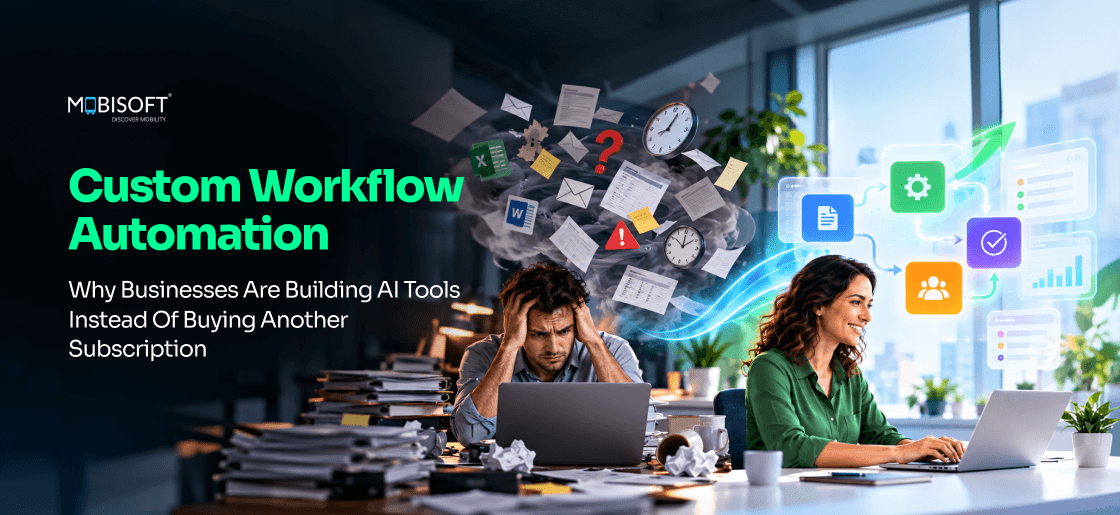
Your software probably handles most of your work without complaint. The trouble comes from the unconventional tasks. It can be a claim missing a report, a supplier certificate in an odd format, etc. Those cases drift into spreadsheets and inboxes. Your most experienced people end up doing the system's job by hand.
The tool never breaks, so the cost stays hidden. It simply stops carrying your hardest decisions. Custom workflow automation hands those decisions back to a system that can read, reason, and route. As an artificial intelligence solutions provider, we'd measure your exception share before suggesting any new tool. The result is often a smaller project than leaders expect. Sometimes the right call is no build at all.
So which of your workflows lives mostly outside the software meant to run it? That's usually where the next hiring request comes from. It's also where your best customers wait the longest.
Why Off-the-Shelf Tools Break on Unique Workflows
Every SaaS product bets on its average customer. A CRM built for 50,000 companies picks flexibility over precision. An ERP designed for scale favours standard processes. Those are sensible choices for the vendor. The cost lands on customers whose work doesn't look average.
Built for the Median, Sold to Everyone
The debate over custom software vs off-the-shelf software usually starts with price. It's better to start with fit. Packaged tools work well when your process sits near the median. They struggle once you add logic they can't model.
Say a third of your orders carry special pricing. The order system handles the rest without trouble. For those exceptions, someone exports a spreadsheet and emails finance. "It's faster if I just do it myself," the account manager says. The software still works. Your team simply does the hard part outside it.
How many key decisions happen in a spreadsheet besides your system of record?
Four Ways the Mismatch Shows Up
The symptoms tend to arrive in a predictable order. Most teams spot the first one and miss the rest.
- Workarounds appear around the tool. "We'll handle that one by hand."
- Data splits across several tools. "Which system has the latest version?"
- Configuration debt grows each quarter. "Only one admin understands that rule."
- New services wait on the software. "We can't launch that until next year."
Integration gaps make this worse at scale. MuleSoft's 2025 Connectivity Benchmark Report puts the average enterprise at 897 applications. Only 29% of them are integrated. Each unconnected tool adds a handoff your staff carries by hand.
What Changes When AI Enters the Workflow
Rules engines have handled simple if-then logic for decades. AI workflow automation adds something new. A language model can read a contract clause. It can then pull out exactly what the next step needs. Clinical notes and supplier certificates can be handled the same way.
Picture a broker email with three attachments and a two-line note. A rules engine sees an email. A language model sees a renewal request, a revised schedule, and a missing loss history. It can then say what's missing in plain words.
Four capabilities matter most here.
- Decision logic written in plain language, exceptions included.
- Document understanding for contracts and medical records.
- Handling for messy input like emails and scanned forms.
- Context that carries across a long, multi-step process.
Could your current tool explain why it routed a case to one reviewer? We'd use these four as a quick test for any product. If it fails on two, more configuration won't help. That's usually the point where custom workflow automation becomes worth pricing.
What Makes a Workflow Truly Unique?
Plenty of teams think their process is special. Often it's just set up differently. A real mismatch has structural causes. We look for five of them before recommending any build.
Decision Logic Only Your Industry Uses
Some decisions can be taken only based on rules that cannot be defined with a generic tool. Mortgage approval decisions involve the analysis of LTV ratio against investor regulations. Adverse event detection in a clinical trial is dependent on protocol compliance. A construction schedule links subcontractor dependencies to weather contingencies.
Generic platforms give you fields and dropdowns for this. They don't give you the reasoning behind them. So the team decides outside the system and types in the result. "Approved, see email," reads the note on the record. Your software now stores outcomes without knowing how anyone reached them. "Can it just work out the LTV for us?" is often the first thing underwriters ask for.
Many Parties, Many Stages, Conditional Routes
Think about an insurance claim. It goes to a different adjuster depending on type and value. Requests then go to the claimant and an independent assessor at once. Coverage rules set the settlement authority. Contested claims move to legal.
Most workflow tools don't struggle with a straight approval chain. Few handle parallel paths with outside participants. Fewer still let a rule change the route halfway through. Does your claims or approval process do that every week? Then you're looking at a case for custom workflow software.
Unstructured Data at the Centre
Many processes are unique because they run on documents. Due diligence runs on contracts and regulatory filings. Prior authorisation depends on clinical notes. Supplier qualification needs certificates and audited accounts.
Generic software stores these files and does little else with them. It can't reason about what's inside. A person reads each one and retypes the key facts. "I spend Mondays copying numbers out of PDFs" is a line most operations leads have heard.
Language models change that maths. A model can read a contract and check each clause against your standard terms. It flags the exceptions and routes them to the right reviewer. Your lawyer then reads three flagged clauses instead of forty pages.
A High Exception Rate
Sometimes the standard path is ordinary, but the exceptions aren't rare. Picture a distributor processing 500 orders a month. Around 30% need special pricing, custom delivery, or a destination-specific certificate. The order system handles the other 70% well. Those 150 exceptions, though, eat most of the team's week. "Can we ship this one without the export form?" becomes a daily question.
That exception share is what makes the workflow unique. It's also where custom business process automation pays back fastest. Each exception costs several times more staff time than a standard order.
A Process That Is Your Competitive Edge
For some firms, the workflow itself is the advantage. It might be a proprietary scoring model. It might be a client review routine that wins renewals. On generic software, that edge lives in a few people's heads. When they leave, it leaves too.
"Ask the senior analyst, she built the scoring sheet," is a risky answer to hear in a handover. Encoding that logic turns personal know-how into company property. We'd treat it like product IP, with tests and a named owner. Our software product development services team scopes these rules like a customer-facing product.
The Five Properties at a Glance
| Property | Generic Tool | Custom AI |
| Industry logic | Manual workaround | Encodes the rules |
| Multi-party routing | Simple chains only | Parallel, conditional paths |
| Documents | Stores files | Reads and extracts |
| Exceptions | Human handles them | Triages and routes |
| Proprietary process | Lives in people | Lives in the system |
Which of these describe your hardest workflow? Which one costs you the most hours each month? If none apply, configuration's probably enough. If three or more do, custom workflow automation deserves a proper business case.

12 Signs Your Business Has Outgrown Generic Software
Nobody wakes up to find the tool has stopped working. The fit erodes a little each quarter. A new product line adds a step, and a new regulation adds a check. By the time leaders notice, there's a second process running around the first.
These twelve signs help you spot that drift early. They also show whether custom workflow automation deserves a budget line yet. Count how many apply to your most important workflow.
Signs 1 to 4: Daily Operational Friction
These show up on the floor long before they'd reach a board report.
- Staff keep a side spreadsheet for what the system can't hold.
- The same case data gets typed into two tools. "Didn't I already enter this?"
- "Let me ask the team lead" is how people learn a case's status.
- Exceptions travel by email and chat, outside the audit trail.
Signs 5 to 8: Growth and Quality Limits
These appear when volume rises, and the process can't keep up.
- Cycle time grows with volume. Double the work means double the staff.
- New hires need three months before they've learned the workarounds.
- Output quality depends on who picks up the case that day.
- Rework stays stubborn, even after two rounds of training.
Say your best reviewer goes on leave for a fortnight. Does the backlog double? If so, the process leans on a person more than a system. Better training alone won't fix that. Neither will small rounds of business process optimization.
Signs 9 to 12: Strategic and Commercial Cost
These are the signs that reach the P&L. When did your last lost deal mention response time?
- You take days to quote while competitors reply within hours.
- An auditor finds decisions with no recorded reasoning.
- Admin headcount and licence spend grow faster than revenue.
- A new service waits a year because "the system can't support it yet."
This last group carries the most weight. It's where a tooling problem turns into a growth problem. Buying more enterprise workflow automation software seats rarely helps. The gap sits in how your work runs.
Score Your Workflow
Add up the signs that apply. Then find where you land below.
- With 0 to 2 signs, your platform still fits. Focus on tightening the process inside it.
- With 3 to 5 signs, a mismatch is forming. Test a targeted fix on the costliest one.
- With 6 to 9 signs, you're paying a real workflow tax. A formal audit is worth doing.
- With 10 to 12 signs, the software now limits growth. Each quarter of delay adds cost.
What did you score? "Seven, and I left two out," is a common honest answer. Anything above five usually calls for product thinking over another plugin. Our digital product engineering services begin with a workflow audit for that reason. Nobody writes code until the real process is on paper.
Where Generic Software Fails Most Visibly, by Industry
Every sector has its version of this problem. Some feel it more than others. Their work is document-heavy and tightly regulated. That's where generic platforms struggle most.
Financial Services and Insurance
Loan origination, underwriting, and claims share one pattern. Each mixes eligibility rules with stacks of financial documents. Several parties touch every file before a decision lands.
A generic CRM records what happened at each step. It can't apply your credit policy or read a balance sheet. So underwriters spend much of the day gathering data. "I'm doing data entry with a licence," one might say.
AI workflow automation for business lines like these is already practical. A loan tool reads the statements and works out the ratios. It applies policy rules next. The file then reaches an underwriter with a draft assessment attached.
Regulation adds a date to plan around. The EU's Digital Omnibus on AI came into force in July 2026. It pushed AI Act high-risk duties for credit scoring to 2 December 2027. We'd build audit logs and human review in from day one. Whether your tool counts as high-risk is a question for legal review.
Legal and Professional Services
Firms run on matters, and matters run on documents. Practice management tools handle time and billing without much fuss. They're far weaker at reading what's in the file.
Picture a due diligence project with 2,000 files in the data room. Tracking lives in a spreadsheet kept by the most junior associate. A custom matter tool reads each document as it arrives. It keeps a running list of open issues. It can also draft the weekly client update. These are the custom AI tools for business that firms adopt first, because the documents are already digital. On fixed-fee work, every associate hour saved goes straight to margin.
Healthcare and Life Sciences
Prior authorisation is the clearest case for AI workflow automation in any sector. The AMA released its 2025 Prior Authorization Physician Survey in May 2026. Practices reported nearly 40 requests per physician each week. Physicians and staff spent about 13 hours a week on them.
Most EHRs weren't built for this job. Staff read the notes and check the payer's criteria by hand. Then they fill in the request. "Which form does this payer want now?" isn't a rare question. CAQH put a manual prior authorization at $10.97 for providers in 2023. An electronic one cost $5.79.
What the 2026 CMS Rule Changed
The CMS Interoperability and Prior Authorization Final Rule (CMS-0057-F) set new clocks. Since January 2026, impacted payers owe an answer on urgent requests within 72 hours. Standard requests get seven calendar days. A FHIR-based Prior Authorization API is due by January 2027.
Faster payer clocks put pressure on providers too. AI-powered workflow automation can pull the relevant notes. It'll then match them to payer criteria. It drafts the request for a staff member to check and submit. How many of those 13 weekly hours would your team get back?
Real Estate and Property
A property sale pulls in agents, buyers, lenders, and solicitors. Each milestone carries legal weight and its own paperwork. CRMs track the pipeline well enough. They don't sequence documents across parties working in parallel.
"Has the lender sent the valuation?" usually means someone's searching an inbox. That's a workflow orchestration gap. A custom tool can generate each milestone's documents and chase whichever party is late. We'd start with the milestone that causes the longest delays, often searches or lender conditions. Agents then spend their calls on buyers instead of status checks.
Manufacturing and Engineering
ERPs don't struggle with finance and inventory. Engineering change orders are harder. One change can touch parts and assemblies, plus supplier specs and certification files.
"Who signed off on the new bracket spec?" is a tough question in most ERPs. Many manufacturers run ECOs through a shared folder and an email chain. That's where custom software for business processes earns attention. An ECO tool maps the impact across the bill of materials. It then routes the change to the right approvers.
SaaS and Technology Companies
Software firms face the problem from the inside. Packaged enterprise workflow automation software seldom reflects how their product gets used. Their customer success tools score account health with generic signals like logins and ticket counts. Those signals often miss what predicts churn.
Say your strongest renewal signal is whether a customer has connected a second data source. No packaged tool knows that. A custom health model combines product usage with CRM data and support history. It then flags at-risk accounts weeks earlier. "Why didn't we see this coming?" gets asked less often at renewal time.
Franchise and Multi-Location Operations
Franchise brands often face a cost problem on top of a fit problem. An ice-cream company grew past 1,400 locations on a third-party platform. That platform took a commission on every order, and it performed poorly offline.
"Why are we paying a fee on every cup?" is fair to ask at that scale. We built a custom franchise management and workflow automation platform for the brand. Each user group got its own panel, with staff clocking in through geofencing. Its AI assistant quotes prices and books events. Anything unusual goes to a franchise admin.
Industry Summary
| Industry | Core Pain | Custom AI Fix |
| Finance, insurance | Manual underwriting | Document-reading underwriting |
| Legal | Matter tracking | Matter intelligence |
| Healthcare | Prior authorisation | PA agent with EHR link |
| Real estate | Multi-party paperwork | Transaction orchestration |
| Manufacturing | Change orders | BOM-aware ECO routing |
| SaaS | Churn signals | Product-specific health scoring |
| Franchise | SaaS fees, silos | Owned operating platform |
Which row looks most like your week?
Configure, Extend or Build: The Real Decision
Once a team admits the tool doesn't fit, it tries tuning harder. Someone suggests another plugin. Someone else wants to switch vendors. All three are versions of one choice. You configure instead of building.
That choice is often right. It's also often made without pricing custom business process automation as the alternative.
When Configuration Is Enough
Modern cloud-based solutions are capable of quite a few things. Custom objects and native AI components provide more functionality every year. Low-code modules address less complex cases. Prior to pricing the customization, we would see if better usage of existing components could help.
Say your support team wants tickets routed by product line. Any modern help desk can do that with a rule. Paying for a custom build there would waste the budget.
Configuration usually wins in these cases.
- Your workflow is close to what the vendor designed for.
- Decisions follow simple if-then rules a non-developer can maintain.
- Nearly all the data lives inside that one platform.
- Inputs are structured fields, with few documents to read.
- The process isn't a competitive edge, so "good enough" is fine.
When Configuration Runs Out
The signals flip when the process itself differs from the product's design.
- Decisions weigh many variables or need a full document read.
- Data comes from four or five systems, and the SaaS tool is one.
- Exceptions make up a big share of volume.
- Admins spend more time on rules than the rules save.
- Customers pick you because of how you run this process.
"We've added 140 custom fields, and it still doesn't fit." That's a fair sign you've hit the limit. At this point, AI workflow automation built around your process starts to make sense. When did a configuration change last remove a manual step?
The Middle Path: Extend With an AI Layer
Teams often skip a third option. You keep the SaaS platform as the system of record. Then you add an AI service at the one or two steps where it falls short.
Say your CRM handles accounts and pipeline well. Contract review is the only painful step. "Can someone check the renewal clause on this one?" lands in a shared inbox each week. An AI layer reads each contract and writes the key terms into CRM fields. You don't replace a tool that mostly works.
The Three-Way Decision Matrix
| Factor | Configure | Extend | Build |
| Platform fit | High | Medium | Low |
| Decision logic | Simple rules | Smart at a few steps | Complex throughout |
| Data location | One platform | Mostly one | Many systems |
| Documents | None | Some steps | Central |
| Payback target | Weeks | 24 to 48 months | Under 24 months |
| Differentiation | Low | Medium | High |
We'd score each workflow step against this table, one row at a time. A process rarely lands in a single column. Most land in two. That's why custom workflow automation software often sits beside existing tools.
One point ends most of the arguments. Is this workflow the one that your supplier built for, or another one? If the latter is true at the core, then configuration cannot bridge the gap.
What Custom Workflow Automation Looks Like in Practice
"Custom AI" sounds abstract until you see what gets built. Most projects take one of four forms. Your highest-scoring workflow properties point to the right one.
Form 1: The AI Workflow Orchestrator
An orchestrator runs a process that passes through many hands. It routes, assigns, and escalates work, and AI makes the calls at each decision point. It usually replaces a project board plus a CRM workflow. The chat alerts that held them together go too.
"Who's picking up the Hartley submission?" stops being a question. Here's how workflow orchestration might run for commercial insurance underwriting.
- A new application arrives. The model classifies it by risk tier.
- It goes to the underwriter with the right specialism and spare capacity.
- Missing documents get requested from the broker automatically.
- As the decision deadline nears, the case moves to a senior underwriter.
Each step gets logged, so there's an audit trail for regulators. It also gives your team the data to improve routing later.
Form 2: The AI Document Processor
A document processor converts unstructured documents into structured data. It is the most frequent form of AI-integrated workflow automation because ROI measurement is straightforward. Both contracts and inspection reports fit the bill. If the confidence level is sufficiently high, the system takes action based on the output. Otherwise, a person verifies it.
Suppose a manufacturer receives supplier packs of 10 to 80 pages. Each covers certifications and finances in its own format. The processor extracts the fields your checklist needs. It flags gaps and scores the supplier against your criteria. Procurement then reads a one-page assessment. "Just tell me what's missing" is the request it answers.
How long does your team spend on each pack today? That number tells you whether this form pays back.
Form 3: The AI-Powered Internal Tool
Some teams don't need a new engine. They need one screen that shows the right facts at each step. This kind of custom workflow software follows your team's real sequence. It'll handle the integrations out of sight.
Consider client onboarding at a financial advisory firm. The adviser opens one view showing every open case. It shows which KYC documents have arrived. It also shows which compliance checks have passed. The tool chases the client for anything missing. "Where are we on the Shah account?" now takes one click to answer. We'd choose this form when the logic is simple, and screen-hopping is the real cost.
Form 4: The AI Agent for Variable Work
Some workflows differ every time. No two M&A deals follow the same path. Here, an AI agent coordinates while a human leads. It tracks the timeline and tasks across both sides. It'll draft status reports too.
Is an agent really what you need? We'd ask that before anything else. Gartner predicted in June 2025 that over 40% of agentic AI projects will be cancelled by the end of 2027. It pointed to rising costs and weak risk controls. It also noted that many "agentic" use cases don't need agents at all. We'd start with an orchestrator or processor, then add agent behaviour where it's proven.
The Layers Most Builds Share
Each form runs on a similar stack. Knowing the layers helps you compare proposals line by line. That holds for a custom build or packaged enterprise workflow automation software. You'll also spot which quotes leave a layer out. "Where's the audit log in this proposal?" is worth asking every vendor.
Seven Common Components
- A workflow engine that defines states and escalation rules.
- An integration layer of APIs into your existing systems.
- A reasoning layer that calls large language models.
- A task system that assigns work with context attached.
- A data layer holding workflow state and the audit trail.
- A purpose-built interface, so users stop switching tools.
- An analytics view tracking cycle time and bottlenecks.
We'd keep the reasoning layer model-agnostic. Model prices and quality move quickly. Swapping providers ought to take days of testing. That flexibility separates durable AI workflow automation for business from expensive prototypes.
Keeping AI Workflow Automation Accurate and Accountable
Accuracy is the first worry most operations leaders raise. "What happens when it makes something up?" is a fair question. A language model can misread a clause or invent a figure. Sound design expects that. It catches the error before anyone acts on it.
Guardrails That Catch Errors Early
No single control is enough for AI-powered workflow automation in regulated work. We'd layer several, so a mistake has to slip past each one.
- Tie every answer to its source page, and store that link.
- Check extracted numbers against rules, like totals that add up.
- Send low-confidence outputs to a person automatically.
- Run a second check on high-risk fields, such as a rules engine.
- Spot-check a sample of approved outputs every week.
Say the model reads a premium as $180,000. The schedule shows $18,000. A range check flags it at once, and the case drops into a review queue. Nobody quotes off the wrong number.
Human Review Without a New Bottleneck
Review steps can erase the time savings. If every case gets a full second look, you've only moved the work. "I'm re-reading everything anyway," is the line that tells you it's happening.
The fix is targeted review. Show reviewers only the fields where the AI wasn't sure. Pre-fill the rest and highlight the source text beside each value. Checking three highlighted fields takes minutes. Re-reading a file takes an hour. Is review time per case climbing? Then the thresholds need tuning.
Audit Trails Regulators Can Follow
Every automated decision ought to leave a record. "Which version of the model made this call?" deserves a one-click answer. The record captures the inputs and that version. It also logs who approved the result, plus any override and its reason.
Could your current process show that for a case from last March? Custom workflow software with a proper audit layer can do it in seconds. That helps during an inspection. It's just as handy when a client disputes an outcome.
Data Privacy and Model Choice
Sensitive workflows call for clear rules on where data goes. "Does this leave our region?" will come up in the first security review. Clinical notes fall under HIPAA in the US. Personal data in Europe falls under GDPR. We'd check which model providers offer the hosting location you need. Some teams keep their most sensitive steps on a private, open-weight model.
Read model provider contracts closely. Confirm in writing that your data won't train their models. Ask for retention periods as well. We'd settle these points during scoping, since they can change the architecture.
How to Scope a Custom Workflow Automation Project
Most underwhelming projects fail at scoping. The team maps the standard path and assumes the rest will follow. Then the tool goes live and misses the exceptions. Those can make up 30 to 40% of real volume. Good custom workflow automation starts with the messy cases.
Follow the Workflow, Not the Process Document
Your process document shows how work is meant to run. The real workflow often looks different. "Oh, we stopped doing that step in 2023." You'll hear a line like that in almost every mapping session.
We'd spend at least a week watching the work itself. Here's what to capture.
- Shadow two or three people on live cases, start to end.
- Log every exception for two weeks, with how it got resolved.
- List each system touched at each step, spreadsheets included.
- Time each step, so you know where the hours go.
- Note who gets asked for help, and why the system couldn't answer.
That exception log is the most valuable output. It tells you what the tool must handle on day one. It also limits scope creep, since every edge case is already on paper. At the end of the week, we'd ask each person one question. "What do you do that the system thinks someone else does?" The answers surface hidden steps quickly.
Decide What to Automate and What to Keep Human
Not every step deserves automation. "Can the AI just approve these?" is a tempting question. Usually the answer is no. Well-designed AI workflow automation keeps a person on steps that carry accountability. A sound plan sorts each step into one of three groups.
Three Categories for Every Step
- Automate fully when the step is rules-based and low risk. Data entry and routing usually fit here.
- Use AI with human review when judgement matters, but the prep is heavy. Draft assessments belong here.
- Keep it human when the step rests on relationships or formal sign-off. Final approvals stay with people.
The aim is to move people away from gathering and copying. Their time goes to judgement and client conversations instead. Isn't that what you hired senior staff to do?
Set Success Metrics Before Anyone Writes Code
Teams that skip this step can't prove the project worked. "Did it actually save time?" is the first thing finance will ask. Agree on a baseline and a target for each metric first.
Here's a sample set for a prior authorisation workflow, with illustrative figures.
- Cycle time drops to under 1 hour per request, review included. Today it's 4 hours.
- Rework falls below 5% of requests. Today, 18% get resubmitted.
- Weekly throughput per staff member rises past 200. Today it's 85.
- Every step gets logged for audit. Today, about 60% are documented.
Pick no more than four metrics. Track them weekly during the pilot. If a number won't move after a month, the scope probably missed something. Broader business process optimization outside the tool may be needed too.
A Worked ROI Example for an Underwriting Workflow
Numbers make the build-or-configure debate concrete. This worked example uses illustrative figures for a hypothetical firm considering custom workflow software for underwriting. Swap in your own before showing it to anyone.
The Starting Point
Picture a 120-person commercial insurance MGA. It reviews about 3,000 submissions a year and binds 34% of them. Average premium sits at $18,000, with a 12% commission.
Today's process spans four tools. Submissions arrive by email. An assistant retypes them into a CRM. Underwriters pull documents from a shared folder and build each rating in a spreadsheet. Approvals travel by email.
Each submission eats about 3.8 staff hours. The average quote goes out in 3.1 days. "We lost that one to a broker who quoted Tuesday," is a familiar Friday complaint.
Value Driver 1: Staff Time
Here's where the minutes go on each submission, before and after.
| Step | Before | After |
| Extract submission data | 45 min | 5 min |
| Enter into CRM | 25 min | 0 min |
| Find and sort documents | 20 min | 3 min |
| Populate rating model | 30 min | 5 min |
| Route for approval | 15 min | 0 min |
That's 122 minutes saved per submission. "So where do those two hours go?" is the right follow-up question. With AI workflow automation doing the extraction, 3,000 submissions free up about 6,100 hours a year. At a blended $45 an hour, the freed time is worth around $274,500.
Value Driver 2: Faster Quotes
"Can we get a quote out by tomorrow?" becomes a yes. The AI prepares each submission overnight. Underwriters review it and quote the next morning. Response time falls from 3.1 days to under one.
In competitive commercial lines, speed tends to win business. We'd model a modest gain, from a 34% bind rate to 37%. That's 90 more policies a year. At $2,160 commission each, it adds about $194,400.
Value Driver 3: Better Risk Selection
The model applies your risk criteria the same way on every file. That narrows the gap between senior and junior underwriters. Do your loss ratios differ by who wrote the policy? "Why did we write that account?" ought to have an answer on file. A one-point loss ratio gain on $18.4 million of premium would be worth about $184,000.
It's also the hardest gain from custom business process automation to prove. We'd leave it out of the base case. Validation needs 12 to 18 months of parallel running. Treat it as a year-two upside.
The Summary
| Line | Amount |
| Staff time | $274,500 a year |
| Faster quotes | $194,400 a year |
| Annual benefit | $468,900 |
| Build cost | $85,000 once |
| Running cost | $24,000 a year |
| Year 1 net | $359,900 |
| 3-year ROI | About 796% |
| Payback | Under 3 months after go-live |
"That looks too good," your CFO might say. It might be, and that's why the next part matters.
Where Models Like This Go Wrong
Each value driver depends on something outside the software. Which of these could stall in your firm?
- Faster quotes only help if the sales team uses them. If pricing sign-off still takes three days, the gain disappears.
- Freed hours only count if they're redirected. Absorbed slack doesn't show up on a P&L.
- Risk selection gains need long validation. Booking them in year one overstates the case.
Run a sensitivity test as well. Halve both the time saving and the win-rate gain, then recheck payback. In this example, annual benefit falls to about $234,000. Payback still lands within five months of go-live. If your own case collapses under that test, it's weaker than it looks.
We'd put all three caveats on the same slide as the base case. Finance directors trust a modest, honest model. Strong cases for custom AI tools for business usually look like this one. Volume is high, and the manual effort is heavy. Speed also has a direct link to revenue.
Mistakes That Sink Custom AI Workflow Projects
Most failed projects don't break on technology. They stumble on choices made in the first month. These six mistakes cause most of the trouble in custom business process automation, and each one is avoidable.
Automating the Process Document
Teams hand over the official process map and ask for it in code. The real workflow has drifted since anyone wrote that map. The tool launches, and staff go straight back to their spreadsheets. "It doesn't do what we actually do," they'll say. Shadowing real cases for a week prevents most of this.
Starting With the Hardest Workflow
"Let's fix the worst one first," sounds brave in a steering meeting. That process usually has the most exceptions and the most politics. We'd pick a workflow with high volume, clear rules for most cases, and a willing owner. Early proof buys patience for the harder build later.
Skipping the Baseline
Without before numbers, nobody can prove the after. Finance asks what changed. "It feels faster," is all the team can offer. Measure cycle time and rework for a month before the build starts. It costs little and protects the budget for phase two.
Treating AI Output as Final
A demo that's right nine times in ten looks impressive. Put it in a live queue, though. The tenth case becomes a complaint or a fine. Say a claims model misreads one policy exclusion. An approval then goes to a customer who isn't covered. Reliable AI workflow automation has review queues and confidence thresholds from day one. Bolting them on after go-live takes longer and annoys users who've already lost trust.
Locking Into One Model Vendor
"We're stuck on last year's model because switching means a rebuild." That's an expensive sentence. Model prices and capabilities move every few months, and a hard-wired tool can't follow. Ask for a reasoning layer you can switch with testing, without a rewrite. That single design choice keeps your custom workflow automation software affordable for years.
Forgetting Who Owns It After Launch
Who updates the rules when a regulation changes? Who reviews flagged cases on a holiday weekend? "I thought IT looked after that," is how many of these stories begin. Name an internal owner before launch. Agree on support terms with your build partner too. Left unmanaged, a working tool drifts out of date within a year. Staff then return to the spreadsheet it replaced.
Getting Started: From Diagnosis to First Build
You don't need a year-long programme to test whether a build works. A staged path keeps risk low. It also gets proof in front of leadership early. Here's the sequence we'd recommend for a first custom workflow automation project.
Step 1: Audit One Workflow (Weeks 1 to 2)
Pick the workflow with the highest mix of cost, volume, and strategic weight. Your twelve-sign score is a good filter. Map it using the shadowing and exception logging covered earlier.
The output is a one-page map. It lists every step and the systems involved. It shows the time each step takes and how often each exception occurs. "Here's what this process costs us monthly." That's the sentence the page lets you say.
Step 2: Classify Each Step (Week 2)
Apply the decision matrix one step at a time. Some steps only need better configuration. Others need an AI layer on a tool you'll keep.
Say your intake step only needs a new form field. Mark it configure and move on. Document review might need an AI layer. Only the pricing logic, where your rules really differ, gets marked build.
Those few steps form your custom scope. Here the custom software vs off-the-shelf software question gets a precise answer, step by step. The exercise often shrinks the project. Is a full replacement needed, or just three steps?
Step 3: Run a Prototype Sprint (Weeks 3 to 5)
Prove the riskiest step of your custom workflow software first. That's usually document reading or decision logic. Use real, anonymised files from your own process.
A good sprint settles three things.
- Whether the AI's output is good enough for your experts to sign off.
- How hard the integrations with current systems will be.
- What the full build will realistically cost and take.
"Show me it working on last month's files." That's the test leadership will set, so plan for it. You'll come away with a demo and a fixed-price estimate. If accuracy falls short, you've learned it for the cost of one sprint.
Step 4: Build in Phases (Weeks 6 to 16)
Work in two-week sprints with the main users in weekly reviews. Release the standard path first, since it covers most volume. Exception paths come next. Analytics and reporting arrive last.
We'd run the new tool beside the old process for three to four weeks. Compare outputs case by case. Cut over once the team trusts the results. Keep the old route available for a fortnight afterwards, so nobody panics over one odd case. "I checked twenty and they all matched" is the confidence you're waiting for.
Questions to Ask a Build Partner
The partner matters as much as the plan. These questions show who has shipped AI-powered workflow automation and who has only demoed it.
- "What have you automated in our industry?"
- "How do you catch hallucinations where accuracy really matters?"
- "When the AI gets a case wrong, where does it go?"
- "How do you keep human review from becoming the new bottleneck?"
- "If our team wants to own the tool later, what's the handover?"
- "If one model provider raises prices, how fast can we switch?"
A vague answer on hallucinations is a warning sign. So is reluctance to hand over source code.
Mobisoft’s Unique Workflow Automation
We design and build AI workflow automation for business teams that have outgrown packaged tools. Our engineers cover AI agent development and custom software. Product discovery sits alongside both. KonaOS is one example. A franchise network moved off a commission-based SaaS platform onto software it owns.
Each engagement follows the path in this article. Here's how it plays out.
- A workflow audit comes first, built on shadowing and an exception log.
- We prototype the riskiest step on your own anonymised documents.
- The reasoning layer stays model-agnostic, so you aren't tied to one provider.
- Human review sits at every high-stakes step, backed by an audit trail.
- Users join weekly reviews from the first sprint, so adoption starts early.
- You own the code and documentation from day one.
Security matters when a tool reads contracts or clinical notes. Mobisoft holds SOC 2 Type II and ISO 27001 certifications. We'd still map your regulatory duties with your compliance team first.
"Can you start with just one workflow?" That's the question we'd most like to hear. One well-scoped build of custom workflow automation software tells you more than any slide deck.
Where to Start This Month
The clearest evidence of a misfit sits outside your software. Look at the side spreadsheet, the shared inbox, and the colleague everyone asks. That's where your real process runs today, and where custom workflow automation would earn its budget.
You can test this in a month without buying anything.
- Choose one workflow and log every exception for two weeks, with type and fix time.
- Pull a week of timesheets and count hours senior staff spend copying data.
- Ask finance to price one deal delayed last quarter by slow handling.
The log usually settles the question on its own. It shows whether your hard cases are rare annoyances or a third of the job. Once that log exists, send it our way. Mobisoft's team will turn it into a prototype for your riskiest step, tested on your own documents. You'll see working output before committing to anything larger.

Frequently Asked Questions
Why not build our workflow on a low-code platform?
Power Automate or Zapier handle simple handoffs between your apps well. Trouble starts when one flow grows past 50 branches. By then, only one admin can follow it. With custom workflow software, that logic lives in code your team can review.
Do we need to clean our data before starting?
Usually not, since a pilot only touches one workflow's data. A language model reads messy spreadsheets and scanned forms as they are. Say your pricing sits in three files today. We'd just agree which one the tool writes back to.
Can a custom tool connect to our old on-premises system?
Even without an API, there are two clean routes in. We'd read its database through a read-only view or pick up its nightly export. Screen automation comes last, since menu changes break it. Most custom business process automation projects end up mixing two of these methods.
How much will AI model calls cost us per case?
Far less than the staff time they replace, in most cases. Cost grows with document length and passes per file. A 60-page supplier pack costs more than a two-line email. Logging usage in the pilot prices your AI-powered workflow automation on real volumes.
Can Mobisoft Infotech build on our Salesforce instead of replacing it?
Yes, and that's often the cheaper route. Your sales team stays in screens it already knows. An AI service reads each contract and writes renewal dates into custom fields. That's custom workflow automation added only where Salesforce falls short.
Can our team change workflow rules without Mobisoft Infotech?
Yes, if the rules sit in an admin screen. Say a regulator raises an approval threshold from $10,000 to $15,000. Your operations lead edits it, tests it in a sandbox, and publishes. Each version gets logged, so you'll always see who changed what.
This content is for informational purposes only and may include AI-assisted research or content generation. While we strive for accuracy, information may evolve over time. Readers are advised to independently verify critical information before making decisions.

Nitin Lahoti
Read more
Nitin Lahoti is the Co-Founder and Director at Mobisoft Infotech. He has 15 years of experience in Design, Business Development and Startups. His expertise is in Product Ideation, UX/UI design, Startup consulting and mentoring. He prefers business readings and loves traveling.
 Nitin Lahoti
 October 30, 2026