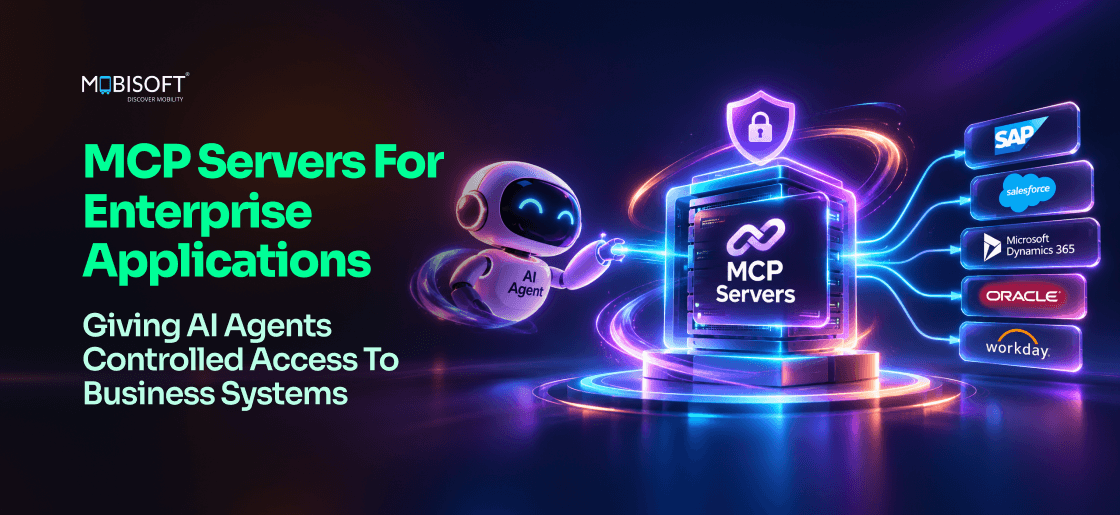
Salesforce made its hosted MCP servers generally available on April 29, 2026. Each call runs as the signed-in user, with existing permissions intact. For that CRM, you no longer build the AI connection. You govern it.
That changes the planning question for enterprise MCP servers. Which of your systems will never get a vendor server? And who controls agent access across every one of them, vendor-hosted or not?
Most estates have both kinds. The CRM may ship with a hosted server, while an in-house billing tool or a 2012 ERP won't. We'd scope custom MCP server development around those gaps first. Agent identity and policy then live in one gateway. They're no longer spread across every agent's code.
By the end, you'll be able to pick a deployment pattern for your estate and decide where policy lives. You'll also have a five-layer security model and a cost model to test against your own numbers.
What Are Enterprise MCP Servers?
Enterprise MCP servers expose one business system to AI agents through the Model Context Protocol (MCP). A well-built server limits what agents can read and do in that system. It also logs every call. Anthropic released MCP as an open standard in November 2024. In December 2025, it moved to the Linux Foundation's Agentic AI Foundation.
Tools, Resources And Prompts
An MCP server offers three kinds of building blocks. Agents discover them at runtime, so nobody has to hard-code them into each agent.
- Tools are actions an agent takes, like "create_support_ticket".
- Resources are data it reads, such as a contract file.
- Prompts are reusable templates, for example, "summarize this account".
In enterprise use, MCP tools and resources do most of the work. A good MCP server for enterprise applications keeps its tool list short. A renewal agent has no use for "delete_account", so we'd leave it out.
Why One Server Per System Beats One Integration Per Agent
Custom integration ties one agent to one system. Build a second agent, and you'll write the same connector again. Each copy gets its own credentials and logging. Some copies get no logging at all.
Enterprise MCP integration changes the unit of work. You build the CRM server once. Every approved agent then reuses it under the same access rules.
Picture a firm with 8 agents and 12 core systems. One question replaces dozens of integration tickets. "Do we already have an MCP server for that system?" If it's yes, the next agent can connect in days.
Who Owns The Decision
Three roles usually own this choice. Architects care about reuse and versioning. Security teams want to know "which agent did this, and who approved it?" The Chief AI Officer's question is how fast the next agent can ship.
We'd bring all three into the first design review. Our explainer on MCP integration for enterprises covers the business case.
How Do MCP Servers Connect AI Agents To Enterprise Applications?
MCP uses a client-server model. The agent's host runs an MCP client. Each business system gets its own MCP server. They communicate over a transport through streamable HTTP for remote servers.
The MCP Client-Server Architecture
Where does a CRM password live in this setup? It stays on the server side, as these three parts show.
- The client lives inside the agent's runtime and speaks the protocol.
- The server wraps one system and publishes its tools and resources.
- The transport carries requests, and it's where TLS and network rules apply.
This split matters for connecting AI agents to enterprise applications. The agent doesn't need a CRM password or an ERP schema. It works with named tools and typed inputs.
What Happens On A Single Tool Call
Say a sales agent gets this request. "What's the status of the renewal for account 20417?" Here's the path it takes.
- The client asks the server which tools exist.
- The model picks "get_opportunity" and fills in the account name.
- The server checks the agent's token and its permissions.
- It calls the CRM API and cleans up the response.
- It logs the call, then returns structured data to the agent.
Steps 3 and 5 are where MCP server integration earns trust. Without them, the server becomes an unmonitored route to business data.
What The 2026-07-28 Specification Changed
The current MCP specification, dated 2026-07-28, made the protocol stateless. Each request now carries its own protocol version and client capabilities. With sessions gone, servers are easier to scale behind load balancers.
Three other changes matter for enterprise teams.
- Servers must answer a new "server/discover" call. It lists their versions and capabilities.
- Long-running work moved to an official tasks extension, with polling for results.
- Deprecated features now stay in the spec for at least twelve months before removal.
We'd pin the spec version in every server's design document. Are you building agents and servers at the same time? Our AI agent development services can keep both on one revision.
Components And The Decisions Behind Them
Each part of an MCP deployment comes with its own choices. We'd use this table as a checklist for AI agent integration with enterprise systems.
| Component | What It Controls | Key Design Decisions |
| Tool definitions | What agents can do | Granularity, input validation, clear side effects, descriptions the model can follow |
| Resource definitions | What agents can read | Read scope, freshness, raw versus summarized format |
| Authentication | Which agents connect | OAuth 2.1 for HTTP servers, mTLS, per-agent credentials, rotation |
| Authorization | What each agent may call | Role-based tool access, read-only versus read-write, approval-required actions |
| Audit log | What gets recorded | Request and response capture, retention, SIEM export, alert rules |
| Transport | How traffic moves | TLS, network segmentation, rate limits |
MCP Versus Custom APIs, iPaaS And Vendor Connectors
If you already run integration tooling, the question is where MCP fits beside it. Each option below solves a different part of the problem.
| Approach | How It Works | Strengths | Limits |
| Custom agent-to-API code | Each agent has its own connector to each system | Full control over every detail | No reuse, uneven security, no central audit, breaks when APIs change |
| iPaaS (MuleSoft, Boomi) | Agents call flows on the integration platform | Mature governance, existing licenses, many connectors | Agent tool discovery depends on added MCP support, and platform costs can be high |
| Vendor AI connectors | A vendor wires its own AI to its own apps | Fast inside that vendor's suite | Usually limited to that vendor's agents |
| MCP servers | Any MCP client calls a standard server per system | Reuse across agents, one security model, open standard | Protocol still evolving, custom builds needed for in-house systems |
Where iPaaS Still Fits
An iPaaS platform keeps its value once MCP arrives. Existing flows can be exposed as MCP tools. Salesforce names MuleSoft AI Gateway as one way to govern MCP servers centrally. That includes servers from other vendors.
We'd keep proven flows where they are, then expose only the ones agents need.
Vendor-Hosted Servers Change The Build List
Large SaaS vendors now ship their own MCP servers. That trims your build list.
Salesforce
Salesforce Hosted MCP Servers became generally available on April 29, 2026. They cover Enterprise Edition orgs and above. An MCP server for Salesforce from the vendor keeps your existing permissions. Field-level security and sharing rules still apply.
There's one design point to note. Every call runs as the signed-in user. A rep asking "show my open deals over $50,000" only gets records they can already see. That's a sound default for MCP server for CRM integration work. A background agent with no user behind it is different. It'll require its own identity plan.
SAP
SAP announced its MCP plans at TechEd 2025. These included MCP servers for its Build developer tools and an MCP gateway in Integration Suite. The gateway turns existing APIs into MCP tools. SAP has since published tutorials for it, and partner guides report a Q2 2026 release.
Availability depends on your edition and setup, so we'd check SAP's documentation first. Older ECC estates may still need a custom MCP server for SAP integration. So may heavily customized S/4HANA systems.
Build For What Vendors Don't Ship
Here's the practical split we'd use. Govern the servers vendors host for you. Build your own for in-house apps and older ERP systems. The systems no vendor is likely to cover become your build backlog.
MCP Server Architecture: Three Deployment Patterns
Most deployments follow one of three patterns. The right one depends on how many agents and systems you run. It also depends on who owns governance today.
Pattern 1: Direct Server Per System
Each system gets its own MCP server, deployed as an independent service. Agents connect straight to the servers they're allowed to use. There's no central layer in between.
How It's Built
A common setup runs each server as a container on Kubernetes, in a private cloud or on-premises. Every server validates its own tokens. Logs go to a shared platform such as Splunk or Microsoft Sentinel.
Where It Breaks Down
This MCP server architecture suits a pilot with two or three agents. The trouble starts with scale. Say you run 20 agents and 15 systems. That's up to 300 agent-to-server credentials. Who'll rotate all of them each quarter?
Pattern 2: A Central MCP Gateway
A gateway stands between every agent and every server. Agents sign in once, at the gateway. It routes each call to the right server. Policy checks happen on the way.
To an agent, the gateway looks like one large MCP server. To each backend server, it looks like a trusted client. That's the core of an MCP gateway architecture.
What The Gateway Keeps
- An agent registry records who owns each agent and what it may reach.
- A policy engine holds rules like "renewal-agent may read contracts, never delete them".
- A single audit log records every call in one searchable store.
How many agents will you run a year from now? We'd treat the gateway as the default past about five. It's also the safer choice in regulated industries.
Pattern 3: A Federated Registry
Some groups run a separate AI program in each business unit. Here, each unit runs its own gateway. A central registry lists every server and its owner.
Picture a finance agent that needs leave data from HR. It finds the HR server in the registry and files an access request. HR approves it in their own gateway. Nobody builds a second HR integration.
Four Anti-Patterns To Avoid
These four mistakes show up early and get expensive later. Our guide to MCP server security best practices covers the credential ones in depth.
- A shared service account makes every log entry read "svc_ai".
- Granting every tool "for convenience" lets a read-only agent delete records.
- Synchronous calls for a bulk export leave agents waiting until they time out.
- Renaming a tool's parameters without versioning breaks older agents.
The 2026-07-28 spec's tasks extension helps with long jobs. The server hands back a task ID. The agent then polls for the result.
What Is The Difference Between An MCP Server And An MCP Gateway?
An MCP server connects agents to one system. An MCP gateway fronts many servers and applies shared rules to every agent. Larger deployments usually run both. The server understands its system, while the gateway keeps track of agents.
What A Gateway Adds
What can a gateway do that a single server can't? We'd point to four jobs.
- Identity checks happen once, using an OAuth credential or an mTLS certificate.
- Every tool call gets routed to the right backend server.
- Rate limits apply per agent and per system.
- A circuit breaker stops one failing server from hanging every agent.
The circuit breaker is easy to overlook. Say the ERP server goes down during month-end close. Without that breaker, agents wait on calls that never return. With one, they get a clear "ERP unavailable, retry after 18:00" error.
When A Server Alone Is Enough
A gateway isn't always worth it on day one. One agent calling two systems doesn't need central routing. We'd start with direct servers. Build them so a gateway can slot in later.
Watch for one sign. When three teams ask for access to the same server, it's time to plan the gateway.
Policy Belongs In One Place
Split policy causes real confusion. A server rule allows a call, while a gateway rule blocks it. During an incident, which one applied?
We'd keep agent-level policy in the gateway. Rules about the system itself stay in the server, such as "never return salary fields". That split keeps MCP server security rules easy to audit. Open Policy Agent (OPA) is one common option for the gateway's rules. It's a CNCF graduated project that keeps policy as code.
How Do Enterprises Secure MCP Servers?
We'd build MCP server security in five layers. Each one covers a gap the others leave open.
Layer 1: Agent Identity
Every agent gets its own identity. Shared credentials make it hard to tell which agent did what.
For HTTP servers, the MCP authorization spec builds on OAuth 2.1. Two rules in the 2026-07-28 revision stand out.
- A server only accepts tokens issued for it specifically.
- It never passes a client's token on to another service.
We'd rotate client secrets every quarter as a sensible default. Revoke an agent's credential the day it's retired. "Which agents still hold a live key?" should have an answer within minutes.
Layer 2: Authorization And Scope
Authentication tells you who the agent is. Authorization decides what it's allowed to do. A secure MCP server for AI agents checks permissions at three levels.
Three Levels Of Permission
- Server level controls which systems an agent can reach at all.
- Tool level controls which actions it can call on that system.
- Parameter level limits values, such as "refunds up to $500".
Any request to widen an agent's access goes through security review. We'd treat it like a firewall change that needs a named approver.
Layer 3: Data Exposure Control
Access to a system doesn't mean access to everything in it. Say a support agent can read customer records. It still shouldn't see card numbers or medical notes.
The server filters fields before data leaves it. It masks or tokenizes personal data, and it drops any field the tool doesn't need. That keeps an MCP server for enterprise data access close to data minimization rules.
Layer 4: Audit Logging
Log every call with enough detail to reconstruct it. A good entry reads like "renewal-agent-02 called get_contract at 09:14 and got 1 record." Keep personal data out of the log itself. Then send each entry to your SIEM.
Where should those logs live? We'd use write-once or tamper-evident storage. The EU AI Act's Article 12 says high-risk AI systems must allow automatic logging of events. It doesn't require "immutable" logs. Still, logs anyone can edit carry little weight in an audit.
Article 12 matters when an agent's use case is high-risk under Annex III, such as hiring or credit scoring. Regulation (EU) 2026/1744 moved those obligations to 2 December 2027.
Layer 5: Rate Limits And Anomaly Detection
Agents can loop. A prompt injection can also push one to request far more data than its task needs. OWASP's 2025 Top 10 for LLM Applications names two related risks. "Excessive agency" covers agents with more permissions than they need. "Unbounded consumption" covers runaway resource use.
Set per-agent request limits at the MCP gateway. Would you notice an invoice agent reading 40,000 records in an hour? Alerts on unusual patterns catch that.
Mapping The Layers To Common Frameworks
This table links each layer to clauses auditors often ask about. Treat it as a starting point for your compliance team.
| Layer | What It Controls | Typical Controls | Related Requirements |
| Agent identity | Who can connect | OAuth 2.1, mTLS, enterprise identity provider | ISO/IEC 27001:2022 Annex A.5.16 and A.5.17 |
| Authorization | What each agent can do | Least-privilege tools, policy as code | ISO/IEC 27001:2022 A.5.15 and A.5.18, GDPR Art. 25 |
| Data exposure | Which fields leave the system | Field filtering, masking, tokenization | GDPR Art. 5 and Art. 9, HIPAA minimum necessary, PCI DSS Req. 3 and 7 |
| Audit logging | What gets recorded | Write-once storage, SIEM export | HIPAA 164.312(b), EU AI Act Art. 12 for high-risk systems, ISO A.8.15 |
| Rate limits | Volume and patterns | Gateway quotas, anomaly alerts | ISO A.8.16, OWASP LLM06 and LLM10 |
This section offers general guidance and isn't legal advice. The rules that apply depend on your sector and data. Before any audit, confirm this mapping with your legal and compliance teams. Check your sector regulator's guidance too.
Governing Agent Access At Scale
Informal access works for a pilot with two enterprise MCP servers. A message like "can you add my agent to the Salesforce server?" gets handled in a day. At forty agents, that habit leaves nobody sure who approved what.
The Access Request Workflow
We'd route every new grant through the same five steps.
- The agent's owner files a request, such as "read-only invoices, for month-end checks".
- The system owner checks the request against that system's data rules.
- Security reviews anything that writes data or touches personal fields.
- The platform team applies the grant in the gateway. Each grant gets an expiry date.
- The register records who approved it and when.
Why insist on expiry dates? Open-ended grants often outlive the projects behind them.
Tool Change Management
Tool definitions change over time. Say a developer renames "cust_id" to "customer_id". Every agent still sending the old name starts failing.
Rules We'd Apply
- Publish a new version for any breaking change. Keep the old version running for a set period.
- Give agent owners written notice, and a date, before retiring a tool.
- Test each change against every agent that uses the tool.
We'd write these rules into every MCP server implementation plan. The MCP specification itself keeps deprecated features for at least twelve months before removing them. We'd set a similar rule for internal servers, with a window that suits your release cycle.
The Access Register
The register is one record of every agent's access. Each entry names the agent's owner and its approved tools. It also holds approval records and review dates. Expect auditors to ask for it. "Show me every agent that can read payroll data" should take one query.
We'd review the register every quarter. Risk and compliance teams can read it on request.
A Four-Level Maturity Model
Which level describes your current setup? Level 1 is acceptable for a proof of concept, though it won't pass a production security review.
1. Ad hoc
- What it looks like: Informal grants, no register, and logs rarely reviewed.
- Suitable for: Proofs of concept only.
2. Managed
- What it looks like: Formal requests, a basic register, and logs checked after incidents.
- Suitable for: Limited production with low-risk data.
3. Defined
- What it looks like: Full approval workflow, log alerting, and quarterly reviews.
- Suitable for: Production with sensitive data.
4. Optimized
- What it looks like: Automated grants and revocation, anomaly detection, and board-level AI risk reporting.
- Suitable for: Regulated deployments at scale.
In enterprise MCP integration, we'd budget the most effort for reaching level 3. That's where the register and alerting become routine.
Design Principles For MCP Server Implementation
You might build a server from scratch or extend an open-source one. Either way, the same three principles apply. Get them right early, and every later agent benefits.
Principle 1: Write Tools For The Model To Read
The model reads each tool's name, description, and input schema before it picks one. Vague wording leads to the wrong tool or bad parameters. So in MCP server implementation, descriptions count as code.
Compare two versions of the same tool.
- "get_data" with the note "gets data" leaves the model guessing.
- "get_open_invoices" with "unpaid invoices for one customer, newest first" is clear.
We'd also state side effects plainly. If a tool emails a customer, its first line should say that.
Principle 2: Set Least Privilege At Design Time
Tool design is the cheapest point to limit access, since nobody's requested a grant yet. Here's a test we'd use.
Ask, "Would a legitimate agent ever need X without Y?" If so, they're two tools. A contract review agent reads documents. It never deletes them, so "read_contract" and "delete_document" stay separate.
Principle 3: Hide The System's Complexity
A good server absorbs the awkward parts of each system. Authentication flows, pagination, rate limits, and error codes all belong inside it. The agent gets clean data and predictable errors.
Picture an ERP that returns error "E-4471" for a locked record. Your server turns it into "record locked, retry in 5 minutes". The model can't act on the first message, but it can act on the second.
The 2026-07-28 spec also asks servers to return tools in a deterministic order. That helps clients cache tool lists and improves prompt cache hit rates.
What To Expose For Common Systems
Here's a starting point by system type. Your own data rules will change the details.
| System | Tools To Expose | Tools To Hold Back | Key Security Point |
| CRM (Salesforce, HubSpot) | Read accounts and opportunities, log activity, update stage | Delete records, bulk export, change ownership | Field-level filtering and PII access logs |
| ERP (SAP, Oracle) | Query stock, read order status, submit purchase requests | Post journal entries, approve large POs, change chart of accounts | Dual approval for financial writes, segregation of duties for SOX controls |
| ITSM (ServiceNow, Jira) | Create and update tickets, add comments | Delete tickets, bulk status changes, restricted queues | Keep change history intact |
| HR (Workday, BambooHR) | Read non-sensitive profiles, check leave, submit leave requests | Salary data, compensation changes, performance reviews | Strict personal data controls, plus GDPR Art. 9 for health or union data |
| Documents (SharePoint, Confluence) | Read by ID, search metadata, create documents | Delete, change permissions, bulk export | Classification labels and DLP |
| Messaging (Slack, Teams, email) | Send to named channels or people | Send to all users, read private messages | Recipient allowlists and content logs |
We'd give any MCP server for ERP integration the strictest write rules here. A wrong journal entry costs far more than a wrong ticket comment.
Enterprise MCP Servers In Practice: Four Industry Scenarios
The four scenarios below are illustrations built from common patterns. They aren't client case studies. Each one shows how enterprise MCP servers speed up work that custom integration made slow.
Financial Services: Research And Client Operations
An investment manager runs MCP servers on six systems. They cover market data, portfolio management, CRM, documents, compliance checks, and email.
A research agent gets the brief "Update the note on Company A before Thursday's review." It pulls price and consensus data. Then it reads the current position and checks earlier research. A compliance pre-check runs before it drafts anything.
What Changes
The second research agent connects to the same six servers in days. Every compliance check is logged at the server. Does that log meet your regulator's record-keeping rules? Your compliance team makes that call.
Healthcare: Discharge Coordination
A hospital group puts servers on four clinical systems, including pharmacy and scheduling. A coordination agent flags patients who may meet discharge criteria. Clinicians make the discharge decision, and the agent then drafts summaries and books follow-ups.
The pharmacy server's design matters most here. Its tool is "submit_prescription_for_approval", and there's no dispense tool at all. A pharmacist signs off on every request. That's what a secure MCP server for AI agents looks like in a clinical setting.
Patient-level controls limit the agent to patients in its care context. We'd have clinical governance and the data protection officer approve each feed before launch.
Manufacturing: Supply Chain Exceptions
A component maker connects six systems, including its ERP and two supplier portals. An exceptions agent watches all of them for trouble.
Say a supplier's delivery slips by four days. That order feeds a production run for an urgent customer. The agent traces the knock-on effect and finds other approved suppliers. Procurement then gets a short decision brief. It's MCP server integration where speed matters, though the agent never places the order itself.
Legal Services: Matter Management
A law firm links its practice management and document systems to agents. Contract records and the client portal come next. A matter assistant flags upcoming deadlines and drafts billing summaries.
The document server enforces one firm rule. Every new document needs a matter number and a document type. A missing number returns the error "matter_number required". The agent can't skip the step.
Which of these four looks closest to your first use case?
Implementation Roadmap: From Pilot To Platform
Each phase below delivers something usable and sets up the next one. The timings are planning estimates. Your own systems and approval cycles will move them.
Phase 1: Pilot Server (Weeks 1 To 4)
Start with one system and one agent. We'd pick a read-heavy use case on a well-documented API.
- Choose a system most future agents will want, such as the CRM.
- Define five to eight tools, each with a clear description.
- Issue a per-agent credential, and log every call from day one.
- Run the agent beside the current process and compare its results.
Here's a good exit question for the pilot. "Would we let a second agent use this server tomorrow?" If the answer's no, close the gaps first.
Phase 2: Gateway And More Systems (Weeks 5 To 12)
Now add the gateway and three or four more servers. That's when enterprise MCP integration turns into a shared service.
What Gets Built
- The gateway itself, with its registry and a single audit log.
- Servers for the most requested systems, which often include the ERP.
- Rate limits and a circuit breaker for each backend server.
- A first version of the access register that security can read.
We'd also move one existing custom integration onto the platform. It proves the migration path before anyone commits to it.
Phase 3: Platform Maturity (Months 4 To 8)
By this stage, other teams usually ask for access. So the work turns to self-service and governance.
- Publish a server catalog that teams can browse and request from.
- Automate expiry dates and the quarterly access review.
- Add anomaly alerts on top of the basic rate limits.
- Move the remaining custom integrations, one agent at a time.
The platform is working when a new agent reaches production without a new integration project.
ROI Model: A Shared MCP Platform Versus Custom Integrations
This worked example prices enterprise MCP servers against custom code, using illustrative numbers. It isn't a quote or a promised outcome. Swap in your own rates, volumes, and build estimates before you use it.
The Starting Point
Picture a professional services firm with 2,500 staff. It runs 8 AI agents in production or late testing. Those agents reach 12 core systems through 41 custom point-to-point integrations.
- Each integration takes about 0.3 engineer-days a month to maintain.
- A new custom integration takes about 15 engineer-days to build.
- The firm plans 6 more agents a year, each needing 4 systems.
- A security audit flagged 19 integrations, with 7 on shared credentials and 12 without logging.
We've priced engineering at $500 per engineer-day. That's a $110,000 fully loaded annual cost spread over 220 working days.
What The Custom Route Costs
Under the current approach, Year 1 adds 24 new integrations. Each flagged one also takes about 8 days to fix. By December, the team is maintaining 65 integrations.
| Custom Route, Year 1 | Calculation | Cost |
| New integrations | 24 × 15 days × $500 | $180,000 |
| Security fixes | 19 × 8 days × $500 | $76,000 |
| Maintenance | About 53 integrations on average × 3.6 days a year × $500 | $95,400 |
| Total | $351,400 |
What The MCP Platform Costs
The platform route builds one server per system, plus an MCP gateway. It also moves the 41 existing connections across. After that, each new agent-to-server connection takes about 2 days.
| MCP Platform, Year 1 | Calculation | Cost |
| 12 MCP servers | 12 × 20 days × $500 | $120,000 |
| Gateway setup | 30 days × $500 | $15,000 |
| Migrating 41 existing connections | 41 × 2 days × $500 | $41,000 |
| 24 new connections | 24 × 2 days × $500 | $24,000 |
| Hosting and gateway running costs | Estimate | $30,000 |
| Server maintenance | 12 servers × 6 days a year × $500 | $36,000 |
| Total | $266,000 |
There's no separate bill for the 19 flagged integrations. They're retired, and per-agent identity and logging come with the platform.
Three-Year View
Years 2 and 3 assume another 6 agents each year. We haven't added new systems, which keeps the comparison simple.
| Metric | Custom Route | MCP Platform |
| Year 1 | $351,400 | $266,000 |
| Year 2 | $318,600 | $90,000 |
| Year 3 | $361,800 | $90,000 |
| Three-year total | $1,031,800 | $446,000 |
| Three-year saving | About $586,000, or 57% |
Where The Numbers Get Shaky
- Twenty days per server assumes a documented API. At 40 days each, the platform's Year 1 bill runs $34,600 above the custom route. The platform still saves about $466,000 over three years.
- Most of the savings come from the 6-agents-a-year plan. If you're less sure, model 3 to 6.
- Maintenance savings only count if engineers move to other work. "Freed capacity" that nobody reassigns isn't a saving.
- The custom route carries no hosting line, which favors it slightly.
Faster delivery isn't in these totals, though it's real. Four connections drop from 60 engineer-days to 8. With two engineers, that's about five weeks sooner per agent. Would that speed matter more to your board than the cost saving?
How Mobisoft Infotech Helps
Our MCP work starts with consultation and discovery. We map your systems and agents against your data rules. From there, we draw up an MCP architecture plan. It shows where a gateway fits and which servers come first.
Next, we build custom MCP servers and link them to your agents. That's the practical side of connecting AI agents to enterprise applications. Legacy databases and tools can connect through MCP layers as well.
Security And Operations
Security goes into the build itself. Each server gets role-based access control and audit logs. We'd also set up encryption, plus API key and token management.
After The Build
- We deploy on AWS, Azure, Google Cloud, or on-premises, using Docker and Kubernetes.
- Performance tuning continues as agent traffic grows.
- Monitoring and maintenance carry on after launch.
How long does it take? A simple MCP server typically takes two to four weeks. Complex multi-agent integrations may take six to twelve weeks. Both figures are estimates that depend on scope. Mobisoft holds SOC 2 Type II and ISO 27001 certifications.
Start With The Systems No Vendor Will Cover
More SaaS vendors are likely to ship hosted servers. Your in-house apps and older ERPs probably won't get them. For enterprise MCP servers, that split decides where your build budget goes. It also shows where governance carries the most weight.
Three steps fit inside this month.
- List your twelve most-used systems, and mark each one "vendor server", "planned" or "build".
- Count how many agents still share a service account, using your last security review.
- Pick one read-heavy system from the build list, and draft its first five to eight tools.
The first list becomes your build backlog. The account count tells you how urgent the gateway is. The draft tools give the pilot a scope that security can sign off on.
Mobisoft can take that system list straight into a discovery session. We'll set out the MCP architecture first. Then we'll build and secure the first servers, with RBAC and audit logs included.
Explore MCP Server Development

Frequently Asked Questions
What does a Mobisoft Infotech discovery session cover for our team?
We map your systems and agents against your data rules. The first question's usually which system your next three agents all need. From there, we draw an MCP server architecture plan. It shows where a gateway fits and which servers come first.
How do we handle agents that run overnight, with no user?
Vendor defaults assume a signed-in person, so a night job requires its own identity. It'll get read-only scope on just the objects it uses. Add an owner and an expiry date. Settle this before you connect any MCP server for CRM integration.
How do we stop the model picking the wrong tool?
Treat descriptions as code and test them. Write twenty plain-English requests per tool, then see which one the model picks. A vague note like "gets data" won't survive that test. Run it in every MCP server implementation before agents see it.
How long until Mobisoft Infotech delivers our first server?
A simple server typically takes two to four weeks to build and test. Complex multi-agent integrations may need six to twelve weeks. Both figures are estimates, since scope can move them. We'll deploy to your cloud account, then keep tuning as agent traffic grows.
What should our audit logs capture without exposing customer data?
Log which agent called which tool, and how many records came back. Record IDs and field names are enough, so don't store values. Send entries to write-once storage. A log full of card numbers is a second breach, so MCP server security covers logs too.
How do we test a server before agents touch production?
Point it at a staging copy loaded with synthetic records. Replay a day of sample requests and compare answers with the source screens. Try awkward cases too, like a locked record. Keep rewriting error messages until the model can act on them.
Which numbers show our MCP platform is working?
Tally integration tickets per new agent, which drop when servers get reused. Track the days between approval and first live call. Also count agents sharing a service account. That's how you'll know whether your enterprise MCP servers are earning their keep.
This content is for informational purposes only and may include AI-assisted research or content generation. While we strive for accuracy, information may evolve over time. Readers are advised to independently verify critical information before making decisions.

Nitin Lahoti
Read more
Nitin Lahoti is the Co-Founder and Director at Mobisoft Infotech. He has 15 years of experience in Design, Business Development and Startups. His expertise is in Product Ideation, UX/UI design, Startup consulting and mentoring. He prefers business readings and loves traveling.
 Nitin Lahoti
 November 13, 2026