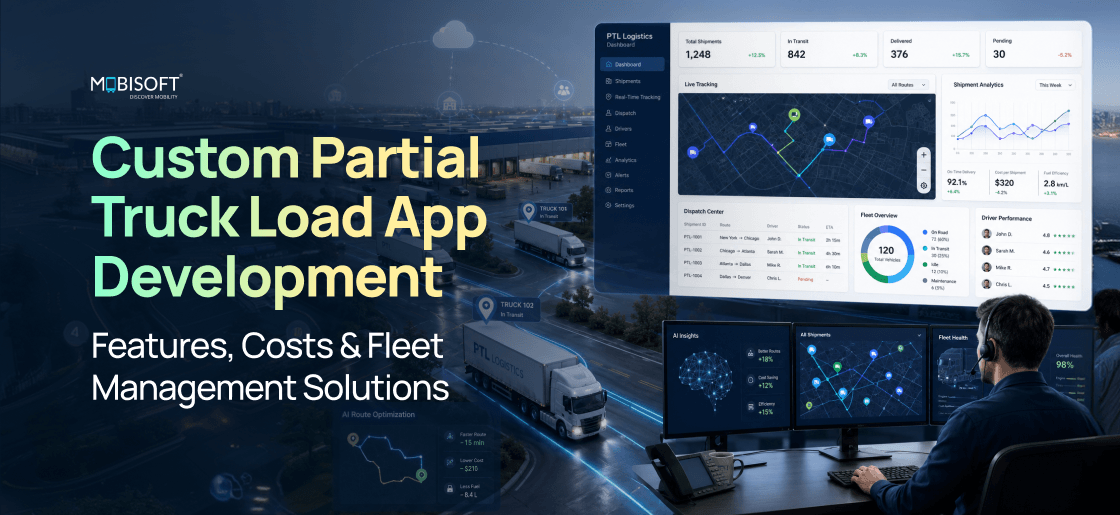
Partial truckload freight sits in an awkward middle. The shipments run bigger than LTL parcels, yet smaller than a full truckload. It's one of the fastest-growing parts of freight, and easily one of the messiest. Most carriers still run it on spreadsheets, phone calls, and a generic TMS. That setup leaks money. We're talking 15 to 25% lost to empty miles. Consolidation stays weak. Customers get almost no real-time visibility. Custom partial truck load app development fixes the root problem. It builds software around how PTL actually works, day to day. Think dynamic consolidation, dock scheduling, multi-stop routing, and fleet data that ties it together. For ambitious logistics service providers, that control is the line between scaling and stalling.
What Is Partial Truck Load Freight and Why Does It Need Dedicated Technology?
So where does PTL actually fit? Right between less-than-truckload and full truckload, in that grey zone. A typical PTL shipment weighs 5,000 to 20,000 pounds. It eats up 8 to 26 linear feet of trailer space. And it usually comes from one shipper, not many. That alone sets it apart from LTL. Carriers reach for PTL in a specific spot. There's too much freight for tidy LTL pallets. A full truck would be overkill. That gap is precisely what purpose-built partial truckload software was made to handle.
PTL vs LTL vs FTL: Operational Differences That Drive Technology Requirements
The table below lines up all three modes, side by side. Look at the consolidation, routing, and scheduling rows especially. Those three differences explain a frustrating reality. Plenty of transportation management system providers nail LTL or FTL. Yet PTL still trips them up.
| Dimension | LTL | PTL | FTL |
| Weight | Under 5,000 lbs | 5,000 to 20,000 lbs | Over 20,000 lbs; fills trailer |
| Trailer space | Shared by pallet | 1 to 3 shippers; 8 to 26 ft contiguous | Single shipper; full trailer |
| Pricing | Per pallet/100 lbs + class | Linear foot or cubic rate | Per mile or per load |
| Consolidation | Terminal hub-and-spoke | Direct regional; fewer transfers | None; single origin to destination |
| Route | Fixed lane terminals | Dynamic multi-stop regional | Point-to-point single drop |
| Tech challenge | Pallet tracking; scanning | Consolidation; dock scheduling; multi-stop; visibility | Dispatch; ELD; POD capture |
| TMS fit | Good; most TMS built for LTL | Poor; misses consolidation or multi-stop | Good; handled well |
| Scheduling | Terminal-driven; fixed | Dock windows; dynamic; real-time | Flexible; driver-managed |
The Operational Problems Custom PTL Apps Solve
Without dedicated tools, PTL bleeds money in six familiar places. A custom app flips each one into an edge.
- Manual load consolidation: a dispatcher eyeballs which shipments can share a trailer. It's slow, and it's easy to get wrong. Most trailers end up only 65 to 70% full. An AI-assisted engine does the matching instead. It weighs region, pickup window, weight, and linear footage. Utilisation climbs to 82 to 88%, and cost per hundredweight drops.
- Dock window scheduling: today it's all phone tag and email threads. Double-bookings happen, and nobody sees dock congestion coming. Digital scheduling lets shippers pick their own slots. They book inside carrier windows, get instant confirmation, and see live capacity. Idle time falls, and fewer windows get missed.
- Multi-stop route management: sequencing stops by hand rarely goes well. There's no live traffic feed, so the order drifts off. Automated multi-stop AI route optimization changes the math here. With real-time traffic and dynamic re-routing, total miles drop 10 to 20%. Delivery times get steadier too.
- Shipment visibility: once freight leaves the dock, shippers go blind. A phone call is the only status update they get. Real-time GPS tracking ends that. Milestone alerts and a shared portal keep shippers and receivers in the loop. Inbound calls drop, and the carrier stands out.
- Freight damage documentation: paper bills of lading invite arguments. Was the damage there at pickup, or did it happen in transit? Hard to prove on paper. A mobile driver app handles it cleanly. Digital BoL, photos, e-signatures, and timestamped exceptions settle disputes fast. Liability gets clear.
- Capacity and rate quoting: manual rate lookups are slow, and slow loses deals. A faster competitor wins the load. An automated rate engine reads live lane capacity. Quotes generate instantly, and booking confirms online. What took hours now takes seconds.
Core Feature Set: What a Production-Grade PTL App Must Include
A PTL app really serves three crowds at once. Shippers book and track. Dispatchers juggle loads, routes, and drivers. Drivers take the dispatch, drive, and capture proof of delivery. Each group needs its own purpose-built interface. One generic screen pleases nobody, in our experience. Good PTL app development treats all three as separate products. They just share the same data underneath.
Shipper-Facing Features (Customer Portal / Shipper App)
The shipper portal is the part customers actually see. Inside any solid partial truckload app, features range from P0 must-haves to P2 nice-to-haves.
- Instant quote and booking (P0): the shipper types in origin, destination, weight, dimensions, and class. Back comes a live rate and a confirmation number. No dispatcher needed, day or night.
- Dock scheduling self-service (P0): shippers pick a pickup window from open carrier slots. Confirmation is automatic. There's a clear cutoff for changes too. Fewer phone calls, and no double-booking.
- Real-time shipment tracking (P0): live truck GPS, milestone alerts, and arrival times that keep updating. This one moves the needle most on satisfaction. It also replaces those endless status calls.
- Digital bill of lading creation (P0): the shipper builds a digital BoL. Commodity, weight, piece count, handling notes, it's all there. The driver app receives it automatically. That same record feeds invoicing later.
- Claims and exception management (P1): shippers file damage or loss claims with photos attached. They track status and message the carrier in one place. Resolution comes faster, with a better paper trail.
- Rate history and analytics (P1): shippers see spend by lane, carrier performance, and transit history. Cost trends sit right there. It helps them tune routing guides, and it keeps them on your platform.
- Multi-location management (P1): enterprise shippers run several origins from one account. For anyone with multiple warehouses, that's essential.
- API and EDI integration (P2): connect a shipper's WMS, ERP, or order system. REST API or EDI 204/214/210 both work. High-volume shippers skip the manual entry entirely.
Dispatcher and Operations Features (Carrier Back Office)
The back office is where dedicated truck dispatch management software earns its keep. It keeps loads, equipment, and drivers moving in sync, in real time.
- Load consolidation engine (P0): it matches shipments to equipment automatically. Pickup window, region, weight, footage, revenue, all of it factors in. This is the brain of the operation. It's what separates real load planning software from a generic TMS.
- Route planning and optimisation (P0): multi-stop sequencing with live traffic and per-stop ETAs. Total miles fall, and delivery gets more predictable.
- Fleet and driver management (P0): driver records with licences, HOS, and performance. A vehicle database with capacity specs and telematics sits alongside. You can't automate dispatch without it.
- Dock and yard management (P0): a visual board for every pickup and delivery. It's sorted by dock door and time window, with live status.
- Real-time dispatch dashboard (P0): one live map of vehicles, driver status, loads, ETAs, and alerts. That full situational picture is what defines strong dispatch management software.
- Automated freight matching (P1): it pairs empty miles and idle return lanes with open shipments. Assets work harder, and revenue per vehicle climbs.
- Pricing and rate management (P0): lane rate cards, fuel surcharges, accessorials, and dynamic rules. Quoting stays consistent, and margins stay protected.
- Reporting and analytics (P1): revenue per mile, load factor, on-time rate, empty-mile percentage, and lane profit. Managers finally see what's really happening.
- Customer management CRM (P1): shipper accounts, SLAs, billing terms, and credit limits. Relationships and credit both stay under control.
- Automated invoicing and billing (P1): invoices are generated straight from completed deliveries. Accessorials calculate themselves, and accounting stays in sync. The billing cycle shortens.
Driver Mobile App Features
The driver app lives in the real world, on a bouncing cab. It's where field reliability meets the driver management system behind it. Every feature has to survive rough conditions.
- Load assignment and acceptance (P0): a push notification brings the load. The driver checks pickup, stops, and instructions, then accepts or asks for a swap. Every acceptance is logged.
- Turn-by-turn navigation (P0): truck-specific routing, not consumer maps. It respects bridge weight limits, height, and banned roads. Wrong routing means costly detours.
- Digital bill of lading and signatures (P0): the driver opens the BoL on the phone. Shipper and receiver sign right there. Piece counts and signatures attach to the shipment automatically.
- Photo capture for exceptions (P0): the driver snaps damage at pickup, in transit, or on delivery. Each photo carries GPS and a timestamp. Documentation stays airtight.
- Hours of service logging (P0, legally required): ELD-integrated or standalone, fully FMCSA-compliant. Violation warnings fire automatically.
- Real-time status updates (P0): the driver marks arrival, pickup, departure, and delivery. Those updates feed the dispatcher dashboard and the shipper portal. They also build an audit trail.
- Offline mode (P0): navigation and BoL still work with no signal. Everything syncs once the connection returns. Trucks hit dead zones constantly, so this matters.
- Fuel and expense logging (P1): drivers log fuel and expenses, and receipts are photographed. It auto-populates against IFTA requirements.
- In-app messaging (P1): a clean driver-to-dispatcher channel with saved history. No more personal phone calls lost to the ether.
- Vehicle inspection DVIR (P0, required by regulation): pre-trip and post-trip checklists built in. Defects get reported with photos, all FMCSA-compliant.
Advanced Features: AI-Powered Capabilities That Separate Leaders From Laggards
The core features get you operating. The advanced ones get you ahead. Shippers have dozens of carriers to choose from, and they switch on a whim. Carriers that lean into AI-powered fleet management simply serve better. Sharper ETAs, leaner rates, fewer exceptions, and quicker fixes when things go sideways.
AI Load Optimisation and Dynamic Consolidation
Rule-based consolidation only goes so far. AI load optimization juggles many constraints at once. And it optimises for revenue, not just load count. The engine weighs three things, really:
- Multi-constraint optimisation: weight, linear footage, cubic volume, and timing windows. Add accessorials, driver HOS, vehicle status, and lane profit. Rule-based tools manage two or three constraints. ML engines handle them all, and they learn from past calls.
- The engine chases revenue per trailer-mile, not raw load factor. Two shipments might fill a trailer, yet pull in opposite directions. That's Revenue optimisation: worse than two smaller, well-aligned loads. So the model weighs revenue, added miles, and schedule impact together.
- Predictive demand: ML reads booking patterns, seasonality, and regional activity. It forecasts demand by lane and by day. You position equipment before the spike, not after it.
Dynamic Pricing Engine
A dynamic pricing engine moves rates automatically. It reads live signals, protects margin, and keeps you competitive.
- Real-time capacity by lane: open lanes get competitive pricing to pull bookings. Near-full lanes carry a premium, or close to new freight. Utilisation improves, and so does revenue per trailer-mile.
- Fuel price feeds: surcharges adjust on their own, from the DOE diesel index. Quotes stay accurate, no manual tinkering.
- Historical margin by lane: thin-margin lanes trigger minimum-rate rules. High-demand lanes get priced with confidence.
- Competitor market rates: it taps DAT and Freightos indices for context. You price within the market, without joining a race to the bottom.
- Booking timeline: last-minute loads with open space get priced to fill. Early bookings earn a locked rate. You reward planning and still capture late capacity at a profit.
Predictive Maintenance and Telematics Integration
Telematics data is a goldmine, frankly. Pull in ELD feeds, dash cams, and engine diagnostics. Suddenly, vehicle health sits right beside load and route status. That's when telematics becomes real fleet optimization software. Predictive models then catch failures before they strand a truck:
- ELD integration (Samsara, KeepTruckin, Geotab): HOS status lands in the dispatcher view. Planning gets HOS-aware, compliance reporting gets easier, and violations get rarer.
- Vehicle diagnostics via OBD or J1939: trouble codes flow from the engine to the maintenance module. You catch faults early, well before a roadside breakdown.
- Dash cam integration (Samsara, Lytx, Netradyne): footage documents accidents and scores driver behaviour. Harsh braking, tight following, it's all captured. Insurance costs ease, and liability gets easier to defend.
- Tyre pressure monitoring: TPMS sensors flag low pressure and log inflation history. Fewer blowouts, better fuel economy.
- Fuel consumption monitoring: engine data tracks efficiency by driver and route. Idle time shows up against a baseline. Waste becomes obvious, and coaching gets specific.
Freight Exchange and Spot Market Integration
Some capacity gaps just keep coming back. Return loads, seasonal surplus, lanes your regulars never fill. Hook the app into freight exchanges like DAT, Transfix, Convoy, or Loadsmart. Now it posts open capacity and grabs spot loads on its own. The app becomes an operations hub and a market door at once. Paired with freight marketplace software, utilisation climbs higher. Higher than your own customer base could ever push it.
Fleet Management Integration: Building the Operations Hub
Here's a common mistake. People treat fleet management as an add-on to the PTL app. It isn't. It's the operational core everything else plugs into. Without it, you've got booking and tracking fed by manual data entry. With it, live fleet data makes every feature sharper. That's why the best fleet management software is built around live fleet operations management. Not spreadsheets typed in by hand.
The Fleet Management Feature Architecture
A full fleet management layer has six modules working together. Inside modern PTL logistics software, each one feeds dispatch, maintenance, and accounting:
- Vehicle registry: every spec per truck, from VIN to capacity. Make, model, year, weight, linear feet, cubic, plate, registration, insurance, assigned driver. It feeds capacity matching, dispatch, and maintenance.
- Driver management: profiles with CDL class and endorsements. Licence and medical expiry, HOS status, home terminal, performance score. It powers qualification matching and keeps you compliant.
- Maintenance management: preventive schedules by odometer and time. Work orders, parts inventory, vendors, and downtime tracking. You get availability forecasts and cost per vehicle.
- Compliance and documentation: DOT inspections, IFTA, HVUT, and IRP registration. Medical certs, MVR monitoring, and drug-testing records too. Expiry alerts and audit paperwork come built in.
- Fuel management: fuel cards like EFS, Comdata, and WEX. Purchases logged by vehicle and driver, with IFTA reporting and efficiency tracking.
- Cost accounting per vehicle: revenue, fuel, maintenance, driver pay, and overhead, all allocated per unit. You get asset-level P&L and a clean profitability ranking.
Real-Time Fleet Visibility: The Dispatcher Dashboard
The dispatcher dashboard is mission control. It pulls load assignments, live positions, driver status, and alerts into one view. The design that delivers this has a few signature pieces:
- Live fleet map: every vehicle plotted by GPS, refreshed every 30 to 60 seconds. Colour shows status. Click a truck for its load, next stop, ETA, driver, and HOS.
- Load timeline view: a Gantt-style read of active loads by vehicle. Current and upcoming stops, with ETAs. Colour flags on-time status, and you can drill into any load.
- Exception queue: a live list of things that need a human. Traffic delays past the buffer, HOS limits with stops left, diagnostic alerts, missed windows, customer requests. One click opens the detail.
- Dock board: a carrier-side view of booked pickups and deliveries. Sorted by dock door and window, today and tomorrow. Arrival status and idle time show in real time.
- Available capacity view: open capacity by vehicle type and region, next seven days. It surfaces empty slots for re-booking or spot posting.
Hours of Service and ELD Compliance
To be a complete operations platform, the app needs ELD covered. Either it integrates with an existing provider, or it ships its own FMCSA-registered ELD. The right call depends on what you already run:
- ELD API integration with an existing provider: best when you already use Samsara, KeepTruckin, or Geotab, and won't switch. HOS syncs live into dispatch and the driver app. Complexity is medium, thanks to documented APIs and webhooks.
- FMCSA-registered ELD built into the driver app: best for greenfield carriers, or anyone wanting one unified app. Navigation, BoL, HOS, and DVIR all live together. Complexity runs high, though. There's registration, strict requirements, a third-party audit, and 3 to 6 extra months.
- ELD-agnostic HOS data layer: best for multi-carrier platforms with mixed ELDs. It normalises HOS data into one format. Complexity is high, given the many integrations and onboarding.
Technology Stack: The Architecture Behind Production PTL Applications
None of these stack choices is arbitrary. Each operational demand pushes the architecture a certain way. Real-time tracking, heavy route optimisation, offline mobile, geospatial queries, reliable notifications. They all leave fingerprints on the stack. What follows is what real logistics software development teams actually run in 2026. Not textbook theory.
Recommended Technology Stack for Logistics Apps
Here's the technology stack for logistics apps we'd recommend in 2026. Each layer gets a primary pick and a fair alternative:
- Driver mobile app: React Native, one codebase for iOS and Android. Offline support is strong via SQLite or MMKV, and push works well. Flutter is comparable, with a thinner freight library ecosystem.
- Shipper mobile app: React Native or a PWA. Shippers log in less often, so a PWA covers most needs without the App Store. Go native only when premium UX is your differentiator.
- Backend API: Node.js with Express or NestJS for real-time work. Python with FastAPI for the ML pieces. A hybrid of the two is common. Java Spring Boot or Go fit enterprise or very high throughput.
- Real-time tracking: WebSocket via Socket.io, or Server-Sent Events. Driver updates land every 30 to 60 seconds, no polling. Firebase Realtime Database suits simpler builds.
- Primary database: PostgreSQL with PostGIS. Relational data fits freight, and PostGIS handles geospatial queries like nearest driver. MySQL or MongoDB are alternatives.
- Time-series database: TimescaleDB or InfluxDB for high-frequency positions. For lighter volumes, plain PostgreSQL with timestamp indexes works fine.
- Route optimisation: Google Maps Platform for traffic, geocoding, and navigation. Google OR-Tools for the multi-stop routing problem. HERE Maps, OpenRouteService, or Vroom are alternatives.
- Push notifications: Firebase Cloud Messaging, reliable on iOS and Android. AWS SNS or OneSignal also works.
- Cloud infrastructure: AWS with ECS or EKS, RDS, S3, and CloudFront. Strong compliance, managed scaling. GCP or Azure fits ecosystem preferences.
- Maps and geocoding: Google Maps Platform, top-tier North American lane and address data. HERE Maps or Mapbox are alternatives.
- Document storage: AWS S3 with presigned URLs for driver photos and signatures. GCS or Azure Blob does the same job.
- Analytics and reporting: Metabase for embeddable dashboards. A custom React dashboard for live operational views. Superset or Looker are alternatives.
The Architecture for Real-Time Fleet Tracking
Real-time tracking, done right, spreads the work around. Five pieces share it: the driver app, a tracking service, the dispatcher dashboard, the shipper portal, and background jobs.
- Driver app: grabs GPS every 30 seconds. It batches three to five updates over WebSocket. If WebSocket drops, it falls back to REST. Unsent positions wait locally, then sync on reconnect.
- Tracking service (Node.js): takes updates over WebSocket. It writes to TimescaleDB. Each position publishes to a Redis channel per vehicle, which dashboards subscribe to.
- Dispatcher dashboard: subscribes to a Socket.io room per vehicle. Google Maps markers move in real time, no polling, no refresh.
- Shipper portal: queries the last known position over REST. It subscribes to milestone events. A static last-known map is plenty for shippers.
- Background calculations: ETAs recompute every five minutes via Google Directions. Geofences catch dock arrivals and departures, firing milestones. HOS recalculates when an ETA moves a lot.
Development Costs: What a Custom PTL App Actually Costs in 2026
Let's talk about money. The logistics app development cost for a PTL app swings widely. Scope, platform, integrations, and team location all push it around. The ranges below come from real 2026 projects, not napkin math. They assume a professional team and proper project management. The output is production-grade. That means testing, documentation, and deployment, all included.
Development Cost by Scope Tier
| Tier | What's Included | Cost | Timeline | Best For |
| Tier 1: MVP Core | Web dispatcher dashboard, React Native driver app, basic shipper tracking, load assignment, GPS, digital BoL, basic reporting (web + mobile) | $48k to $78k | 16 to 22 wks | Carriers validating the concept; replacing spreadsheet and phone dispatch |
| Tier 2: Operational Platform | Tier 1 plus consolidation engine, multi-stop routing, dock scheduling, automated quoting, shipper self-booking, fleet management, maintenance, invoicing | $90k to $144k | 26 to 36 wks | Carriers at 20 to 50+ shipments/day automating core operations |
| Tier 3: AI-Enhanced Platform | Tier 2 plus AI consolidation, dynamic pricing, predictive maintenance, freight exchange, shipper API/EDI, advanced analytics, shipper mobile app | $144k to $210k+ | 36 to 52 wks | Established carriers seeking differentiation; multi-carrier models |
| Tier 4: Multi-Carrier Marketplace | Tier 3 plus carrier network, shipper-to-carrier marketplace, onboarding and vetting, payments, cross-carrier load exchange, compliance at scale | $210k to $360k+ | 52 to 72 wks | 3PLs, brokers, and freight-tech platform builders |
Development Cost by Component
Break a Tier 2 build into parts, and you see where the hours pile up. It's a handy checklist when scoping custom logistics software development with a vendor:
| Component | Hours | Offshore | Nearshore | Complexity Driver |
| Product and UX design | 300 to 500 | $9k to $15k | $18k to $30k | 3 user types; UX research; design system |
| Dispatcher web dashboard | 400 to 600 | $12k to $18k | $24k to $36k | Real-time data; visualisation; map integration |
| Driver app (React Native) | 500 to 700 | $15k to $21k | $30k to $42k | Offline; background GPS; camera; HOS |
| Shipper portal (web) | 250 to 400 | $7.5k to $12k | $15k to $24k | Self-booking; scheduling; tracking; claims |
| Backend API and services | 500 to 750 | $15k to $22.5k | $30k to $45k | Multi-service; WebSocket; routing; logic |
| Consolidation and routing engine | 200 to 350 | $6k to $10.5k | $12k to $21k | OR-Tools; multi-constraint VRP; tuning |
| Database and infrastructure | 150 to 250 | $4.5k to $7.5k | $9k to $15k | PostGIS; TimescaleDB; query tuning |
| Third-party integrations | 150 to 300 each | $4.5k to $9k each | $9k to $18k each | API variability; mapping; real-time sync |
| Testing and QA | 200 to 350 | $6k to $10.5k | $12k to $21k | Concurrent; real-time; device matrix |
| DevOps and deployment | 100 to 200 | $3k to $6k | $6k to $12k | AWS setup; CI/CD; monitoring; security |
| Total (Tier 2) | 2,750 to 4,350 | $82.5k to $130.5k | $165k to $261k | Includes management and QA overhead |
A quick note on those rates. Offshore here means quality teams in India, Eastern Europe, and Southeast Asia. Figure roughly $50 to $70 an hour, blended. Nearshore or hybrid teams, think Latin America or mixed setups, run about $80 to $110. These are mid-to-senior numbers, not bargain-basement. Go cheapest, and you'll pay less upfront, more at risk. The top agencies anywhere will sit above these ranges.
Ongoing Costs After Launch
Once you launch, the monthly bills are fairly predictable. They scale with how hard you use the system:
- Cloud infrastructure (AWS): $500 to $3,000 a month. It climbs with active vehicles and query volume.
- Third-party APIs: $200 to $2,000 a month. That covers Google Maps, Firebase, ELD fees, and Twilio SMS.
- Maintenance and feature development: $5,000 to $20,000 a month. Bug fixes, security patches, and new features keep coming.
- Support and monitoring: $500 to $2,000 a month. Error monitoring like Sentry, uptime checks, logs, and on-call cover.
- Total: roughly $6,200 to $27,000 a month for a Tier 2 platform. That's at 20 to 50 shipments a day, and it grows with you.
Build vs Buy: The Decision Framework for PTL App Investment
Build or buy? It's rarely a pure cost call. Custom development often runs close to two or three years of enterprise SaaS at a moderate scale. The real question is fit and positioning. Can off-the-shelf freight management software actually handle your operation? And does owning the tech give you a lasting edge?
The Build vs Buy Decision Matrix
Six factors usually decide it. Weigh them together before committing to custom logistics software development:
- Volume and scale: building pays off around 30-plus shipments a day. That's where automation ROI gets obvious. Below that, SaaS usually wins. Check your daily volume against the rough 30-shipment Tier 2 breakeven.
- Operational distinctiveness: build if you've got specialised freight or proprietary consolidation logic. Unusual SLAs count too. Buy if you look like most regional PTL carriers.
- Integration requirements: build when you need deep ties to legacy WMS, custom ERP, or government systems. Buy when your stack is standard, with connectors ready to go.
- Competitive technology as strategy: build if tech is a selling point and a retention hook. Buy if it's purely back-office, and relationships keep customers loyal.
- Multi-carrier or marketplace ambitions: build if you'll serve several carriers or run a network. No off-the-shelf PTL TMS does marketplaces. Buy if it's just your own fleet.
- Time to market: custom takes 16 to 52-plus weeks. Off-the-shelf configures in 2 to 8 weeks. Need something working in four weeks? Buy now, build alongside it.
The Best Off-the-Shelf PTL and Freight TMS Options (For Teams Choosing to Buy)
If buying wins, these platforms cover most PTL situations. Each brings a strength, and each has a catch:
- McLeod PowerBroker: an enterprise TMS, strong for 3PLs and brokers, deep on EDI. Pricing starts around $5,000 to $20,000-plus monthly. It fits broker-managed PTL. For carrier-run PTL with driver apps, it's weaker, and setup is complex.
- Turvo: modern cloud TMS with collaboration and shipper and carrier portals. Roughly $2,000 to $10,000 a month. Good for PTL needing visibility, light on AI consolidation.
- Project44: a visibility network, strong on tracking and ETAs, priced by usage. Best for shippers, not carriers. Dispatch and fleet management are limited.
- Rose Rocket: a modern, SMB-focused TMS for carrier operations. About $500 to $2,000 a month, multi-modal. Less deep on PTL consolidation, though.
- Axele (merged with TMW): a driver app plus TMS with fleet management. Around $200 to $800 per truck monthly. Good for dispatch and drivers, lighter on the shipper side.
Regulatory Compliance: What a PTL App Must Handle to Operate Legally
Freight is heavily regulated across the US, Canada, and Europe. So compliance can't be an afterthought in any partial freight load software. A commercial PTL app either manages the paperwork itself or connects to something that does. Skip it, and the gaps aren't just operational. They're legal liabilities.
US Federal Regulatory Requirements
Six federal rules really decide what the app must support:
- ELD Mandate (49 CFR Part 395): drivers log HOS electronically on a registered ELD. The app needs ELD integration or a built-in ELD, with HOS display and pre-alerts. Miss it, and you're facing fines, out-of-service orders, and CSA hits.
- DVIR: pre-trip and post-trip inspections, defects cleared before rolling. The app needs a digital checklist, defect reporting, sign-off, and retention. Non-compliance risks CSA violations and out-of-service orders.
- Electronic BOL and freight docs: the UCC and tariffs demand proof of receipt and delivery. The app needs digital BoL, signatures, exception records, and retention. That's what stops cargo claim disputes.
- IFTA: Interstate carriers file quarterly fuel taxes by state. The app needs state mileage tracking, fuel records, and report generation. Otherwise, audits and penalties follow.
- Hazmat transportation (49 CFR Parts 172 to 177): hazmat means strict packaging, labels, placards, and papers. The app needs hazmat flags, placard notices, emergency info, and endorsement checks. Penalties here can turn criminal.
- Weight and dimension limits: federal and state bridge limits, plus oversize permits. The app needs weight checks against axle limits, permit flags, and route filtering. Skip it, and you risk fines or impoundment.
Data Privacy and Security Requirements
PTL apps sit on sensitive data, lots of it. Shipment details, driver personal info, payments, and location data. Much of that falls under GDPR, CCPA, and newer state laws. The essentials:
- Driver data: location counts as personal data under GDPR and most US state laws. The app needs clear disclosure and consent, access and deletion, and limited retention. Usually, 90 to 365 days is the window.
- Shipper data: commercial shipment data is confidential, full stop. Access controls must keep one shipper out of another's loads. Enterprise shippers increasingly expect SOC 2 Type II.
- Payment data: if you process payments, PCI DSS applies. Use a certified processor like Stripe or Braintree. Don't touch raw card data yourself.
- Data breach notification: US state laws and GDPR require notifying people and authorities. So build incident response and notification workflows in from the start.
Implementation Roadmap: From Concept to Live PTL Operations
Rolling out a PTL app feels like installing a core business system, not a side tool. So partial truckload app development needs a real, staged rollout. From day one, the app runs your data, your customers, and your compliance. A phased approach keeps go-live risk low.
The Implementation Phases
A typical rollout runs across seven phases, and several overlap. Each one closes on a clear gate:
- Phase 1, Discovery and design (4 to 6 weeks): document the processes, interview dispatchers, drivers, and key shippers. Approve wireframes, lock the stack, plan integrations, and migration. Gate: a signed-off PRD and wireframes, every integration specified.
- Phase 2, Core backend and infrastructure (6 to 8 weeks): provision cloud, design the schema, build core APIs and auth. Set up third-party integrations and CI/CD. Gate: working APIs for loads, vehicles, drivers, and routes, validated on staging.
- Phase 3, Dispatcher dashboard (6 to 8 weeks): build load and fleet management, tracking, routing, and basic reporting. Gate: a dispatcher creates loads, assigns drivers, and tracks vehicles live on staging.
- Phase 4, Driver mobile app (6 to 8 weeks, parallel with Phase 3): build the React Native app. Assignment, navigation, BoL, photos, HOS, notifications, offline mode. Gate: a driver runs a load end-to-end on both platforms on staging.
- Phase 5, Shipper portal (4 to 6 weeks, parallel with later phases): build booking, quoting, scheduling, tracking, and claims. Gate: a shipper books, gets confirmation, and tracks a shipment end-to-end on staging.
- Phase 6, Integration and UAT (4 to 6 weeks): run UAT with real users, validate ELD, load-test, migrate data, train staff. Gate: all UAT cases pass, load testing at twice the peak passes, compliance checks pass.
- Phase 7, Phased go-live (2 to 4 weeks): soft-launch with 10 to 20% of the operation. Provide hypercare, fix issues live, then ramp to full volume. Gate: all production issues cleared, legacy system retired or read-only.
The ROI Calculation: Justifying the Investment
Take a 50-truck operation at around 50 shipments a day. The measurable annual value stacks up across six drivers:
| ROI Driver | Baseline | After Custom App | Annual Value (50 trucks) |
| Empty miles | 28% empty-mile rate | 20% empty-mile rate | About $175,000 (8% fewer empty miles) |
| Dispatcher productivity | 1 per 8 to 10 trucks | 1 per 18 to 22 trucks | $55,000 to $110,000 (1 to 2 fewer dispatchers) |
| Trailer utilisation | 68% average | 82% average | About $525,000 (14% more freight per trailer) |
| Customer service calls | 40 calls/day; 1 FTE | 8 calls/day (80% self-served) | About $16,667 (667 hours saved) |
| Damage claims | $150,000/year | $90,000/year | $60,000 reduction |
| Billing cycle | 14-day cycle; $500k AR | 5-day cycle | About $9,900 working capital |
| Total annual value | $841,567 to $896,567 | ||
| Investment (Tier 2) | $225,000 to $390,000 year 1 | ||
| Payback | 6 to 12 months; year 2+ net $550k to $700k |
Choosing a Development Partner: What to Look For and What to Ask
Your development partner sees your operational data up close. They'll make architecture calls that stick for years. And they decide whether you ship on time and on budget. This isn't a commodity engagement. You want technical skill plus real logistics know-how. Ideally, from a team that's shipped logistics management software before. A good proof point? Ask to see relevant work. Maybe a mining transportation management platform, or a comparable fleet build.
The Evaluation Criteria for a PTL App Development Partner
Six criteria separate real logistics partners from generalists. Each has a question to ask, and a red flag to watch:
- Logistics technology experience: strong partners show a portfolio of freight, logistics, or fleet apps, with references. Ask them to walk through two or three, and the problem each solved. Red flag: a partner who 'can build anything' but has no logistics portfolio.
- Mobile development for offline environments: look for offline-first architecture, background location, push, and camera work. Ask how they handle offline mode with patchy coverage. Red flag: consumer-app-only experience, since offline is a different beast.
- Real-time system experience: look for WebSocket, live GPS, and real-time dashboards. Ask how they manage a delayed or out-of-order position update. Red flag: proposing polling for a live dispatcher view.
- Integration experience: look for ELD, telematics, and Google Maps work, plus REST and webhooks. Ask about their toughest ELD or telematics integration. Red flag: no third-party API history at all.
- Project management and transparency: look for sprint demos, access to Jira or Linear, written updates, and honest risk reporting. Ask how often you'll see working software. Red flag: one big reveal at the end, nothing in between.
- IP and data security: look for SOC 2 or equivalent, an NDA upfront, clean IP assignment, code review, and security testing. Ask who owns the code, and what their breach process looks like. Red flag: a partner keeping licensing rights over your delivered code.
The Questions That Reveal Technical Depth
Ask how they'd track 100 vehicles in real time, with a spotty signal. A strong answer covers client-side buffering of position updates. It mentions WebSocket with fallback and timestamps for ordering. It plans for the last-known position on reconnect. If they just say 'send GPS every 30 seconds,' walk away. That ignores the connectivity gaps that define field apps.
Ask how they'd design load consolidation for one truck run. A strong answer names the Vehicle Routing Problem outright. It brings up constraint-based optimisation, and tools like OR-Tools or ML. It knows the PTL constraints: pickup windows, deadlines, weight, footage, driver HOS. Simple geographic grouping as an answer? That's a red flag.
Ask what separates a consumer app from a driver app. A strong answer leads with offline-first and background location. It mentions large text and controls for gloves and glare. It stresses reliability, battery life for all-day use, and quick onboarding. If they only talk about UI looks, they've built consumer apps. Not field tools for drivers.
Custom PTL App Development: The Investment That Pays Back Fast and Compounds Long
PTL operations are complex in ways generic TMS just doesn't get. Load consolidation that fills trailers. Multi-stop routing that trims total miles. Dock scheduling that keeps congestion away. Real-time visibility that shippers now take for granted. You can't bolt these onto software built for LTL parcels or FTL single-drops. Purpose-built partial truck load app development is the only real path that scales.
The ROI case is hard to argue with at scale. A 50-truck carrier on a custom platform usually recovers its investment in 6 to 12 months. The gains are real. Trailer utilisation up 14 to 20 points. Empty miles down 8 to 12 percent. Dispatcher productivity roughly doubled. And the billing cycle moves faster. Year two is where it really pays. Once development is paid off, the net benefit tops $500,000 a year. That's for an operation this size.
The competitive case is just as strong, perhaps stronger. Custom technology builds a switching cost rivals can't copy. Your consolidation logic, pricing, integrations, and data. All of it lives in a platform you own. Shippers who integrate with you don't leave on a whim. Drivers who know your app need no retraining for new routes. And the whole thing compounds as data grows and models sharpen.
So here's the real question for PTL carriers in 2026. Will your operation run on technology you own and control? Or on technology a competitor built first? We think the answer matters more every year.
About Mobisoft Infotech
A quick word on us. Mobisoft Infotech is a logistics software development company at heart. We build custom logistics and fleet management apps for carriers, 3PLs, and supply chain tech firms. Our logistics engineering team has delivered PTL apps and fleet platforms. We've shipped driver apps and freight marketplace tools too. Clients span North America, Europe, and Asia. Reach us at www.mobisoftinfotech.com, hello@mobisoftinfotech.com, Pune, India.

Frequently Asked Questions
What is a partial truck load (PTL) app?
A partial truck load app runs freight that sits between LTL and full truckload. Think 5,000 to 20,000 pounds, and 8 to 26 linear feet. It handles the PTL-specific stuff. That means load consolidation, matching compatible shipments onto one trailer for a region. Add multi-stop routing, dock scheduling, and live GPS tracking for shippers and receivers. Then digital BoL, proof of delivery, driver dispatch, and fleet integration. Why build custom? Because generic LTL TMS software keeps missing two things. The consolidation complexity, and the multi-stop visibility. Both are exactly what partial truckload operations live and die on.
How much does it cost to build a custom PTL app?
Costs cover a wide band. An MVP runs $48,000 to $78,000. That's a dispatcher dashboard, driver app, shipper tracking, and digital BoL. A full operational platform lands at $90,000 to $144,000. That adds consolidation, routing, dock scheduling, quoting, fleet management, and invoicing. An AI-enhanced build hits $144,000 to $210,000 or more. Think dynamic pricing, predictive maintenance, and freight exchange. These assume an offshore team at $50 to $70 an hour. Nearshore costs 1.5 to 2 times that. Ongoing? Roughly $3,600 to $16,200 a month. Payback usually arrives in 6 to 12 months, at 50-plus shipments daily.
What features must a PTL app include?
A production-grade PTL app serves three groups. Shippers get instant quoting and booking, self-service dock scheduling, and live tracking with alerts. Plus digital BoL and claims management. Dispatchers get the consolidation engine, multi-stop routing, and a real-time fleet dashboard. Add dock and yard management, automated pricing, CRM, and invoicing. Drivers get mobile load acceptance, truck-specific navigation, and digital BoL with signatures. Then photo documentation, HOS logging with ELD, DVIR inspections, and offline mode. The three connect tightly. A driver's status update flows to the dispatcher dashboard. It also triggers shipper notifications automatically. That's the whole point.
What technology stack is used for PTL app development?
The 2026 stack leans on a few reliable picks. React Native drives the driver app, one codebase, and strong offline support. Node.js with NestJS runs the main API. Python with FastAPI handles the AI work, like consolidation and pricing. PostgreSQL with PostGIS covers geospatial queries. TimescaleDB stores the GPS time series. Socket.io powers real-time dispatcher updates. Google Maps Platform does routing and geocoding. OR-Tools solves the multi-stop problem. Firebase Cloud Messaging sends push, and AWS hosts it all. Why React Native? It cuts two-platform mobile cost by 40 to 60 percent. And offline and background locations are both mature now.
When should I build a custom PTL app instead of buying off-the-shelf TMS software?
Build custom when the numbers and the strategy line up. You're at 30-plus shipments a day, so automation ROI is clear. Your operation has quirks generic software can't handle. You need deep integration your vendor won't support. You want tech as a real differentiator with shippers. Or you're building a multi-carrier marketplace. Buy off-the-shelf in the opposite cases. Fewer than 30 shipments a day, where SaaS beats amortised development. Standard operations, well served already. Or you need something to live in four to eight weeks. In the end, operational fit and strategy decide it. Cost comes second.
How does a PTL app integrate with ELD (Electronic Logging Device) systems?
PTL apps connect to ELDs in three ways. First, the common case: you already use Samsara, KeepTruckin, or Geotab. The app pulls live HOS through the provider's API. Available hours, duty status, and violation alerts sync to dispatch. The driver app shows the same status. Second, you want one unified app. The developer builds an FMCSA-registered ELD right in. That adds 3 to 6 months for registration, audit, and certification. Third, a multi-carrier platform with mixed ELDs. A normalisation layer merges all that HOS data. And the FMCSA mandate? It makes ELD integration non-negotiable for covered drivers.
What is load consolidation in PTL and how does the algorithm work?
Load consolidation merges several smaller PTL shipments onto one trailer. They share a compatible region and pickup windows. The goal is high trailer utilisation, near 85 to 90 percent, with every constraint met. It's a Vehicle Routing Problem variant, really. The constraints pile up fast. Pickup windows, delivery deadlines, weight limits, linear footage, and driver HOS. Plus special handling and revenue per trailer-mile, not just load count. Rule-based systems juggle two or three constraints. AI engines use mixed-integer programming or reinforcement learning across all of them. Google OR-Tools is the framework you'll see most often here.
How long does it take to build a PTL app?
It depends on scope, plain and simple. An MVP with a dashboard, driver app, and basic tracking takes 16 to 22 weeks. A full operational platform runs 26 to 36 weeks. That's consolidation, routing, dock scheduling, and fleet management. An AI-enhanced build with dynamic pricing and predictive maintenance? 36 to 52 weeks. A multi-carrier marketplace stretches to 52 to 72-plus. These assume a dedicated team of four to eight engineers, working in parallel. The longest stretches are usually the driver app and the consolidation engine. Offline mode and real-time tracking add the complexity. And don't rush discovery. Those 4 to 6 weeks prevent expensive rework.
This content is for informational purposes only and may include AI-assisted research or content generation. While we strive for accuracy, information may evolve over time. Readers are advised to independently verify critical information before making decisions.

Nitin Lahoti
Read more
Nitin Lahoti is the Co-Founder and Director at Mobisoft Infotech. He has 15 years of experience in Design, Business Development and Startups. His expertise is in Product Ideation, UX/UI design, Startup consulting and mentoring. He prefers business readings and loves traveling.
 Nitin Lahoti
 July 2, 2026