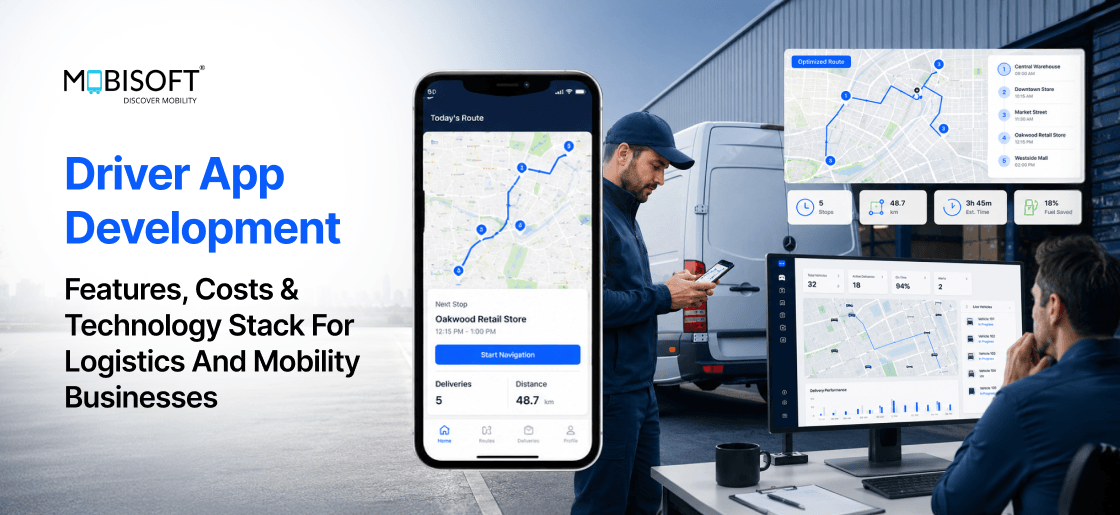
Picture a driver in a tunnel with no signal. The delivery is done, but the app saved nothing. Or picture a truck stuck at a bridge it cannot cross. The map never knew about the weight limit. These moments decide whether a platform runs or stalls.
Most driver apps fail for reasons nobody planned for. They break in the field, not in the office. So why do so many teams build them blind? The answer is simple, and it sits in the architecture. Field workers need tools built around how they actually work.
A proper driver app rewards teams that respect those field conditions. The right foundation defined during driver app development keeps the app working through dead zones. The wrong foundation costs far more to repair later. This guide walks through every logistics and mobility vertical clearly. You will learn what these apps must do and why. Let's dive in.
Driver Apps Across Logistics And Mobility Verticals
Driver apps serve many logistics and mobility businesses with distinct needs. A long-haul freight app differs from a last-mile delivery app. A rideshare app differs again from a towing app. Beneath these differences sit shared technical requirements that never change.
These shared requirements must be solved at the architecture level first. Vertical features only work when the foundation holds. Logistics app development succeeds when teams respect this order.
A reliable driver tracking app depends on solving these basics before anything else.
The Verticals And Their Distinct Requirements
Each vertical adds its own operational and regulatory layer. The table below maps the seven categories that matter most.
| Vertical | Primary Driver Task | Unique Requirements |
| Long-haul freight | Move loads 300 to 1,500 miles | ELD/HOS, DVIR, digital BoL, commercial routing |
| Last-mile delivery | Complete 15 to 50 stops per shift | Multi-stop optimization, per-stop proof of delivery |
| Rideshare | Accept and complete trip requests | Sub-second matching, live metering, safety tools |
| Food and grocery | Pick up and deliver fast | Multi-merchant orders, contactless photo, tight ETAs |
| Tow and roadside | Reach and assist stranded motorists | Motor club APIs, ETA reporting, scene photos |
| On-demand services | Complete booked jobs on site | Appointment flow, checklists, and in-app payment |
| EV and shared mobility | Operate shared or electric assets | Battery routing, condition photos, range limits |
Strong truck driver app development leans hardest on the freight row above. Compliance and routing dominate that vertical entirely.
The Universal Requirements Every Vertical Shares
Six requirements remain non-negotiable across all business types. Skipping any one produces field failure within days.
- Offline-first architecture keeps the app working without an internet signal.
- Background GPS tracking continues when the screen locks shut.
- Large touch targets work for gloved hands in glare.
- Commercial routing respects weight, height, and road limits.
- Digital signature and photo capture prove delivery and condition.
- Push notifications reach the driver on a locked device.
Without offline support, drivers lose data and abandon the tool. Without background GPS, the platform loses real-time fleet visibility. A modern driver management app treats these six as the baseline.
The Core Feature Set Every Driver App Must Include
Features are split into three priority tiers for clarity. P0 features launch on day one without exception. P1 features arrive within 90 days to hold adoption. P2 features add a competitive edge over the medium term.
The right driver app features depend on this prioritization. Launching without offline mode or background GPS guarantees abandonment.
Job Management And Dispatch
Dispatch features control how the task reaches the driver. They form the operational core of every shift.
- Job push notifications arrive on a locked, backgrounded device.
- Job detail views show pickup, delivery, and contacts offline.
- Status updates are written locally and sync when reconnected.
- Job queues display active and upcoming work in order.
- Estimated earnings appear before the driver accepts a job.
- Route efficiency indicators suggest a better stop sequence.
The first four items rank as P0 or P1 priorities. Earnings and efficiency indicators fall into the P1 and P2 range.
Navigation And Routing
Navigation keeps drivers inside the app during trips. It must respect both consumer and commercial routing rules.
- In-app turn-by-turn navigation avoids launching external map tools.
- Commercial routing honors bridge weight and height restrictions.
- Multi-stop optimization sequences 10 to 50 stops efficiently.
- Real-time traffic integration reroutes around delays automatically.
- Pickup and delivery geofences trigger automatic status updates.
- Fuel and charging routing suggest stops based on range.
Good route optimization software powers the multi-stop sequencing here. It reduces miles and finishes shifts earlier.
Documentation And Compliance
Documentation features protect carriers legally and financially. Many are required by federal mandate, not preference.
- Digital Bill of Lading replaces paper at pickup.
- Proof of Delivery captures a signature, a photo, and a timestamp.
- Pre and post-trip DVIR records vehicle defects with photos.
- ELD and HOS displays show remaining legal driving hours.
- Damage documentation logs exceptions with structured reasons.
- Permit and weight documentation support oversized load runs.
These features feed directly into transportation management software on the backend. They create the audit trail that disputes and billing require.
Communication And Safety
Communication features reduce driver distraction and create records. Safety features satisfy regulators in many markets.
- Structured messaging offers preset options for common situations.
- Emergency SOS sends location to dispatch with one tap.
- Trip sharing lets riders share live tracking with contacts.
- Voice-to-text lets drivers dictate messages safely.
- One-tap dispatcher calls speed up urgent escalation.
- Break and rest management tracks HOS break compliance.
Structured messaging ranks P0 because it cuts typing while moving. Free text and voice features follow as P1 additions.
Offline-First Architecture As The Critical Engineering Decision
The offline-first decision matters more than any other choice. It decides whether drivers trust the app or distrust it. Every advanced feature delivers zero value without this foundation.
A reliable fleet tracking software layer depends on an offline-first design underneath. Teams should verify this first.
The Offline-First Data Architecture
The core principle stays simple and consistent. Every driver action writes the local state before anything else. The network acts as a sync channel, not a dependency.
The local storage layer holds two components.
- SQLite stores jobs, status events, documents, and messages.
- MMKV stores the GPS position queue and the upload queue.
The synchronization layer runs in a clear sequence. On launch or reconnection, the app authenticates silently first. It then flushes the GPS queue and the status outbox. Photos are uploaded to storage with exponential backoff on failure. Finally, it pulls pending jobs and missed dispatcher messages.
Conflict resolution follows four firm rules.
- Driver GPS positions stay write-only and never conflict.
- Driver status updates remain authoritative for active jobs.
- New server assignments override the local job queue carefully.
- Document uploads stay write-once and immutable after submission.
Background GPS And The Technical Details That Matter
Background GPS is the feature teams implement incorrectly most often. The standard location API stops the moment the app goes into the background. Production apps need platform-specific configuration to keep tracking alive.
On iOS, the app uses significant location change monitoring. It also requires the always-on location permission from the user. The background mode entitlement keeps updates running during use.
On Android, a persistent foreground service prevents process termination. The service shows a notification that the driver cannot dismiss. Doze mode needs handling through exemption or FCM wakeups.
Battery management uses adaptive update intervals through the shift.
- Updates run every 30 seconds while the vehicle moves.
- Updates slow to five minutes when parked for a long time.
- Updates resume quickly once the accelerometer detects motion.
This approach extends battery life by 30 to 40 percent. Accuracy stays high enough for reliable fleet tracking throughout.
Offline Map Tiles For Navigation Without Internet
Navigation must keep working when the cellular signal disappears entirely. Four approaches solve this with different trade-offs.
- Pre-downloaded Mapbox tiles support full offline navigation locally.
- Google Maps offline mode launches an external app instead.
- Cached routes store turn-by-turn directions for a job assignment.
- A hybrid model downloads tiles plus a cached route fallback.
Pre-downloaded tiles suit drivers with a fixed service area. Cached routes fit long-haul trucking, where routes are known. The hybrid model serves regional couriers with occasional outlier trips. A solid transport management solution for Transporters often blends these methods.
Real-Time GPS Tracking Architecture At Production Scale
Real-time tracking is not one feature but a full pipeline. It spans the driver's phone, the backend, and the dashboard. Understanding each component prevents the failures that break visibility.
This pipeline powers the live view inside transportation management software. Teams evaluating transportation management system providers should test it under load.
The Full GPS Tracking Pipeline
The tracking flow moves through five clear stages. Each stage can fail, so each needs careful design.
- The app captures a position every 30 to 60 seconds. The event includes location, speed, heading, and activity type.
- The position travels to the tracking service. A WebSocket sends it live, with an offline queue as backup.
- The tracking service validates and stores the position. It writes to a time-series database and publishes updates.
- The dispatcher dashboard receives the update over WebSocket. The map marker moves, and the ETA recalculates automatically.
- And the customer tracking link shows live progress. A web view pushes updates without any page refresh.
Scale planning matters as the fleet grows.
- 500 drivers produce about 500 position events per minute.
- 5,000 drivers need horizontal scaling across many instances.
- A time-series database handles 100,000 positions per minute.
Geofence-Based Milestone Detection
Geofences replace manual taps with automatic milestone detection. The app senses arrival and updates status without driver action. This produces accurate timestamps and faster customer notifications.
The system uses two radius bands for each location.
- A 500-meter radius marks the approach and notifies the customer.
- A 100-meter radius marks the arrival and starts the workflow.
Departure detection works through movement after status confirmation. Once the driver leaves, the status updates to en route. The customer receives an in-transit notification with a fresh ETA. This automation removes a common source of driver error.
AI Features In Driver Apps That Deliver Real Value
AI helps most when it reduces decisions during driving. The best AI features stay invisible to the driver. They supply the right route and ETA without prompting choices.
The worst features present options and ask drivers to compare. That comparison creates a distraction and a real safety risk. Thoughtful driver app development separates these two categories carefully.
AI Features That Reduce Driver Cognitive Load
Five AI features deliver measurable value in production apps.
- Predictive ETA models improve accuracy from 15 to 5 minutes.
- Optimal stop sequencing raises route efficiency by 8 to 12 percent.
- Parking and access prediction cuts failed deliveries by up to 25 percent.
- Post-shift coaching improves fuel efficiency by 5 to 12 percent.
- Backhaul matching reduces empty miles by 22 to 40 percent.
Predictive ETA trains on historical estimated versus actual times. Stop sequencing uses a vehicle routing solver on the backend. Access prediction reads historical notes to flag constraints early. Coaching analyzes telematics after the shift, never during it. Backhaul matching finds return loads at the delivery destination.
Strong route optimization software sits behind several of these features. It quietly removes miles and shortens each working shift.
AI Features To Avoid Or Use With Caution
Some AI features look attractive but fail in practice. The table below pairs each anti-pattern with a safer alternative.
| Feature To Avoid | Why It Fails | Better Alternative |
| Multiple route options during a trip | Forces comparison while driving | Apply the best route automatically |
| Freight matching during active delivery | Distracts from the current job | Suggest backhauls after delivery |
| Real-time score during driving | Pulls eyes from the road | Show a summary after the shift |
| Conversational chatbot for dispatch | Too slow and unreliable | Offer structured message options |
| Facial recognition check-in | Fails in low light and glare | Use a PIN or QR code instead |
Each alternative keeps the driver focused on safe operation. Safety always outranks novelty in field tools.
Features Each Vertical Needs Beyond The Core
The universal core covers what every app needs. Each vertical then adds a layer for its operations. This section covers the three largest categories in depth.
Specialized delivery driver app development and freight work follow different rules. The contrast below makes those differences concrete.
Long-Haul Freight Driver Apps
Freight apps carry the heaviest compliance burden of all. Federal mandates govern much of what they must do.
- ELD and HOS integration logs hours and prevents violations.
- DVIR inspections record defects before and after each trip.
- Weigh station management overlays scale locations on the route.
- Fuel and IFTA management tracks state-line crossings for tax.
- Cargo securement checklists confirm proper tie-down before departure.
Mature truck driver app development integrates with existing ELD providers directly. It pulls live HOS data and warns before legal limits. The app should never offer a job that the driver cannot finish.
Last-Mile Delivery Driver Apps
Last-mile apps optimize for high stop frequency. Drivers complete 15 to 50 stops in a single shift. Small friction per stop multiplies into real lost time.
- Multi-stop routing sequences and resequences stops dynamically.
- Failed delivery workflows document, reschedule, and notify customers.
- Contactless delivery captures a GPS-tagged photo at the location.
- Barcode scanning confirms the correct package at each handoff.
- Address intelligence surfaces, gate codes, and access notes early.
- Flexible confirmation supports signature, PIN, or QR per value.
Effective delivery driver app development treats resequencing as essential, not optional. A failed stop should reorder downstream stops in one tap. This keeps the route efficient even as conditions change.
Rideshare And Ride-Hailing Driver Apps
Rideshare apps demand the fastest real-time performance. Trip requests time out within 15 to 30 seconds. Drivers must review and accept before the window closes.
- Sub-second notifications wake the device for new requests.
- In-trip metering tracks distance and time accurately throughout.
- Surge heatmaps show demand so drivers position well.
- Masked communication connects the driver and rider privately.
- Trip sharing lets riders share their live location with contacts.
- End-of-trip screens show fare, tip, and shift earnings.
Metering accuracy matters most because it sets the fare. The timer starts on trip start and survives app restarts. Distance comes from a cleaned GPS track matched to roads.
Technology Stack For Production Driver Apps
Three requirements override general development preferences here. The stack must support offline-first operation reliably. It must run cross-platform from one efficient codebase. It must serve field workers with demanding UX needs.
The choices below reflect what production teams use today. Sound logistics mobile app development starts from this proven foundation.
The Recommended 2026 Stack
The table below lists the core components and reasons. Each choice solves a specific field reliability problem.
| Component | Technology | Why This Choice |
| Framework | React Native 0.74+ | One codebase, strong new-architecture performance |
| Local database | op-sqlite | Fastest writes for status and job data |
| Key-value store | react-native-mmkv | High-frequency GPS queue without async overhead |
| Background GPS | react-native-background-geolocation | Handles iOS always-on and Android service |
| Navigation | react-native-maps plus PC*Miler | Consumer and commercial routing together |
| Camera | react-native-vision-camera | Photo capture plus barcode scanning support |
| Push | Firebase Cloud Messaging | Wake devices through high-priority messages |
| State | Zustand | Minimal boilerplate for offline-first logic |
When To Deviate From The Defaults
The defaults fit most projects, yet some cases differ. Flutter suits teams with strong Dart and animation needs. Native development fits safety-critical features with a larger budget.
For storage, WatermelonDB suits complex relational data models. AsyncStorage works only when the write frequency stays very low. Expo Location fits simple tracking inside Expo-based apps.
These deviations stay rare in serious logistics mobile app development. The default stack covers the common production requirements well.
Development Costs For Driver Apps
Costs sit lower today than in earlier years. The new React Native architecture removed many native edge cases. AI-assisted tooling cuts standard development hours by 30 to 40 percent.
Understanding driver app development cost helps teams budget with confidence. The biggest expense is rebuilding a broken foundation later.
Development Cost By Scope Tier
Four tiers map scope to price and timeline clearly. The table below summarizes each one. However, please note that the cost estimates and timeline are approximate and may vary.
| Tier | Scope | Cost | Timeline |
| Tier 1 | Single-vertical MVP | $55K to $85K | 14 to 20 weeks |
| Tier 2 | Full operational app | $90K to $150K | 18 to 26 weeks |
| Tier 3 | AI-enhanced app | $150K to $220K | 24 to 34 weeks |
| Tier 4 | Multi-vertical platform | $220K to $280K | 28 to 40 weeks |
Tier 1 suits operators replacing paper-based processes first. Tier 2 fits companies with real compliance requirements. Tier 3 serves high-volume platforms seeking AI efficiency gains. Tier 4 supports enterprises managing many fleet types together.
Component Cost Breakdown
A Tier 2 build divides cost across several components. The main drivers appear below in plain terms.
- UX design and prototyping need real device field testing.
- Core screen development absorbs the largest share of hours.
- Offline-first architecture requires expert-level sync and conflict logic.
- Background GPS needs platform-specific native configuration work.
- Commercial routing integration adds domain-specific configuration time.
- Testing and QA on a device matrix stays mandatory.
A clear driver app development cost estimate accounts for each line. Offshore teams suit standard scope, and nearshore suits complex compliance.
The Cost Of Getting It Wrong
The most expensive app is the one rebuilt within a year. Three mistakes cause most of that wasted spending.
- Missing offline-first adds 60 to 80 percent in rework.
- Wrong background GPS forces native changes and resubmission.
- Skipping commercial routing creates real liability exposure.
Planning offline-first from the start adds 20 to 30 percent only. Retrofitting it later costs far more and takes months. The lesson stays simple, so build it correctly the first time.
Driver UX And The Principles That Determine Adoption
Driver UX is not judged inside a design studio. It is judged at 6 am with gloves and glare. An app that fails there loses to the phone call. UX for drivers needs a different philosophy than consumer apps.
Good driver app features mean nothing if the interface defeats the driver. Design decides whether the work actually gets done.
The Driver UX Design Principles
Six principles separate adopted apps from abandoned ones.
- One primary action per screen guides the driver clearly.
- Text entry stays the enemy, so favor taps over typing.
- High contrast keeps text readable in sunlight and darkness.
- Status stays visible without any extra navigation needed.
- Error recovery beats heavy prevention with constant confirmations.
- Consistent patterns apply to actions repeated many times daily.
Each principle has a clear test you can run. Hand the app to a real driver without instruction. Note how long the first status update takes them.
The Field Testing Protocol Before Launch
Field testing validates the app under real conditions. Skipping it pushes usability problems into production painfully.
Test with at least five real drivers from your vertical. Avoid engineers and QA staff for this round entirely. Use mid-tier Android phones, not the latest iPhone. Test at maximum brightness and with winter gloves on.
Run the mandatory scenarios that mirror real shifts.
- A locked-device notification leads to accepting and navigating.
- Airplane mode mid-job tests offline capture and later sync.
- A failed delivery tests the documentation and rescheduling flow.
- A full shift measures cumulative friction and battery impact.
Set a firm launch gate before release. Do not launch below 80 percent unassisted task completion. This single rule prevents most post-launch UX disasters.
Implementation Roadmap And Choosing A Development Partner
Driver app builds differ from web projects in one way. The app must be tested in the field first. Real devices and real conditions reveal what labs hide.
A capable driver management app partner understands this difference deeply. The roadmap below shows how serious teams operate.
The Implementation Roadmap
The build moves through six clear phases. Each phase ends with a concrete success gate.
- Discovery includes ride-alongs with three to five drivers.
- Core architecture provides background GPS and offline storage.
- Core screens deliver the full job lifecycle on both platforms.
- Vertical features add ELD, DVIR, and commercial routing.
- Field testing reaches 80 percent unassisted completion.
- Deployment publishes both apps with production monitoring active.
Background GPS work belongs in the core architecture phase. It carries the highest timeline risk of any component. Proving it early protects the entire schedule.
Evaluating A Development Partner
Four questions reveal whether a partner has real experience. Ask each one and listen for specific answers.
The offline test asks how a status update behaves offline. A strong answer names SQLite, an outbox, and retry logic. A weak answer says the update waits for a signal.
The iOS GPS test asks how they prevent process termination. The right answer names significant location change monitoring. A weak answer cites the standard Geolocation API only.
The routing test asks about an overweight truck and a bridge. The correct answer requires a commercial routing integration. A partner who trusts Google Maps misunderstands the problem.
The field testing question asks about their last real project. A credible partner names testers, scenarios, and specific fixes. Lab-only QA signals they have not built production apps.
Conclusion
Driver apps succeed on one criterion above all others. Drivers must trust them in real field conditions. An app that loses data gets abandoned within a week. An app with tiny buttons loses to the phone call.
The decisions that earn trust come before feature design. Offline-first or online-dependent settles the outcome early. Background GPS or foreground-only settles reliability next. Commercial routing or consumer routing settles safety and liability.
The verticals and features change across logistics and mobility. The foundation underneath them never really changes. Build that foundation right, and every feature becomes reachable. Build it wrong, and no budget repairs the damage.
Mobisoft Infotech builds custom driver apps and fleet platforms. Our team has delivered apps across freight, delivery, and mobility. Talk to us about your driver app development project today.

Frequently Asked Questions
What Is A Driver App And What Must It Do?
A driver app helps drivers receive jobs and complete them. It handles navigation, documentation, communication, and compliance tracking. Six universal requirements apply across every vertical without exception. Those include offline-first design, background GPS, and large touch targets. They also include commercial routing, digital documentation, and reliable notifications.
What Technology Stack Suits Driver App Development?
React Native 0.74 supports both platforms from one codebase. The op-sqlite library handles offline data with fast writes. MMKV manages the high-frequency GPS position queue efficiently. A background geolocation library keeps tracking alive when backgrounded. Commercial routing APIs handle truck restrictions that consumer maps ignore.
How Does Offline Mode Work In A Driver App?
Offline mode is an active architecture, not a fallback. Every action writes the local state before touching the network. SQLite stores jobs, status events, and documents on the device. MMKV holds the position queue and the upload outbox. Background sync flushes everything once connectivity returns reliably.
How Does Background GPS Work In A Driver App?
Background GPS needs platform-specific work beyond the standard API. iOS uses significant location change monitoring and always-on permission. Android runs a persistent foreground service with a fixed notification. Adaptive intervals extend battery life by 30 to 40 percent. This keeps tracking accurately across a long 10-hour shift.
What AI Features Add Value In Driver Apps
Predictive ETA improves accuracy from 15 to 5 minutes. Stopping optimization raises route efficiency by 8 to 12 percent. Access intelligence cuts failed deliveries by up to 25 percent. Backhaul matching reduces empty miles by 22 to 40 percent. Avoid features that force decisions during active driving.
How Do Freight, Delivery, And Rideshare Apps Differ?
Freight apps carry the heaviest compliance load by far. Delivery apps optimize hardest for high stop frequency. Rideshare apps demand the fastest real-time matching performance. The universal core stays shared across all three categories. Only the layer above the foundation truly differs.
How Long Does It Take To Build A Driver App?
A single-vertical MVP needs 14 to 20 weeks. A full operational app needs 18 to 26 weeks. An AI-enhanced app needs 24 to 34 weeks. A multi-vertical platform needs 28 to 40 weeks. Background GPS and field testing carry the most timeline risk.
This content is for informational purposes only and may include AI-assisted research or content generation. While we strive for accuracy, information may evolve over time. Readers are advised to independently verify critical information before making decisions.

Nitin Lahoti
Read more
Nitin Lahoti is the Co-Founder and Director at Mobisoft Infotech. He has 15 years of experience in Design, Business Development and Startups. His expertise is in Product Ideation, UX/UI design, Startup consulting and mentoring. He prefers business readings and loves traveling.
 Nitin Lahoti
 June 29, 2026