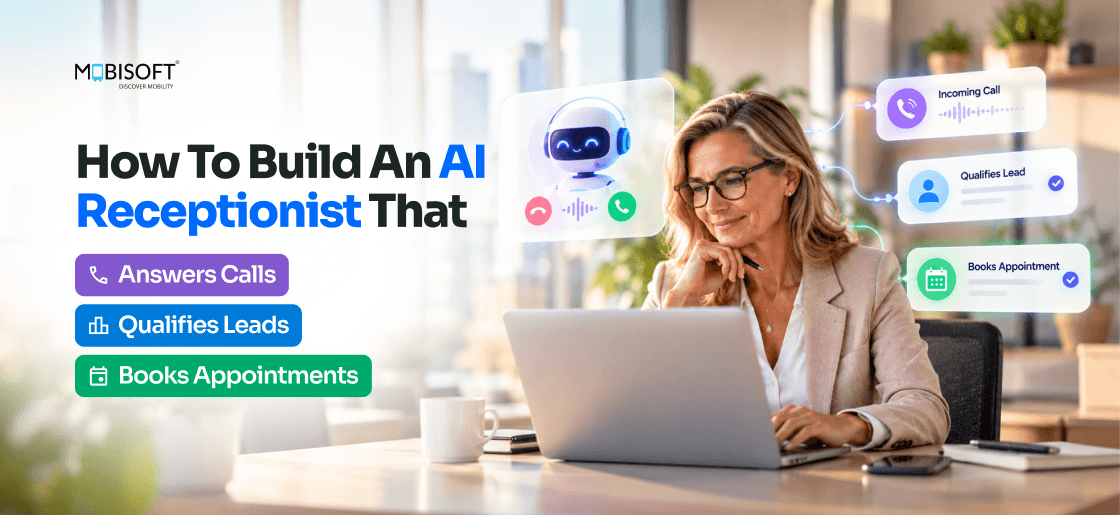
A caller who reaches voicemail often dials the next business on the list. Lead response research shows how fast that happens. One widely cited study found the odds of reaching a lead are 100 times higher at five minutes than at thirty. No front desk keeps that pace after closing time.
An AI receptionist answers on the first ring at 2 a.m. as readily as at 2 p.m. It never calls in sick or puts a caller on hold. It qualifies the caller and checks the live calendar. It books the slot before the call ends. The CRM record and the text confirmation follow within seconds.
This guide shows how to build one. It walks through the technical stack and the qualification logic. It covers integrations and compliance, plus a worked ROI model for a dental practice.
What Is an AI Receptionist?
An AI receptionist answers inbound calls with no person on the line. Callers speak naturally and never press menu keys. Before any build starts, a team must decide which call types the system owns. Many teams use AI agent solutions to map each call type to one clear rule. A new-patient enquiry gets a full intake. A billing dispute goes straight to a person.
The system covers six jobs.
- Natural speech conversation instead of menu trees
- Lead qualification through structured dialogue
- Live calendar checks and direct booking
- A CRM record for every meaningful call
- Text follow-up after the call
- Warm transfer to a person for complex requests
IVR Menu or AI Receptionist?
A phone menu offers fixed choices such as press 1 for sales or press 2 for support. A caller whose need is not on the list gets sent in circles or hangs up. An AI receptionist accepts free speech instead. Say a caller needs a deep clean at their mother's house in north London. The system takes the service type and the location from that one sentence. It then moves to the next open question.
Teams that already run AI-powered chatbot development projects have a head start. They can reuse the intent list and the knowledge base for voice. Callers ask the same questions that website visitors type. Voice does add a hard timing limit. People accept a few seconds of delay in a chat window. A two-second pause on a phone line sounds like a dropped call. Every stage of the pipeline therefore has to stream its output.
Receptionist, Answering Service or Voice Agent?
Vendor marketing mixes these terms, so it helps to separate them. A virtual receptionist is normally a remote human team that works from a script you supply. An AI answering service picks up automatically but usually stops at taking a message or forwarding the call. A voice agent is the speech and language technology behind both. An AI receptionist is a voice agent configured for front-desk work. That work includes qualifying the caller and booking the slot.
AI Receptionist Architecture: The Technical Stack
Most production failures trace back to a single layer of the stack. Understand all eight before choosing tools. This section covers how to build an AI receptionist layer by layer.
Calls pass through the layers in this order.
- Telephony receives calls and manages phone numbers
- Speech recognition turns caller audio into text in real time
- The context engine tracks conversation state and adds CRM data
- The language model decides what the caller means and what happens next
- The dialogue manager enforces the qualification flow
- Speech synthesis turns the reply into audio the caller hears
- The integration bus links the calendar, the CRM, and the texting service
- Monitoring records and scores every call
Teams without in-house speech and language skills often bring in AI software development services for layers two and four.
Layer 1: Telephony
The telephony layer receives the call and opens an audio stream to your server. Production systems use one of three patterns.
- Media streaming sends live call audio to your server over a WebSocket
- SIP trunking forwards calls from your phone system on no-answer or after-hours rules
- WebRTC connects calls from your website or app straight to the pipeline
Number porting deserves early attention. Customers already know your current number. A new one means updating online listings, ads, and printed material. Forwarding rules also let you begin with after-hours calls only. Teams comparing these patterns can read a custom AI voice agent development guide for the trade-offs.
Layer 2: Speech Recognition
Recognition errors spread through the whole call. A misheard word becomes a wrong intent and then a wrong answer. Streaming recognition is essential because the system must read words while the caller is still speaking. Phone audio adds another limit. Standard phone codecs sample at 8 kHz. A model trained on 16 kHz studio audio loses detail it expects to hear.
Leading engines for recognition and synthesis fall in these ranges.
| Component | What to Measure | Typical Range |
| Speech recognition | Time to first word | 80 to 200 ms |
| Speech recognition | Word error rate on general speech | 3% to 4.5% |
| Speech synthesis | Time to first audio byte | 70 to 130 ms |
| Speech synthesis | Naturalness score | 4.0 to 4.4 out of 5 |
| Full turn | Caller stops, AI starts | Under about 1 second |
Vendor accuracy claims come from clean benchmarks. Your callers use speakerphones and call from busy streets. Record 100 real calls and test two or three engines on that audio before you commit. A production AI voice agent depends on that choice.
Layer 3: Context Engine
The context engine holds the state of the call. At minimum, it tracks the items below.
- Conversation history and the current step in the agenda
- Which required fields are filled and which are missing
- The caller's identity from a phone number match in the CRM
- Opening hours and service lists
- Staff schedules
- Results from tool calls such as calendar lookups
Layer 4: Language Model
The language model decides what to say next and which tool to call. Teams host it in one of three ways.
- A hosted API starts fastest and scales easily but sends data outside your environment
- A private cloud endpoint runs the same models inside your own cloud tenant, which suits health data under a business associate agreement
- A self-hosted open model gives full control of data and cost at high volume, but your team runs the GPUs
Data rules usually decide the hosting choice. A clinic under HIPAA would likely start with the private cloud endpoint. Prompt quality and tool definitions affect call quality more than the model brand does. Large organisations often plan these deployments inside wider voice AI for enterprise workflows programs.
Layer 5: Dialogue Manager
The dialogue manager holds the checklist of facts to collect and decisions to make. It keeps the call on that agenda. The model works through the list while staying natural. If insurance is still missing, the manager asks for it where the question fits the conversation.
Sample Agenda for a Dental Practice
- Greet the caller and state the practice name
- Ask why they called and sort the answer into new patient, existing patient or emergency
- A new patient gives name and date of birth first, then insurance and dentist preference
- An existing patient confirms the phone number and date of birth before the record opens
- Identify the appointment type and the slot length it needs
- Check live availability and offer the top two or three slots
- Collect an email address and send confirmations by text and email
- Read back the details and close the call
Layer 6: Speech Synthesis
Callers judge the system by its voice within the first sentence. A robotic voice raises hang-up rates. Top engines now score 4.0 to 4.4 out of 5 for naturalness. Many callers cannot tell them from a person. Three criteria matter when you choose.
- Time to first audio byte, ideally under 100 ms
- Voice cloning, if the business wants a specific brand voice
- Concurrent stream limits per plan
A cloned voice requires written consent from the person whose voice is copied.
Layer 7: Integration Bus
The bus connects the calendar and the CRM at minimum. Text messaging, call routing and analytics complete a production system. Each integration reaches the model as a tool with a strict schema. A tool returns a slot ID or an error code and never free text. The model therefore cannot invent a booking.
Layer 8: Monitoring and Analytics
Every call should produce a recording, a transcript and a quality score. Prompt changes need evidence behind them. The dashboard should track these measures.
- Call duration
- Outcome of each call
- Completion rate for each qualification question
- Caller sentiment and escalation events
- Appointment show rate
Review a sample of calls every week. That data drives every prompt revision.
Lead Qualification: Building the Conversation Logic
AI lead qualification is the core job in most consumer-facing deployments. Within about two minutes, the system must learn who is calling and what they need. It must also read the urgency and decide whether the caller is ready to book. Doing that in natural conversation takes careful prompts and agenda design. Scenario testing matters just as much.
A Simpler Frame Than BANT
Sales teams often use the four BANT questions. The first one is budget. Callers seldom state one on a first call. Few patients will talk price before a clinician names the treatment. A leaner frame works better for an AI receptionist.
- Need, meaning the service or outcome the caller wants
- Urgency, meaning when they need it and whether it is an emergency
- Fit, meaning whether the request falls inside your services and location
- Readiness, meaning whether the caller is willing to book now
Qualification Scenarios by Industry
| Industry | Key Questions | Disqualifiers | Booking Trigger |
| Dental and medical | New or existing patient, appointment type, insurance, urgency | Emergency needing hospital referral, out-of-network insurance only | Service covered and slot available |
| Real estate | Buying or selling, area, budget range, timeline, pre-approval | Timeline beyond 12 months, outside service area | Clear intent and timeline under 6 months |
| Law firm | Type of issue, jurisdiction, urgency, free or paid consult | Outside practice area, conflict of interest | Practice area match and consult slot open |
| Home services | Service type, property, scope, timeline, location | Outside service area, job below minimum size | Service offered and timeline this week |
| SaaS and B2B | Company size, role, current tool, pain point, evaluation timeline | Competitor employee, student, company below target size | Target fit and active evaluation |
System Prompt Engineering
The system prompt is the most important configuration element. It defines persona, scope, agenda, and edge cases. A production prompt for a dental practice covers these elements.
- Persona and tone, including how the AI introduces itself
- Scope, meaning what the AI may answer and what it must refuse
- The qualification agenda with branching rules
- Tool definitions for calendar, CRM, text messages, and transfer
- Escalation triggers such as pain, anger, or a request for a person
- Speech rules for dates and phone numbers, such as reading digits in groups
- Business facts like opening hours and accepted insurance
Rules Every Prompt Needs
- Never give clinical, legal, or financial advice
- Never promise a price without verification, and say "from" or "your clinician will confirm costs"
- Never confirm a slot without a live availability check through the calendar tool
- Always confirm booking details aloud before ending the call
- Always capture a callback number in case the line drops
- Always offer a path to a human and never trap a caller in a loop
Handling Interruptions and Unexpected Behaviour
Real callers cut in before the AI finishes a sentence. They answer questions that have not been asked yet. Some lose patience. The system has to handle each case without restarting the call.
- Barge-in, meaning the AI stops talking the instant the caller starts
- Silence, handled with one re-prompt after about five seconds and a callback offer after a second silence
- Corrections such as "no, I meant Thursday", which update the field without restarting the flow
- Off-topic questions, answered briefly from approved facts before returning to the agenda
- Frustration, detected early and met with a human transfer
- Noisy lines, handled by reading names and numbers back
Test these patterns with recorded calls and not with messages typed into a chat window.
Calendar Integration and Appointment Booking
A lead who does not book still needs a follow-up call. AI appointment scheduling therefore depends on live availability data. The system can only offer slots that exist. It must also write the booking to the calendar before the call ends.
Systems the AI Can Connect To
| System Type | Integration Method | What the AI Can Do |
| Cloud calendars | REST API with OAuth 2.0 | Query free and busy times, create events |
| Enterprise calendars | Graph-style API with OAuth 2.0 | Find meeting times, create events |
| Scheduling platforms | Booking APIs | Read open times, create bookings |
| Practice management systems | Vendor API or integration bridge | Often partial, so a bridge may be needed |
| Field service software | Job scheduling API | Create jobs and assign technicians |
Real-Time Availability Check
The check has to happen during the call without dead air. The AI should say something natural while the lookup runs, such as "Let me see what we have this week". The mechanism is function calling. The model receives a check availability tool that takes a date range, a duration, and an optional practitioner. At the booking step, the model calls that tool. The backend queries the calendar and returns open slots. The model then offers the top two or three in plain language.
Small design choices prevent double bookings and duplicates.
- Hold the chosen slot for two to five minutes so two callers cannot take it together
- Add an idempotency key to the booking call so a retry never creates a second appointment
- Convert times using the practice time zone, including daylight saving changes
- Map each appointment type to a duration and to the practitioners who can deliver it
Booking Confirmation Flow
Once the caller picks a slot, the system runs a fixed sequence. Automated appointment booking should never confirm aloud before the calendar write succeeds.
- Create the calendar event through the booking tool
- Write or update the CRM record
- Send a text and an email that carry the full appointment details
- Say the day, date, and time aloud once more
- Schedule reminders and a rescheduling link
Booking Best Practices
- Ask for preferred days first and match them to open slots
- Say the day with the date, as in "Tuesday the 22nd"
- In healthcare, text the new patient forms ahead of the visit to shorten check-in
- For home services, confirm the address and access details before the call ends
- State the cancellation policy and share the rescheduling link
- Send the text confirmation before the call ends and check delivery
CRM Integration: Building a Complete Lead Record
Every meaningful call should leave a CRM record, even when it ends without a booking. A caller who declines today may book next month. The record gives the next team member the full history. Reliable AI receptionist CRM integration makes both possible.
| CRM Type | Integration Method | Objects Created | Lead Routing |
| Sales CRM | REST API with OAuth 2.0 | Contact, deal, note, meeting, task | Workflow automation and owner assignment |
| Enterprise CRM | REST API and triggers | Lead, contact, opportunity, activity | Assignment rules |
| Health practice system | Practice API | Patient, appointment, invoice | Practitioner assignment |
| Field service platform | Booking API | Customer, job, estimate | Technician dispatch |
Lead Record Structure
A complete record captures these fields.
- Caller name, phone number, and email
- Service requested and urgency
- Qualification outcome and reason
- Appointment details if one was booked
- Call recording and transcript links
- Consent flags for recording and text messages
- Caller sentiment and next action with an owner
Routing and Follow-Up
When a qualified lead does not book, the system creates a follow-up task. It assigns an owner by service type or territory. Round-robin assignment covers calls that match neither. A text goes out immediately offering help to find a time. Marketing nurture sequences need separate consent. A text about a missed booking is a service message and a promotion is not.
Industry-Specific Implementations
The eight layers stay constant across industries. The qualification questions, the compliance rules, and the integrations are what change.
Healthcare
A mid-size medical practice can take 50 to 200 calls a day. That volume keeps the front desk under constant pressure.
- Recordings and transcripts count as protected health information
- Route red-flag symptoms to emergency instructions and never to a booking
- Verify identity with date of birth before sharing any record
- Capture insurance details and send new patient forms by text
Real Estate and Property Management
Property teams receive three kinds of calls. Buyers and renters ask about viewings, sellers and landlords ask for valuations, and tenants report repairs.
- Tag repair urgency and send emergencies to the on-call technician
- Book showings against agent calendars
- Pull listing details from the listing database so answers stay current
Legal Services
A legal receptionist must not create an attorney-client relationship by accident.
- Open with a statement that the AI cannot give legal advice
- Capture opposing party names for conflict screening
- Match practice area and jurisdiction before offering a consult
- Flag court dates and filing deadlines for same-day human review
Home Services
Small crews often win a job simply by answering first. Homeowners tend to call the next contractor on the list.
- Split emergencies from routine jobs at the first question
- Check the service area by postcode
- Collect photos by text before dispatch
- Offer same-day slots whenever a technician is free
SaaS and B2B Sales
The receptionist acts as a first-line sales development rep.
- Check each caller against ideal customer criteria
- Send existing customers to support instead of sales
- Route qualified callers to the right account executive
- Book discovery calls directly
Compliance: TCPA, HIPAA, GDPR, and Recording Consent
An AI receptionist records voices and stores personal data, so several laws apply at once. Which ones depend on the caller's location and your industry. GDPR fines can reach 20 million euros or 4% of global annual turnover. TCPA damages run $500 to $1,500 per violation.
TCPA in the United States
In February 2024, the FCC ruled that AI-generated voices are artificial voices under the Telephone Consumer Protection Act. That matters most for outbound calls and texts.
- Inbound calls that the caller starts differ from outbound calls
- Text follow-ups need prior express consent
- Every text must carry an opt-out like "Reply STOP"
- Consent records need timestamps and a stored source
HIPAA for US Healthcare
- Get a business associate agreement from every vendor that handles health data
- Use TLS 1.2 or higher in transit and AES-256 at rest
- Never send health details to a vendor that has not signed an agreement
- Retain compliance documentation for six years and use role-based access
GDPR and UK GDPR
- Give a privacy notice before collecting personal data
- Collect only what the call needs and enforce retention limits technically
- Document a process for access and erasure requests
- Run a data protection impact assessment before launch
PECR, ePrivacy, and Recording Consent
UK and EU rules treat marketing texts differently from service texts. Get consent for promotions and keep the two message types apart. California and Washington require every party to consent to recording. Disclose recording at the start of every call.
Run this checklist before launch.
- Recording disclosure at the start of every call
- Privacy notice before data collection
- Vendor agreements in place for all health data
- Documented and enforced retention policy
- Text opt-out mechanism
- Legal review of recording rules in each jurisdiction
Build vs Buy: Choosing the Right Path
Packaged AI receptionist software launches in weeks and suits standard workflows. Custom builds fit complex qualification and deep integrations. Call volume and integration needs decide the rest.
What to Check in Packaged Platforms
- How flexible the qualification flow is
- Which calendar and CRM connectors exist and how deep they go
- Whether the vendor signs a business associate agreement
- Whether callers can reach a human at any point
- How call data can be exported
- Whether pricing per minute still works at your volume
When Custom Development Wins
Custom builds cost more upfront, so the case must be clear. Custom AI receptionist development pays off in these cases.
- Your qualification rules differ from standard templates
- Your scheduling or practice system has no ready connector
- You need data residency or strict compliance control
- Per-minute pricing becomes expensive at your volume
- You want a branded voice and persona
- You plan to offer the receptionist to your own customers
Step-by-Step: A Custom Build for a Dental Practice
The example practice has three dentists and 400 calls a month. It runs a cloud calendar and a CRM. HIPAA rules apply to it. The same steps apply to other front-desk businesses. This is what an AI receptionist with appointment booking needs in practice.
Step 1: Phone Number and Routing
- Port or forward the practice number to the telephony provider
- Send calls to the AI after hours and when all lines are busy
- Play the recording disclosure first
Step 2: Audio Server
- Receive call audio over a WebSocket in short frames
- Stream audio to speech recognition and play synthesized audio back
- Keep session state for each call and scale servers with call volume
Step 3: Conversation Loop
- Detect when the caller stops speaking using voice activity detection
- Stream model output to speech synthesis sentence by sentence
- Set a maximum call length and a fallback to human transfer
Step 4: Calendar Tool
- Authenticate with OAuth 2.0 and query free and busy times
- Apply appointment durations, practitioner mapping, and buffers
- Hold slots briefly and book with an idempotency key
Step 5: System Prompt
- Write the persona, agenda, and rules from the earlier sections
- Add examples of difficult calls
- Version every revision and run it against at least 50 test scenarios
Step 6: HIPAA Configuration
- Sign agreements with every vendor that handles health data
- Encrypt recordings and redact health details from logs
- Disable vendor training on call data
- Turn on audit logging and role-based access
ROI Model: The Financial Case for an AI Receptionist
The model uses the same practice. Three dentists share 400 inbound calls a month. Reception staff cost 1.5 full-time positions.
The Starting Profile
- 400 calls a month, with 35% going to voicemail
- 100 calls a month come from new patient enquiries
- Booking rate of 65% for answered calls and 18% for voicemail callbacks
- Average first appointment worth $285 and lifetime patient value of $4,200
- Reception staff at $18 an hour fully loaded, or $56,160 a year for 1.5 positions
- Cancellation rate of 22% without reminders and 11% with automated reminders
Current State and Future State
Today the practice books about 48 new patients a month. Of 100 enquiries, 65 get answered and 42 of them book. The other 35 reach voicemail, and 6 book. With an AI receptionist, every enquiry gets answered. At the same 65% booking rate, this produces 65 new patients a month. The practice gains about 16 patients a month.
The Return Summary
| Metric | Value |
| Year one cost | $35,000 build plus $12,000 operation, or $47,000 |
| Year one net benefit | $69,613 |
| Year one ROI | 148% |
| Three-year cost | $35,000 plus three years at $12,000, or $71,000 |
| Three-year benefit | $349,839 |
| Three-year ROI | 393% |
| Payback | About 4 months after launch |
Those 192 extra patients are worth about $806,400 in lifetime value over several years. That figure builds slowly and stays out of the ROI above. These numbers count revenue and not profit. Apply your own margin before showing them to finance. The freed reception position only produces savings if the hours move to other work.
How Mobisoft Infotech Builds AI Receptionists
Mobisoft Infotech builds custom AI receptionists for clinics and law firms. Property managers and home service companies use them too. It does not resell a packaged platform. Each system follows your workflow and connects to your calendar and CRM. It also meets your compliance rules.
Engagements start at the level that matches your readiness.
- Free 60-minute discovery session with a call flow review and an ROI estimate
- A two-week prototype on your phone number with your script and calendar
- Full production build in 10 to 14 weeks plus 90 days of support
- A managed service for tuning, monthly reporting, and new use cases
Conclusion
Start with your phone log for the last 90 days. Count the calls that went to voicemail and the calls that arrived after 5 p.m. Multiply each count by your average first-visit value. That total is the revenue an AI receptionist can recover.
Launch with two call types. New enquiries and reschedules work well because both finish with a calendar write. Run after-hours calls first. Review 20 recordings each week and fix one prompt issue per review. Keep a transfer to a person available from the first day. That path also protects callers the AI cannot help.
Handle compliance in the first sprint. A recording disclosure and a text opt-out are cheap to build early and expensive to add later. The dental model above pays back in about four months after launch.
Book a free 60-minute AI receptionist discovery session with Mobisoft Infotech.
Frequently Asked Questions
How many calls can it handle at once?
Each call runs as its own session, so a busy hour never creates a queue. We size servers to your peak volume and scale them as call counts grow. Your AI phone answering service stays fast during every rush.
How do I update hours or prices without a developer?
You change business facts in one admin panel, and the agent uses them on the next call. We version every update, so you can roll back a mistake in seconds. Teams with AI receptionist software built this way handle routine edits alone.
How does it handle spam and robocalls?
We screen callers through the opening questions and flag junk early. The system ends those calls quickly and logs them separately. Strong AI lead qualification keeps fake leads out of your calendar and CRM.
Can Mobisoft Infotech add reminder calls for upcoming appointments?
Yes. We build reminder and rescheduling calls on the same system, with a consent check before every outbound call. Reminders lower no-shows, and our automated appointment booking flow can offer freed slots to other callers.
Who owns call recordings when Mobisoft Infotech builds my system?
You own every recording, transcript, and CRM record. We host the system in your cloud tenant when your rules require it. Our AI receptionist development process also includes a clean data export at any time.
This content is for informational purposes only and may include AI-assisted research or content generation. While we strive for accuracy, information may evolve over time. Readers are advised to independently verify critical information before making decisions.

Nitin Lahoti
Read more
Nitin Lahoti is the Co-Founder and Director at Mobisoft Infotech. He has 15 years of experience in Design, Business Development and Startups. His expertise is in Product Ideation, UX/UI design, Startup consulting and mentoring. He prefers business readings and loves traveling.
 Nitin Lahoti
 October 21, 2026