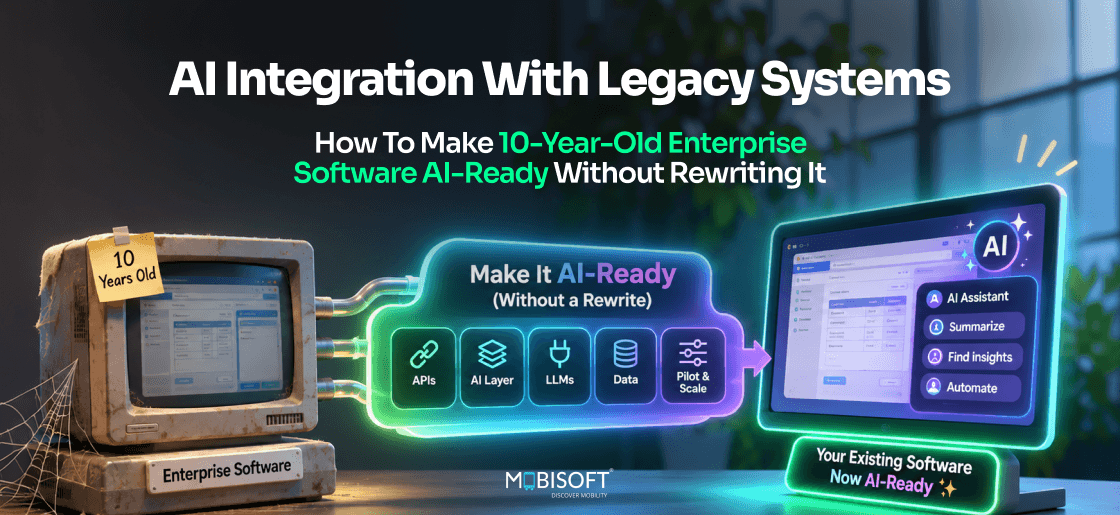
Most enterprise AI roadmaps hit the same wall within weeks. In a GFT Technologies survey from August 2026, 84% of CIOs said they had already canceled an AI project over legacy limits.
AI integration with legacy systems rarely calls for a rewrite, because the hard part is translation. Someone has to know which 14 tables hold a customer balance and which rules the screens apply. Our software product modernization services build that translation layer outside the old code. It might be an API facade, an MCP server, or a CDC feed.
Below, you'll find the five barriers that block agents and the five patterns that get around each of them. A scorecard helps you choose. There's also a security checklist, an insurer's ROI model, and a 12-week plan you can adapt to your own estate.
Can You Integrate AI Into Legacy Systems Without Rewriting Them?
Yes, in most cases. AI integration with legacy systems rarely calls for new core code. It calls for a controlled interface an agent can use. That interface gets built outside the old application.
AI-Ready Versus AI-Accessible
These two goals get mixed up in almost every planning meeting. A replacement changes everything about a system at once. An access layer changes one thing. It lets an agent read data and take approved actions.
Take a manufacturer's ERP from 2007. It handles production, inventory, and purchasing. Its database holds eighteen years of supplier history. An agent that can query that history is useful on day one. Nobody touches the custom code that approves purchase orders. That's AI integration without rewriting legacy systems in its plainest form.
How Often Legacy Blocks AI Today
Wakefield Research surveyed 945 CIOs and CTOs for GFT Technologies in August 2026. Of those, 84% said they had canceled an AI project because of legacy system limits.
MuleSoft's 2026 Connectivity Benchmark shows the same gap from another angle.
- The average enterprise now runs 957 applications.
- Only 27% of those applications are integrated.
- Outdated architecture was a top AI data blocker for 40% of IT leaders.
Most roadmaps carry a slide reading "phase 2, after the ERP replacement." How many years has your replacement been "eighteen months away"?
When An Access Layer Isn't Worth Building
There's one clear exception, and it's about timing. Will the system be switched off within about twelve months? Then skip the permanent layer. Use a data export or a staging copy instead.
Once the replacement date slips past eighteen months, the math changes. A facade built today pays back long before cutover. Our guide to how much legacy application modernization costs has the full replacement numbers. Compare that number with a twelve-week facade before deciding.
Why Do Legacy Systems Block AI Agents?
Old systems don't all block agents for the same reason. Naming the barrier first tells you which pattern to use. We'd sort each system on your roadmap into one of these five. That comes before any legacy system AI integration work.
No Modern API
The system predates REST, so an agent has nothing to call. A quick audit usually turns up one of these.
- A proprietary client-server protocol that only the desktop client understands.
- An early-2000s SOAP service whose WSDL files AI tools won't read.
- Direct database access only, which skips the business rules in the app.
- Nothing at all, apart from file exports and the screen itself.
An architect's note saying "SOAP, undocumented, last changed 2011" is a common finding.
Batch-Only Data
Many older platforms update overnight. Interfaces are fixed-width files moved by FTP at 2 am. Ask "how many units are in the Dallas warehouse?" and you'll get last night's figure.
Data Only The Original Developers Understand
Some data stores are technically open but practically closed. IMS and IDMS are classic examples. So are schemas with thousands of cryptic tables.
Say an agent wants one customer's current balance. The answer spans 14 tables, joined on legacy keys. Three business rules then adjust the figure. No model will work that out from raw tables. Integration at this level starts with a domain model.
Screens As The Only Interface
Some applications don't offer programmatic access at all. Every workflow is a series of green-screen or desktop forms. An agent can't call a screen. So AI agent integration with legacy applications here means something else operates the screen for it. A user might describe it as "F4, tab twice, type the policy number, press Enter."
Old Authentication Models
Agents expect OAuth 2.0 tokens or scoped service credentials. Older systems often rely on a shared password in a config file. Others use Windows domain logins that a cloud service can't hold. Fine-grained rules rarely exist. "Read premiums but not bank details" isn't something they can express.
Barriers At A Glance
Use this table to tag each system before choosing a pattern. Which row describes your oldest system?
| Barrier | Typical Systems | Pattern To Start With | Complexity |
| No modern API | SOAP-era ERP, older CRM, in-house apps | API facade over the database or SOAP layer | Medium |
| Batch-only data | Mainframes, legacy finance, EDI supply chain | CDC event bridge | Medium to high |
| Data only experts understand | Hierarchical databases, older core banking, policy admin | Facade with a domain model | High |
| Screens only | Older HR, case management, green-screen apps | RPA-AI bridge | Medium |
| Old authentication | Windows-auth apps, session-based systems | Identity proxy in front of the system | Low to medium |
How Can AI Agents Access Legacy Applications?
Five patterns cover most AI agent integration with legacy applications. The least invasive comes first. The first four leave the core code alone. The fifth replaces it gradually, one function at a time.
Pattern 1: API Facade
An API facade is a small service in front of the old one. Agents call clean REST or GraphQL endpoints. The facade translates each call into queries or SOAP requests. The legacy system never sees anything unfamiliar.
What The Facade Owns
The facade holds all the awkward knowledge about the old system. It knows the 14-table join behind a customer balance. It applies the three business rules. Then it returns one clean JSON field called "current_balance."
To the agent, it looks like any modern service with a tidy contract. Why should it care how old the database is? A typical endpoint might be GET /customers/4471/balance. Nobody calling it ever learns about the 2009 schema behind it.
Where It Fits
Facades are the default form of API integration for legacy systems. We'd reach for one first when these conditions hold.
- You can reach the database, ideally through a read replica.
- The use case needs both reads and a few controlled writes.
- Several teams will reuse the same endpoints, beyond one agent.
Pattern 2: MCP Server Wrapper
An MCP server for legacy systems exposes the old application as tools. Agents discover those tools and call them by name. MCP, the Model Context Protocol, is now an open standard. Anthropic donated it in December 2025. It now lives in the Linux Foundation's Agentic AI Foundation.
Without a facade, the MCP server talks to the legacy system directly. More often, we'd put it on top of an API facade. The facade deals with the schema. The MCP layer adds tool definitions and permissions, plus an audit trail.
When MCP Is The Better Front Door
- The agent takes actions, such as "create a return authorization," beyond reading data.
- You're already running an MCP gateway for modern systems.
- Security wants one governed catalog of every tool agents can call.
Pattern 3: CDC Event Bridge
Change data capture (CDC) reads the database's transaction log instead of its tables. Each change to a row becomes an event. A bridge publishes those events to a broker such as Kafka. Agents subscribe to the ones they care about.
How The Pieces Connect
On batch-heavy platforms, CDC is often the cleanest legacy system AI integration route. Debezium is a widely used open-source CDC tool, with connectors for Oracle, SQL Server, and Db2. Its Db2 for z/OS support is still marked as incubating. Many mainframe teams use IBM's own replication tooling instead. Oracle GoldenGate and Qlik Replicate are common commercial options.
The bridge turns a raw log row into a business event, such as "OrderCreated." You get event-driven architecture without changing a line of legacy code. The catch is that it's read-only. Agents can react to events. They can't write back through this route.
Pattern 4: RPA-AI Bridge
Sometimes the screen is the only interface. Then robotic process automation (RPA) operates it. The difference from classic RPA is who decides the next step.
- Classic RPA follows a fixed script, click by click.
- In an RPA-AI bridge, the agent picks each next step.
- The bot carries it out, for example, "open policy 88213."
Screen automation is the slowest route for integrating AI into legacy systems. One moved button can break it. We'd keep it as a last resort. Is your oldest screen-only system due for retirement anyway?
Pattern 5: Strangler Fig
Martin Fowler named the strangler fig pattern in 2004. He took the name from Queensland rainforest figs. They grow around a host tree until the host is gone. New services replace one legacy function at a time. Traffic for that function moves across. Eventually, little of the old core remains.
This pattern does involve new code. It suits a module that can't be wrapped. It also avoids a big-bang cutover, which many CIOs want to avoid. A steering committee might hear "we'll move invoicing first, then credit control." Most teams call it incremental modernization. For a comparison with other routes, see legacy system modernization cost, strategy and ROI.
The Five Patterns Compared
Most systems end up combining two patterns for AI integration with legacy systems. Which pair fits your first target system? "Facade plus MCP" is a common pairing.
| Pattern | What The Legacy System Must Offer | Can Agents Write? | Relative Cost | Best First Choice When |
| API facade | Database access or an existing service | Yes, through endpoints | Low to medium | You can query the database and need reads plus some writes |
| MCP server wrapper | Database, service, or an existing facade | Yes, through tools | Low to medium | You're building MCP infrastructure and want an agent-native interface |
| CDC event bridge | Access to the database transaction log | No, read-only events | Medium | Workflows react to changes, or the system is batch or mainframe |
| RPA-AI bridge | A running user interface | Yes, through the screen | Medium | There's no API and no database access |
| Strangler fig | A way to route single functions to new services | Yes, new services are AI-native | High, but spread out | One module genuinely can't be wrapped |
Should You Use An API Facade Or An MCP Server?
Usually both, and they're layered. The facade translates the old schema. MCP lets agents find and call what the facade offers. Which one comes first? That depends on who'll use it first.
Start With The Facade When
A data team asking "can we get this into Power BI too?" is a good sign you'll want a facade first.
- Dashboards, reports, or other apps will use the data, beyond agents.
- The hard work is schema translation, like decoding 47 status codes.
- You need a stable contract that survives model and agent changes.
Start With MCP When
An MCP server for legacy systems earns its place first in three situations.
- The first consumer is an agent that takes actions, like "raise a credit note."
- Your platform team already runs an MCP gateway for modern tools.
- Security wants one catalog listing every tool agents can call.
For the first server, many teams bring in MCP server development services. They then reuse the pattern for the next system.
What The Current MCP Spec Adds
The MCP specification, as of its 2026-07-28 revision, treats authorization as optional. For HTTP-based servers, it builds on OAuth 2.1. Two of its rules matter for legacy work.
- A server checks that every access token was issued for it specifically.
- A server won't accept or pass along tokens meant for another service.
That second rule blocks a common shortcut. It's tempting to forward the user's token straight to the legacy system. The spec doesn't allow it. Instead, the MCP server holds its own scoped credential. That's the foundation of secure AI access to legacy systems.
A good legacy MCP server also keeps its tool list short. An agent sees "get_policy_status" and "list_open_claims." It never sees a raw SQL tool.
Connect Legacy Applications to AI Agents
Give AI agents controlled access to existing enterprise systems through custom MCP servers, secure integrations, and governed workflows.
Explore MCP Server Development
How Do You Make Legacy Enterprise Software AI-Ready?
Run every system through four questions. The answers point to a pattern and a budget. It's the checklist we'd use to make legacy systems AI-ready.
Question 1: Can You Reach The Database?
Most legacy business systems keep their data in a relational database. Oracle, SQL Server, and Db2 cover a large share. Ask the DBA a simple question. "Can we get a read-only account on a replica?" A yes opens up a facade or MCP server straight away.
That's good news for integrating AI into legacy systems, but it isn't universal. Sometimes the vendor contract forbids direct database access. Sometimes the data store is proprietary. Either way, you'll move on to question 2.
Question 2: Is There Any Programmatic Interface?
Look for anything a program can call, however old. A line in the runbook like "MQ queue PAS.OUT, fed hourly" is a find worth celebrating. Each of these can be wrapped.
- A SOAP service can be placed behind a REST-to-SOAP proxy.
- An IBM MQ queue can feed a modern event bus.
- A command-line tool can be called by a facade service.
- A nightly FTP file can feed a read-only index.
Any of these beats screen automation on cost and reliability.
Question 3: Read Only, Or Read And Write?
Most first use cases only read. An agent preparing a sales call reads CRM history. A supply risk agent reads ERP stock levels. Even limited interfaces support that.
Writes are harder. Writing straight to legacy tables skips the application's validation and audit. A SOAP write method may exist without documentation. Screen-only systems can't take writes without RPA. Before promising write-back, ask, "Does this agent really have to change data in release one?"
Question 4: When Will The System Be Replaced?
Who in your company actually knows the replacement date? That date decides how much to invest in legacy application modernization with AI.
Under 12 Months
Build the minimum. A read-only query service or a CDC feed is enough. Don't build anything you'll throw away at cutover.
12 To 36 Months
Build properly, because the layer will last. A facade or MCP server will serve several use cases before cutover. It'll also hand the migration team cleaner data.
No Plan, Or "We'll See"
Treat the layer as a long-term asset. Version it, document it, and monitor it like any production service. It'll probably outlive the slide deck that called it temporary.
A Readiness Scorecard
Score each system from 0 to 2 on five points. An honest "we don't know" scores zero.
| Factor | 0 | 1 | 2 |
| Database access | Not available | Possible with approvals | Read replica ready |
| Existing interface | None | Undocumented SOAP, MQ, or CLI | Documented service |
| Schema knowledge | Lost | Partial documents | Current documentation |
| Write needs | Writes required, no clean route | Limited writes through a service | Read-only is enough |
| Replacement timeline | Under 12 months | 12 to 36 months | Over 36 months or unknown |
Scores of 8 to 10 make a facade straightforward. From 5 to 7, there's a path. One gap has to close first, though, usually schema knowledge or write access. At 3 or 4, expect RPA or CDC with limited scope. At 0 to 2, question whether this use case justifies any integration. Dropping a weak candidate early costs little.
How Do You Secure AI Access To Legacy Databases?
A facade with database access sees far more than any one agent should. So secure AI access to legacy systems starts at design time. We'd build these controls in from the first sprint.
Narrow The Database Account
Start with the account the facade uses to connect. It's the biggest single risk.
- Point it at a read replica, away from the production primary.
- Grant table-level or view-level permissions only, never schema owner rights.
- Keep the password in a secrets vault and rotate it.
- Put the replica on a private network only the facade can reach.
A good request reads like "grant SELECT on 9 views to svc_ai_facade."
Put Identity At The Facade
Old systems rarely understand modern identity, so the facade takes on that job. Agents present OAuth 2.0 tokens or scoped service credentials. The facade then decides what each caller may see.
Role-Based Access Control
RBAC rules live in the facade, outside the legacy system. A claims agent can read claim history. It can't see bank details. A renewal agent reads premiums and never changes them. Masking hides fields outside the role, such as dates of birth.
One Agent, One Identity
Give each agent its own credential. Shared keys make the audit log useless. They're also hard to revoke. When something odd happens, which agent made the call? You'll want the log to say "renewal-agent-02" clearly.
Limit What Agents Can Do
The OWASP Top 10 for LLM Applications 2025 lists "excessive agency" as a core risk. It covers agents with more functions or permissions than their task requires. In AI agent integration with legacy applications, it's a very real risk.
- Expose named actions like "get_open_claims," never a general query tool.
- Route every write through a human approval step in the first release.
- Cap request rates, so a looping agent can't flood the system.
- Log each call's agent, inputs, and rows returned.
Keep Personal Data In Scope
Legacy databases often hold decades of personal data. A privacy officer's first question is usually "why does the agent need that field?" If there's no good answer, mask it before it reaches a model. Keep a record of which fields each tool can return. Your privacy team will ask for it.
This section is general guidance, not a compliance assessment. Confirm controls with your security, privacy, and legal teams, especially under GDPR, HIPAA, or sector rules.
Four Pitfalls That Stall Legacy AI Projects
Each of these four keeps recurring in legacy system AI integration. Each is cheap to avoid early. Fixing them later isn't.
Skipping The Business Logic
A raw table read can return a number the screen never shows. The database's "outstanding balance" may leave out pending payments. The application adds those at display time. Before go-live, compare facade output with the legacy screen for twenty records. Any mismatch means a business rule is missing.
Ignoring Load
A system sized for 200 concurrent users may struggle once agents arrive. Say an invoice agent runs a full aging report every few minutes. One agent can send dozens of queries a minute. Would your 2009 database survive that at month-end? Test with realistic agent traffic before launch. CDC is gentler here. It only reads the transaction log.
Building Too Much In Phase 1
It's tempting to expose every table "while we're in there." A six-week build then turns into six months. Scope the first release to one use case. Add endpoints when a real agent asks for them.
Forgetting Maintenance Windows
Legacy systems go offline for patches, often once a month. They'll also have unplanned outages. The facade has to handle that calmly. Queue the writes. Return a clear "system unavailable until 06:00" message, and let agents retry later. An agent that keeps hammering a dead endpoint helps nobody.
Make Your Existing Enterprise Software AI-Ready
Extend your legacy applications with secure AI integration, modern APIs, and scalable architecture, without replacing systems that already work.
Explore Software Modernization Services
What Legacy AI Integration Looks Like By Industry
The four scenarios below are illustrations built from common patterns. They aren't client case studies. In each, the barrier picks the pattern for AI integration with legacy systems.
Manufacturing: A Heavily Customized 2007 ERP
Picture a precision engineering firm whose ERP went live in 2007. Two replacement projects were scoped and shelved because of the customizations. Meanwhile, the operations director wants three agents. Her brief says "supply chain exceptions, scheduling conflicts, quality trends."
The Approach
The ERP runs on Oracle. The in-house team still keeps schema notes. A read replica and an API facade come first. About a dozen endpoints cover stock, orders, and quality records. An MCP layer then wraps them as tools.
Why It Works
Here, the facade's a permanent asset for legacy application modernization with AI. A future migration can reuse the same domain model. Nobody's work gets thrown away.
Insurance: A Policy System Nobody Fully Documented
Now consider a specialist insurer with a policy administration system from 2012. It runs on SQL Server with around 340 tables. The original developer left years ago.
Schema archaeology takes the first few weeks, and it's rarely glamorous. One finding is typical. Policy status uses 47 numeric codes. Only an old requirements document explains them. The facade maps them to six clear values. An agent sees "bound" or "lapsed" instead of code 31. The raw code stays alongside for audit.
A Debezium connector then streams new claims as events. The claims agent reacts to "ClaimCreated" within seconds. Why poll every hour when the database can announce each new claim?
Banking: A Mainframe Core
A regional bank runs current accounts and payments on IBM z/OS. Its COBOL has grown for two decades. It still runs fine. Direct queries against mainframe data raise licensing questions. The mainframe team's first reply is usually "not during batch."
What Gets Built
A CDC bridge using IBM's replication tooling publishes transactions to Kafka. A fraud agent subscribes to that stream. The bank already produces a nightly extract for regulators. That extract also feeds a warehouse for model training.
What Deliberately Doesn't
When integrating AI into legacy systems at a bank, we'd keep agents read-only. Agents flag patterns and recommend actions. Authorized staff carry those actions out through existing channels. For core banking, we'd keep that boundary in place. Your compliance team should also review any agent access to regulated systems before launch.
Healthcare: A Mix Of Old And New Clinical Systems
Say a hospital group wants one agent to coordinate care across eleven systems. Is that realistic with four of them pre-FHIR? Seven already offer FHIR APIs. The other four don't.
- Two older systems run on Oracle and get governed facades.
- One sends HL7 v2 messages, and a bridge translates them to FHIR.
- One is screen-only and due for replacement. A narrow RPA bridge covers its single use case.
The agent ends up with one consistent clinical view. That's AI agent integration with legacy applications across mixed generations. Patient data rules apply here too, so clinical governance should approve each data feed.
Four Scenarios Side By Side
Notice that no scenario needed a rewrite, even the mainframe. Which one looks most like your estate?
| Industry | Legacy System | Patterns Used | Main Constraint |
| Manufacturing | Customized 2007 ERP on Oracle | API facade plus MCP server | Heavy customization |
| Insurance | 2012 policy system on SQL Server | API facade plus CDC | Lost schema knowledge |
| Banking | IBM z/OS mainframe | CDC event bridge | Load and licensing |
| Healthcare | Four pre-FHIR clinical systems | Facades, HL7 bridge, and RPA | Data governance |
When A Rewrite Is The Right Call
An access layer is the sensible default for most AI use cases. It isn't always enough, though. A CFO asking "why are we still paying for this platform?" deserves a straight answer.
Signs An Access Layer Will Do
These point toward AI integration without rewriting legacy systems. If you'd tick three of four, a facade is likely enough.
- The system's data and core logic still match how the business works.
- Agents mostly read, with only a few well-understood writes.
- Someone, vendor or in-house, still supports the platform.
- The replacement date keeps slipping, and nobody expects that to change soon.
Signs Replacement Should Move Up The List
Watch for a status report that says "no patches since 2022." It's rarely the only warning sign.
- Vendor support is ending. SAP's mainstream maintenance for ECC 6.0 ends at the close of 2027. Extended options run to 2030 or 2033, so check which terms apply to your contract.
- Security patches have stopped, so every new connection adds risk.
- Business rules are wrong in ways a facade can only work around.
- The people who know the system are retiring.
Even then, the two routes aren't exclusive. A facade built now keeps AI projects moving during a long migration. It can also become step one of a strangler fig plan.
ROI Model For A Mid-Sized Commercial Insurer
The figures below are illustrative. They aren't a quote or a guaranteed outcome, and actual costs depend on your systems, volumes, and rates. The model weighs legacy application modernization with AI against a full replacement. Swap in your own volumes and rates before you use it.
The Starting Point
The insurer has 320 staff. Its policy system went live in 2011 on Oracle. The claims system is older, from 2009, on SQL Server. Neither one's got a documented external API.
Every Monday, IT exports reports and emails them out. An underwriter's typical complaint is "this data is already a week old." Three AI use cases are waiting on legacy system AI integration.
- A renewal agent for 11,000 renewals a year.
- A claims triage agent for 4,200 new claims a year.
- A broker analytics agent that tracks performance by intermediary.
Replacing both systems was scoped at about $5.4 million. It'd take 30 months. The AI program can't wait that long.
Where The Savings Come From
Each line pairs an hourly rate with the agent's share of work. Do these rates look like yours? A claims lead might say, "Our triage takes closer to three hours."
| Value Driver | Assumption | Annual Saving |
| Renewal review | Agent drafts recommendations for 70% of renewals, cutting review from 45 to 10 minutes at $45 an hour | $202,125 |
| Claims triage | Agent triages 65% of claims, saving 1.5 of 2 hours each at $50 an hour | $204,750 |
| Manual exports | 0.8 of an IT role at $75,000 no longer needed for weekly reports | $60,000 |
| Total | $466,875 |
What It Costs
The build includes two facades and two MCP wrappers. A CDC bridge for claims events completes it. That's 41 engineer-weeks in total.
- Policy system facade: 12 weeks with 1.5 engineers.
- Claims system facade: 10 weeks with 1.5 engineers.
- MCP wrappers for both systems: 4 weeks with 1 engineer.
- CDC bridge for new claims: 4 weeks with 1 engineer.
At $1,000 per engineer-day, the build costs $205,000. Running costs add about $35,000 a year. That covers hosting, replicas, monitoring, and a yearly security review.
The Payback
The build takes about three months. So year 1 only gets nine months of savings. The finance team's first question will be "when do we break even?"
| Metric | Value |
| Annual savings at full run rate | $466,875 |
| One-time build | $205,000 |
| Annual run cost | $35,000 |
| Year 1 net, with three months of build first | About $110,000 |
| Three-year net benefit | About $974,000 |
| Payback after go-live, net of run costs | About 5.7 months |
| Upfront cost against full replacement | About 96% lower |
What The Model Leaves Out
Live API integration for legacy systems should also cut missed renewals. Say the missed rate falls from 8% to 5% at a $4,500 average premium. That keeps about $1.5 million of premium a year. Premium isn't profit, though, so we've left it out of the ROI. A 10% margin on it would add about $148,500.
Where It Can Go Wrong
- The 70% and 65% rates depend on the book of business. Run a four-week parallel pilot before you budget on them.
- Schema archaeology can double. Without the original developers, it'll take four to six weeks per system.
- Poor data quality lowers agent accuracy. Check duplicate records and missing renewal dates before the build starts.
What if only half the assumed share goes through the agent? Savings drop to about $263,000 a year. Payback stretches to roughly 11 months. That's still a strong case for AI integration without rewriting legacy systems.
A 12-Week Roadmap For One Legacy System
This plan covers one system with a facade and an MCP server. It's the order we'd follow for any single system. Extra systems can run in parallel with more people.
Weeks 1 To 2: Discovery
- Score the system on the readiness scorecard and confirm the replacement date.
- Secure a read replica and a least-privilege service account.
- Pick one AI use case and list the data it reads and writes.
- Interview the people who still know the schema. Ask them, "Which tables do you never trust?"
Weeks 3 To 5: Domain Model
Map raw tables to business entities, such as "policy" and "claim." Write down every business rule the screens apply. Then test the queries against twenty known records from the legacy UI. The numbers have to match to the cent.
Weeks 6 To 9: Build
Scope has one test when you make legacy systems AI-ready. Does the first agent actually call this endpoint? If the answer's "maybe later," the endpoint waits for release two.
- Build the facade endpoints the first use case needs, and no more.
- Wrap them as MCP tools with clear names and short descriptions.
- Add CDC if the agent reacts to events.
- Load-test with realistic agent traffic during a busy period.
Weeks 10 To 12: Security And Agent Onboarding
The goal by week 12 is a security sign-off that reads "approved for production, read-only."
- Apply RBAC and field masking, then add rate limits and per-agent credentials.
- Run the agent in shadow mode beside the current process.
- Review audit logs with security and the system owner.
- Agree on the change process for adding endpoints later.
How Mobisoft Infotech Helps
Mobisoft's modernization work starts with an assessment of your systems and codebases. Data sources get the same review. Each area gets scored by risk and modernization priority.
From there, work runs in phases, so day-to-day operations don't stop. Our API and system integration team builds the facades. AI-ready data modernization prepares the data agents will read. On the agent side, our MCP team handles legacy system integration. Audit logs and RBAC come built in. So does token and encryption management. A simple MCP server typically takes two to four weeks, which suits a first pilot of an MCP server for legacy systems. Complex multi-agent integrations typically take six to twelve weeks. Both are estimates and depend on scope.
Each change passes automated testing before release. Support continues long after go-live. Mobisoft is SOC 2 Type II and ISO 27001 certified. That matters when an agent reaches into decades of customer records.
Start With One System And One Use Case
Your legacy systems already hold what agents need. Years of orders and claims history are already there. A translation layer opens it up while the old code keeps running.
Three steps fit inside this month.
- Score your three most important legacy systems on the readiness scorecard.
- Ask each DBA whether a read replica and a least-privilege account are possible.
- Pick one read-only use case and list the exact fields it reads.
The scores tell you which pattern to start with. The DBA answers tell you how soon you can begin, and what you'll need to ask for. Which system would score highest in your estate?
Want a second opinion on those scores? Mobisoft's modernization assessment starts with these same four questions. We'll rate each system by risk and priority. Then we'll show where an API facade or MCP server pays back first, and which system to start with.

Frequently Asked Questions
Can Mobisoft Infotech assess our systems before we commit?
Yes, our assessment rates each system by risk and priority. We start with database access and the replacement date. The ratings show which one to pick first. That's where AI integration with legacy systems pays back soonest.
How can an agent safely write to our old system?
Go through the application's own entry point. Direct table updates skip validation and audit. Start with a draft queue, where an agent proposes, and a person approves. That keeps AI agent integration with legacy applications safe while you build trust.
How do we start when nobody knows our schema?
Start with what's left. Stored procedures and Finance's report SQL both reveal how the system builds its figures. Then ask users which numbers they trust. Pick policy or another single entity, then make legacy systems AI-ready from there.
We already run an integration platform. Do we need MCP too?
Probably, as a thin layer on top. Say your gateway already serves a get_policy_status endpoint. MCP wraps it as a named tool an agent can find and call. Permissions attach to it, so access doesn't go unchecked in production.
Can Mobisoft Infotech build an MCP server for our ERP?
Yes, a simple MCP server usually takes two to four weeks, depending on scope. We'd build it on a facade, audit logs included. Complex multi-agent work typically runs six to twelve weeks. That's a fair guide for planning your first MCP server for legacy systems.
This content is for informational purposes only and may include AI-assisted research or content generation. While we strive for accuracy, information may evolve over time. Readers are advised to independently verify critical information before making decisions.

Nitin Lahoti
Read more
Nitin Lahoti is the Co-Founder and Director at Mobisoft Infotech. He has 15 years of experience in Design, Business Development and Startups. His expertise is in Product Ideation, UX/UI design, Startup consulting and mentoring. He prefers business readings and loves traveling.
 Nitin Lahoti
 November 6, 2026