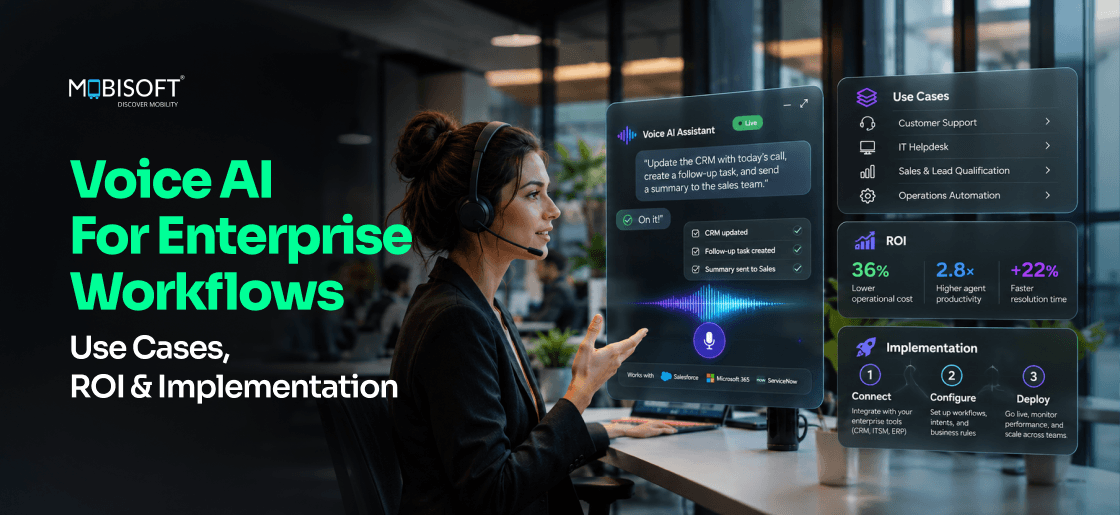
Enterprise teams still lose time to dashboards and forms. Voice AI for enterprise workflows replaces many of those steps with a spoken request. A technician says, "Order the follow-up part for pump 14," and the system handles the rest.
Enterprise voice AI listens, reasons over context, and acts inside approved systems. It can automate repetitive work in customer service and internal support. It connects to CRM, ERP, and ticketing tools, so a spoken request becomes a completed task and not just an answer.
This guide covers use cases, architecture, security, ROI, and implementation. It also shows when voice is the wrong choice, so you can decide where to start.
Enterprise Voice AI at a Glance
- What it does: Enterprise voice AI turns spoken requests into authorized actions in business systems, from creating tickets to updating records.
- Workflows that benefit: Repetitive, measurable workflows fit best, such as IT and HR help desks, field reporting, and customer service inquiries.
- How it integrates: It connects through APIs and a tool layer to CRM, ERP, and ticketing systems, and checks permissions at every step.
- Before you implement: Review system readiness, security controls, escalation paths, and whether voice suits the task at all.
- How to measure success: Track completion rate, handling time, escalation rate, and cost per completed interaction, then calculate ROI.
What Is Enterprise Voice AI?
Enterprise voice AI is software that understands spoken requests and reasons over business context. It then completes authorized tasks in enterprise systems. It combines speech recognition, language understanding, and speech generation with secure tool access. Unlike consumer assistants, it works within permissions, audit logs, and governance rules.
Five capabilities define it.
- Speech recognition converts spoken audio into text or structured input.
- Natural-language understanding identifies intent and extracts details.
- AI reasoning chooses the next step, using context and company rules.
- Tool execution calls APIs to read or update business systems.
- Speech generation delivers a natural spoken reply.
Consumer assistants answer questions and set timers. Enterprise voice assistants must also verify who's asking, respect role-based access, and leave an audit trail. Common applications include help desks, field service, contact centers, and regulated procedures.
Why Voice AI Is the Fastest Interface
Consider speed as the primary metric for a business interface. This is the essential reframe. Modern speech agents are engineered for operational velocity, not conversational charm. Technical advancements have reached a critical point. Latency improvements, combined with streaming inference and real-time reasoning, now support production workloads. Voice functions as a compression layer for complex workflows. It condenses multi-step procedures into efficient, spoken commands.
Early research points the same way. A Stanford-led study found speech about three times faster than typing for short text entry on phones. It tested 32 participants in English and Mandarin. It measured text messaging, not enterprise workflows, so treat it as a signal and not a forecast.
This capability can remove friction in critical areas. In field operations, technicians issue updates and request parts hands-free. Within support centers, agents resolve cases through natural dialogue while systems document the actions. Logistics and internal IT can see similar gains. The spoken word bypasses cumbersome navigation. It connects intention to execution directly.
The narrative here is not about friendly assistants. It is about building a faster, more fluid connection to operational systems. Speed becomes the feature, and everything else follows.
How Does Voice AI Work in Enterprise Workflows?
Here's how enterprise voice AI works, from the first spoken word to the final record. Say an employee tells the agent, "I'm locked out of my laptop." Seven steps follow.
- Voice input: The user speaks through a phone line, app, headset, or in-vehicle device.
- Speech recognition: Automatic speech recognition (ASR) converts audio to text, or a speech model reads it directly.
- Intent and context: The system works out what the user wants and pulls context such as role, account, and recent tickets.
- Decision: A large language model (LLM) picks an answer, a clarifying question, or a tool to call.
- Tool execution: Authorized tools and APIs interact with enterprise systems after a permission check.
- Voice response: Text-to-speech (TTS), or a speech model, delivers the reply and confirms what happened.
- Escalation: Low confidence, high risk, or a frustrated user triggers a human handoff with the context attached.
Core Components of an Enterprise Voice AI System
| Component | Role |
| Automatic speech recognition (ASR) | Converts speech to text and captures timing |
| Text-to-speech (TTS) | Generates natural spoken replies |
| Large language models (LLMs) | Interpret intent, plan next steps, and draft responses |
| Real-time speech processing | Streams audio both ways and handles interruptions |
| APIs and tool integrations | Execute actions in business systems |
| CRM and ERP connectivity | Reads and updates customer, order, and inventory records |
| Context management | Holds session history, user role, and retrieved knowledge |
| Authentication and access controls | Verify identity and limit actions by role |
| Human handoff | Transfers complex or risky requests to a person with context |
How the diagram reads. Audio from the user flows into speech processing. Context management and the LLM decide the next step. A tool layer, guarded by authentication and access controls, calls CRM, ERP, and other APIs. The reply returns as speech, and risky requests pass to a human.
Pipeline Systems vs Speech-to-Speech Systems
Not every system follows the ASR, LLM, and TTS chain. Streaming speech-to-speech systems use one model session to interpret audio, decide what to do, and respond in speech. Chained pipelines give you control over each stage. You can store transcripts and run policy checks before the agent speaks. OpenAI's voice agent documentation describes both approaches. We'd recommend choosing based on how much inspection your workflow needs.
Why Real-Time Voice AI Needs Low Latency
Real-time voice AI has to match the pace of conversation. A PNAS study of ten languages found that people respond within a fraction of a second. A long pause after a spoken request feels broken. Teams should measure the delay between the end of speech and the start of the reply, and test it under real network conditions.
How 2026 Voice Agents Actually Work
Legacy voice systems and modern agents differ in design. The former are rigid pathways. The latter are adaptive partners. Confusing them can be a costly error. The difference lies in a foundational change from programmed response to contextual reasoning. Voice AI agents add memory and tool use to speech. Teams building them with custom tool access can work with AI agent development services.
Persistent Context Memory
An AI agent in 2026 can recall. It remembers details from prior interactions, whether a user’s system access level or an unresolved ticket from last week. This continuity supports seamless dialogue across sessions.
Backend Tool Execution
Critically, these agents execute by working with software tools. They can query a database, create a service ticket, or draft an email. The voice command becomes the trigger for a sequenced action in backend systems. Speech is the interface for orchestration.
Unified Data Access
They operate with a unified view. An agent can navigate your CRM, ERP, and ticketing system as a single landscape during one conversation. It pulls customer history alongside inventory levels and logistics data to form a complete picture. This context stitching is what enables decision support.
Adaptive Reasoning Engine
The old model followed a decision tree. It was a predictable, often frustrating, maze of prompts. The new model operates in adaptive reasoning loops. It interprets intent, evaluates options, executes an action, and listens for correction. It is less a call router and more a collaborative engine. This fluidity is what makes it an agent, not a bot.
Enterprise Voice AI Use Cases by Industry
Many enterprises start with internal workflows. Complexity is high there, and processes are well defined. That makes results easier to measure. The table below lists common voice AI use cases and the value each one targets.
| Industry | Voice AI Application | Business Value |
| Healthcare | Appointment scheduling and administrative intake | Reduced scheduling workload |
| Logistics | Hands-free shipment updates | Faster operational reporting |
| Manufacturing | Maintenance reporting and workflow updates | Improved reporting efficiency |
| Customer Service | Automated customer inquiries | Greater self-service availability |
| Retail | Order tracking and returns assistance | Faster customer support |
| IT & HR | Employee help desk automation | Reduced repetitive support tasks |
| Financial Services | Authenticated account-service workflows | Faster routine request handling |
The scenarios and KPIs below are hypothetical examples. They are not customer implementations.
| Industry | Example Workflow (Hypothetical) | KPIs to Track |
| Healthcare | A patient calls, verifies identity, and books or moves an appointment. Clinical questions go to staff. | Scheduling call volume, booking completion rate, no-show rate |
| Logistics | A driver says, "Delivery 4417 complete, two pallets short." The system updates the shipment record. | Time to update, report accuracy, exceptions per route |
| Manufacturing | A technician narrates a maintenance finding. The agent logs it and opens a work order. | Time to log, work order completeness, repeat reports |
| Customer Service | A caller asks about an invoice. The agent retrieves it and escalates disputes. | Containment rate, first-contact resolution, customer satisfaction |
| Retail | A shopper asks where an order is and starts a return. | Order inquiries handled, return completion rate, handling time |
| IT & HR | An employee asks for a password reset or a leave balance. | Resolution time, ticket deflection, repeat contacts |
| Financial Services | A customer authenticates, then asks for a statement or a card block. | Authentication success rate, handling time, escalation rate |
IT and HR Automation
IT and HR support are proving to be fertile ground. Employees already articulate problems verbally. An agent that can authenticate a user, understand their issue, execute a password reset, or log a ticket in the system can shorten resolution time. The gain is time returned to both employees and the support team. Say an employee asks, "Why can't I reach the VPN?" The agent checks the account, resets access, and logs the ticket.
Field Service Voice AI
In logistics and field service, voice interfaces act as a force multiplier. A warehouse lead can coordinate inventory checks and updates while their hands and eyes are occupied. A technician can request schematics, report completion, and order follow-up parts through narration. The workflow remains uninterrupted. Noisy sites need extra testing, so we'd recommend piloting with real recordings from the floor.
Voice AI for Customer Service
Voice AI for customer service handles routine calls such as order status, billing questions, and appointment changes. The agent resolves what it can and hands the rest to a person with the full context. Multilingual voice AI lets one deployment serve callers in several languages. Accuracy still varies by language and accent, so test each one separately.
Automated Audit Records
Another quiet area of scaling is in regulated procedures. Agents guide staff through sensitive protocols like safety checks, audit questions, and clinical steps. It can generate timestamped records as the work happens, supporting compliance reviews and freeing staff to focus.
Voice AI vs Traditional IVR vs AI Chatbots
What Is the Difference Between Voice AI and Traditional IVR?
Traditional IVR routes callers through fixed menus using keypad presses or limited spoken commands. Voice AI understands natural speech, keeps context, and can complete tasks by calling business systems. IVR works for predictable routing. Voice AI suits open-ended requests that need reasoning and integration.
The comparison below shows typical differences. Individual products vary.
| Dimension | Traditional IVR | AI Chatbot | Voice AI |
| Interaction method | Keypad or menu-based speech | Typed text in chat or messaging | Natural spoken conversation |
| Conversational flexibility | Low, fixed paths | High for text, depends on design | High, handles rephrasing and interruptions |
| Workflow automation | Basic routing and simple lookups | Task completion through connected tools | Task completion through connected tools, hands-free |
| Enterprise integration | Telephony and basic databases | APIs to business systems | APIs plus telephony and audio infrastructure |
| Personalization | Limited, often account-based | Profile and conversation history | Profile, history, and session context |
| Human escalation | Transfer to a queue, often without context | Handoff with transcript | Handoff with context and transcript |
| Implementation complexity | Lower, mature tooling | Moderate | Higher, adds audio quality, latency, and telephony |
| Best-fit scenarios | Predictable routing and simple menus | Text support and asynchronous requests | Phone support, hands-free work, open-ended spoken requests |
Voice AI vs AI Chatbot
Many teams run both. A chatbot handles written requests. Voice AI handles calls and hands-free work. Both can share one knowledge base and one set of tools, so AI chatbot development services and voice work often start from the same integration layer.
The Business Math Behind Voice AI ROI
The investment case moves beyond vague promises of efficiency. It rests on specific, measurable financial mechanics. A voice AI ROI case should show where the money moves. True ROI emerges not from labor displacement, but from intelligent labor multiplication. The math focuses on three key pillars.
Lower Cost Per Request
Every service call, IT ticket, or field report has a baseline cost. Voice agents can reduce this expense. They can handle concurrent interactions, shorten talk and resolution times, and operate around the clock. This can ease queue backlogs and provide after-hours coverage without a proportional cost increase.
Faster Revenue Cycles
Speed directly impacts revenue. In customer support, faster resolution can reduce call abandonment and cart abandonment. In logistics, quicker issue resolution keeps shipments moving. Voice agents can reduce operational friction that silently bleeds revenue. They can turn some lost moments into completed transactions.
Scalable Efficiency Gains
The most significant figure is not the initial saving. It is the compounding return as workflows become increasingly autonomous. An agent handles the full process from intake to system update to resolution logging. As a result, the efficiency gain can multiply across the workflow chain, creating a scalable leverage point.
The initial pilot might justify itself through cost-per-interaction. The scaled deployment, however, validates itself through systemic throughput and reclaimed revenue. The financial narrative moves from simple cost avoidance to active value generation. Measured results, not projections, should prove the business case. Track them from the first pilot.
Where the Benefits Show Up
Voice AI automation pays off in several places. Enterprise voice AI solutions should be judged on each one.
- Reduced repetitive manual work: Agents take over routine lookups, updates, and status requests.
- Faster customer interactions: Callers skip menus and state the request directly.
- Employee productivity: Staff stop switching between screens to log simple actions.
- 24/7 self-service availability: Routine requests don't wait for office hours.
- Improved workflow accessibility: Hands-free or screen-free access helps people who can't use a keyboard easily.
- Operational scalability: Peaks in call volume don't require matching peaks in staffing.
- Customer experience improvements: Shorter waits and fewer transfers raise satisfaction when the agent resolves requests well.
How to Calculate Voice AI ROI
Use this formula.
ROI (%) = [(Total Financial Benefits − Total Costs) ÷ Total Costs] × 100
The example below is illustrative. The inputs are assumptions, not benchmarks. Replace them with your own data.
| Input | Illustrative Value | Note |
| Monthly interaction volume | 20,000 | All eligible requests |
| Existing cost per interaction | $5.00 | Human-handled |
| Voice AI completion rate | 45% | 9,000 completed without a person |
| Cost per automated interaction | $0.60 | Speech, model, and telephony usage |
| Escalated interactions | 11,000 | Still handled by people |
| Escalation cost per interaction | $0.30 | Voice AI work before handoff |
| Implementation cost | $150,000 | One-time, counted in year one |
| Monitoring and maintenance | $4,000 per month | Ongoing |
| Result (Year One) | Illustrative Value |
| Total financial benefits | $540,000 (9,000 interactions × $5.00 × 12 months) |
| Automated interaction costs | $64,800 |
| Escalation costs | $39,600 |
| Monitoring and maintenance | $48,000 |
| Implementation | $150,000 |
| Total costs | $302,400 |
| ROI | 78.6% = ($540,000 − $302,400) ÷ $302,400 × 100 |
Completion rate drives the result. At 30% instead of 45%, the same inputs give a year-one ROI of about 23.5%. Implementation is a one-time cost, so later years look different if volumes hold. The example leaves out revenue effects, training, and change management. Does your pilot data support the completion rate you assume?
Enterprise Voice AI Architecture and Integration
Inside a Reliable Voice AI Stack
Technical credibility here is non-negotiable. Reliability does not spring from a single advanced model. It is engineered through a deliberate, layered architecture. Each component has a distinct role, and the integration between them is what prevents failure.
The foundation is a dual-component capture system. It consists of a high-accuracy Automatic Speech Recognition system to convert audio to text, and a separate, dedicated reasoning engine to interpret intent.
They are different systems for different tasks. This separation allows each to be optimized and updated independently. A memory layer then enters the process, providing conversational persistence and user-specific context.
This is what turns a reactive query into a coherent dialogue. Next, the critical piece: the tool router and execution controller.
This component functions as a disciplined orchestrator. It validates permissions, sequences actions against backend systems like CRM or ERP, and prevents uncontrolled automation chains.
Perhaps the most practical architectural decision now is the hybrid edge-cloud model. Sensitive audio processing can occur on-site to limit what leaves your environment and reduce latency, while complex reasoning taps into cloud-scale models. This split delivers both speed and sophistication.
Ultimately, reliability is a product of this intentional structure. It is the structural design that contains errors and ensures actions are accurate, authorized, and auditable.
The model choice matters, but the architecture matters more. It is what makes a prototype trustworthy. Enterprises building this stack can use AI development services to design the integration layer.
Enterprise APIs and CRM and ERP Integration
Voice AI integration usually runs through documented APIs and a tool layer. It does not use direct database access. Here is how to integrate voice AI with CRM systems.
- Expose narrow, documented actions such as "create ticket," "update contact," or "get order status."
- Map spoken intents to those actions, and reject anything outside the list.
- Authenticate the speaker and apply that person's own CRM permissions.
- Log each request, the tool called, and the result.
- Plan a spoken recovery when an API call fails or times out.
For a hands-on example of connecting a voice platform to business tools, see this AI voice assistant integration guide.
Knowledge Retrieval and Context Management
Retrieval grounds answers in approved documents, such as policies, manuals, and product data. Keep those sources current and attribute each answer to its source. Context management then decides what the model sees. Pass only what the task needs, such as the user's role and the relevant records.
Legacy System Integration
Legacy systems often need a wrapper API or middleware. Retries add a second risk. If the network drops, a repeated "approve invoice 501" must not approve it twice. Design write actions so a repeated request has no extra effect.
Monitoring and Observability
- Word error rate by accent, language, and noise level.
- Delay between the end of speech and the start of the reply.
- Task completion rate and escalation rate.
- Tool call failures and retries.
- Cost per completed interaction.
- Sampled transcript reviews for wrong or risky actions.
From Voice Assistants to Action Engines
A clear split is emerging, one that shapes how enterprises buy and deploy voice. On one side, consumer-style voice tools focus on answering questions and completing simple tasks. On the other hand, enterprise-grade voice engines are built for more complex tasks like authorized execution. This distinction is fundamental because firms are not buying assistants. They are investing in action engines that integrate directly with core systems like ERP, CRM, and logistics platforms. What defines this mission-critical category? It is a strict focus on reliability, auditability, and measurable workflow completion. A voice interface that provides information reads out an order status. A voice AI agent can reschedule the delivery after checking permissions.
These engines operate within strict governance boundaries. They confirm permissions, validate context, and leave a detailed audit trail of intent and action.
This is reshaping expectations. Procurement may increasingly weigh security certifications and performance SLAs over personality traits.
Compliance reviews may demand transparency into the decision chain, not just the final output.
Pricing models may align more with business value and transaction volume than with user seats.
Voice is increasingly a disciplined, integrated execution layer, and friendly but peripheral assistants matter less for enterprise work.
Security, Privacy, and Governance Challenges
Voice agents introduce execution-level risk, not merely data privacy concerns. A spoken command can initiate actions that bypass the deliberate friction of clicks, forms, and approvals. This creates a novel vulnerability vector that many enterprises have not yet mapped. Voice AI security starts with controlling what the agent can do. It then protects the data the agent hears. Enterprise voice AI security challenges fall into the groups below.
Bypassed Validation Risk
Traditional systems are built with procedural speed bumps. Menus, confirmation screens, and required fields all serve as implicit validation checks. Voice interfaces designed for speed can remove them. The very efficiency they create opens a potential pathway for unchecked instruction.
Silent Execution Errors
The failure modes are subtle. Misheard intent, a partially captured instruction, or an ambiguous command can trigger a perfectly executed but fundamentally wrong workflow. An agent might correctly hear "approve invoice 501" and execute it, without catching the user's hesitant tone or subsequent, verbalized doubt. The system works as designed, yet the outcome is flawed.
Mid-Dialogue Authentication
Mitigation requires new architectural guardrails. This necessitates conversational permission layers. These are systems that confirm high-stakes actions, re-verify user authority mid-dialogue, and maintain a clear audit trail of intent versus execution. An action-validation pipeline becomes non-optional, not for user experience, but for operational integrity. The goal is to preserve speed while installing invisible, verbal checkpoints. This is the balance that defines secure deployment. Design these checks in from the start. Don't rely on a recognized voice alone for high-risk actions, because synthetic voices can imitate real people. Pair voice with a second factor.
Voice-Data Privacy, Consent, and Recording
Voice recordings can hold personally identifiable information and sensitive details. Some laws treat voiceprints as biometric data. Illinois's BIPA does, and GDPR treats biometric data used to identify a person as a special category. Recording and notification rules also vary by jurisdiction, and some require consent from every party. Ask legal counsel before you record, and keep transcripts instead of audio where you can.
Personal Data, Retention, and Encryption
- Collect only the voice data the workflow needs.
- Mask or redact personal data in transcripts and logs.
- Set retention periods, and delete data on schedule.
- Encrypt audio and transcripts in transit and at rest.
Prompt Injection and Unauthorized Tool Execution
Instructions can arrive through retrieved documents, tool output, or another voice in the room. Treat all of it as untrusted. Separate trusted instructions from external content, restrict tool permissions, validate sensitive operations, and require human approval for high-impact actions.
Hallucinations and Incorrect Actions
A wrong answer is bad. A wrong action is worse. Ground answers in approved sources, and read back the details before any write action. Test with evaluation sets that include accents, noise, and ambiguous phrasing.
Audit Logs and Human Oversight
Log the request, the intent, the tool called, and the outcome. Give reviewers a way to replay a call and see why the agent acted. Define who approves high-risk actions and who handles escalations.
Regulatory Considerations
A voice AI system isn't automatically compliant with GDPR, HIPAA, or other regulations. Compliance depends on implementation, processing arrangements, jurisdiction, and organizational requirements. Involve legal and security teams before launch.
How to Implement Voice AI in Enterprise Workflows
Here's how to implement voice AI in business workflows without overreaching. Six steps keep the scope controlled.
Step 1: Identify High-Value Use Cases
Find repetitive, measurable workflows suited to voice automation. Password resets, status checks, and field reports are common starting points. AI strategy consulting can help rank candidates by value and feasibility.
Step 2: Assess Existing Enterprise Systems
Review APIs, CRM and ERP systems, data availability, authentication, and integration requirements. A workflow without a reliable API is a poor first candidate.
Step 3: Select the Voice AI Architecture
Evaluate speech providers, model options, latency, reliability, and deployment requirements. Decide between a pipeline and a speech-to-speech design, and between cloud, edge, or hybrid.
Step 4: Develop a Controlled Pilot
Start with a limited workflow and define measurable success criteria. "Resolve password resets in under two minutes without escalation" is testable. "Improve support" isn't.
Step 5: Validate Security and Reliability
Test accuracy, latency, multilingual support, escalation, privacy, and failure scenarios. Include noisy audio, dropped connections, and repeated requests.
Step 6: Deploy, Monitor, and Optimize
Monitor production performance and expand only after meeting agreed success thresholds. Review transcripts weekly during the first months.
Enterprise Voice AI Implementation Checklist
These best practices for enterprise voice AI implementation fit on one page.
- A named business owner and a defined workflow.
- Success metrics and a baseline measured before launch.
- Documented APIs and role-based permissions for every tool.
- Confirmation steps for high-impact actions.
- Consent, recording, and retention policies reviewed by legal.
- A human handoff path with context transfer.
- Evaluation sets covering accents, noise, and edge cases.
- Dashboards for latency, completion, escalation, and cost.
- Thresholds that decide when to expand or pause.
Planning to Introduce Voice AI Into Your Enterprise Workflows?
Identify high-impact Voice AI use cases, evaluate integration requirements, and develop a practical implementation roadmap with our AI strategy experts.
Discuss Your Voice AI Strategy
How to Choose the Right Enterprise Voice AI Solution
How to choose an enterprise voice AI solution depends on your workflow, systems, and risk. Score every vendor against the same criteria.
| Criterion | What to Check |
| Integration capabilities | Prebuilt connectors, API support, and effort for your CRM and ERP |
| Speech accuracy | Word error rate on your accents, vocabulary, and noise levels |
| Latency | Delay from end of speech to start of reply, under real network conditions |
| Language support | Quality in each language you need, not just the language count |
| Security controls | Authentication, encryption, access controls, and audit logging |
| Deployment options | Cloud, on-premises, or hybrid, and where data is processed |
| Reliability | Uptime commitments, failover behavior, and incident history |
| Scalability | Concurrent call limits and behavior at peak load |
| Pricing transparency | What is billed per minute, per call, per seat, or per transaction |
| Monitoring capabilities | Dashboards, transcripts, and evaluation tooling |
| Vendor support | Onboarding, response times, and escalation contacts |
| Customization requirements | Custom workflows, voices, vocabularies, and business rules |
Ready-Made Platforms vs Custom-Built Voice AI
| Factor | Ready-Made Platform | Custom-Built Solution |
| Time to launch | Faster for standard workflows | Longer, depends on scope |
| Integration depth | Limited to supported connectors | Built around your systems |
| Control | Within the vendor's features | Over data flow, logic, and behavior |
| Cost profile | Usage or subscription fees | Build and maintenance effort plus usage |
| Best fit | Common support and routing needs | Unique workflows and deep integrations |
Many enterprises combine both. They use a ready-made speech layer and build the workflow logic themselves.
When Should Enterprises Avoid Voice AI?
Voice isn't the right interface for every task. Consider an alternative in these cases.
- Highly sensitive workflows without adequate safeguards: Use authenticated apps with strong approval steps until controls are in place.
- Processes requiring complex visual interaction: Use screens, dashboards, or forms where people need to compare data.
- Environments with excessive background noise: Use push-to-talk headsets, tablets, or scanners, or keep a text fallback.
- Workflows without reliable system integrations: Fix the APIs first, or keep a human-assisted process.
- High-risk decisions requiring human authorization: Keep a person in the approval step.
- Use cases with insufficient demand to justify implementation costs: Use a chatbot or self-service page, or leave the process unchanged.
The Future of Voice in Operations
The integration of voice prioritizes velocity in environments where latency, whether in decision cycles or service resolution, carries a tangible cost. This transition positions speech not as another channel to manage, but as a foundational layer for execution. It connects human cognition directly to system action, removing the procedural debris that slows operations down.
Early adopters may gain speed where voice fits the workflow. That can free time and focus. The organizations that build this capability now are not just adopting a technology. They can reset the speed at which their business can operate and respond. The future belongs to those who execute not just with precision, but with pace. Voice, implemented as an execution layer with the right controls, can provide it.
Key Takeaways
- Voice agents can serve as an operational execution layer, not only a communication channel. Their value is speed where voice fits the task.
- Many enterprises are building action engines that integrate directly with core systems like ERP and CRM.
- Many enterprises start with internal workflows within IT, HR, and logistics, where reducing procedural friction can deliver measurable ROI.
- The financial model can compound over time, evolving from cost savings to revenue recovery and multiplied workforce capacity.
- Reliability is not about a single model; it is a product of deliberate architecture, featuring hybrid processing and strict orchestration.
- Voice introduces a unique execution risk, bypassing traditional digital friction. This demands new security frameworks built for spoken command.
- Modern agents are defined by memory and tool use, enabling them to perform tasks, which separates them from legacy voice bots.
- Early integration can build a compounding advantage by setting a faster operational tempo.
Ready to Build Smarter Enterprise Workflows With AI?
Explore how tailored AI solutions can help connect enterprise systems, automate repetitive workflows, and improve operational efficiency.
Explore Our AI Development Services

Frequently Asked Questions
Is voice AI ROI primarily about replacing human workers?
Only to an extent. The most sustainable financial model focuses on labor multiplication, not displacement. Agents handle routine tasks, allowing your team to focus on complex problem-solving. This can improve throughput. The true return compounds as the system manages entire workflows, from initiation to documentation, freeing operational capacity.
Which industries are adopting enterprise voice AI most rapidly?
Adoption is often strongest in fields with complex, hands-on workflows. Manufacturing, logistics, and field service are common candidates because voice fits physical tasks. Healthcare often uses it for procedural documentation. The common thread is an environment where traditional screens create dangerous or inefficient friction, and speech provides a natural solution.
What is the biggest technical hurdle to reliable real-time voice AI?
Ensuring clean intent interpretation. Background noise, accents, or ambiguous phrasing can challenge the system. The solution isn't just better speech recognition. It's a strong reasoning layer that asks contextual, clarifying questions before executing commands. This validation loop is critical for preventing errors and is a key differentiator for enterprise-grade platforms.
Can voice AI integration work with legacy backend systems?
Yes, but through orchestration layers. The agent itself doesn't connect directly to your legacy ERP. Instead, it operates through a secure middleware or tool-use framework that translates spoken commands into the specific API calls or data queries your older systems require. This abstraction layer is essential for compatibility and security.
How do you measure the success of a voice AI implementation pilot beyond basic cost savings?
Look at process completion time and first-contact resolution rate. The most telling metric is often the reduction in "swivel-chair" work. That means the manual toggling between applications a user eliminates by narrating a task. This tends to correlate with productivity gains and reduced cognitive load, which are leading indicators of successful adoption and scaling.
Are there workflows where voice AI is not recommended?
They are less suited for presenting large amounts of discrete data, like reviewing a full financial spreadsheet. Speech is ideal for initiating actions, reporting status, or querying specific facts. The boundary lies between information delivery, which can be inefficient via audio, and operational command, which is where voice excels.
What is a "conversational permission layer" and why is it necessary?
It is a core voice AI security control. Before executing sensitive actions like approving payments or changing system access, the agent will verbally request confirmation or additional authentication within the dialogue flow. This builds essential digital friction back into the high-speed interface, creating an audit trail and preventing unauthorized execution.
How does enterprise voice AI affect vendor selection and pricing?
Pricing models vary. Some vendors charge per seat, while others charge by usage or by completed transaction. You will need to evaluate vendors on their orchestration architecture and tool-use capabilities, not just speech recognition accuracy. The partnership is less about licensing software and more about integrating an execution layer into your operational core.
How much does enterprise voice AI cost?
Cost depends on call volume, the number of integrations, languages, security requirements, and whether you use a ready-made platform or a custom build. Ongoing costs include speech and model usage, telephony, monitoring, and maintenance. Use the ROI formula above with your own volumes to estimate the return.
This content is for informational purposes only and may include AI-assisted research or content generation. While we strive for accuracy, information may evolve over time. Readers are advised to independently verify critical information before making decisions.

Pritam Barhate
Read more
Pritam Barhate, with an experience of 14+ years in technology, heads Technology Innovation at Mobisoft Infotech. He has a rich experience in design and development. He has been a consultant for a variety of industries and startups. At Mobisoft Infotech, he primarily focuses on technology resources and develops the most advanced solutions.
 Pritam Barhate
 January 26, 2026