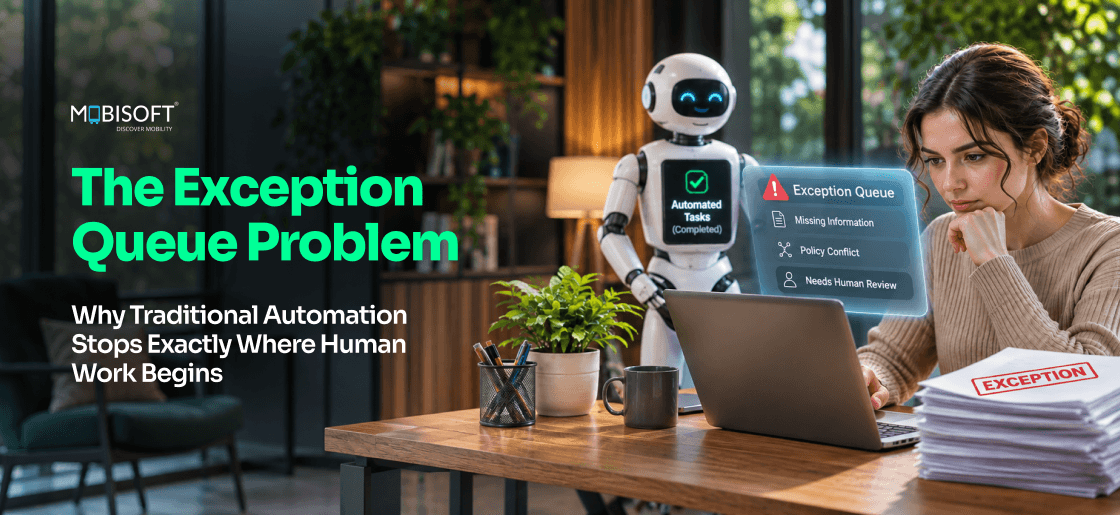
Automation doesn't remove exceptions so much as isolate them. Once bots take the clean cases, what's left is a queue of mismatched invoices, ambiguous claims, and stalled orders. Ardent Partners' 2025 benchmark puts the average invoice exception rate at 18.4%. That's close to one invoice in five still waiting on a person. Other queues often look similar once someone counts them.
AI-powered exception handling goes after that queue directly. The quickest gain usually comes from giving each handler a ready-made case brief, well before any AI makes a decision. Our AI agent development services start there. Auto-resolution follows only for the sub-types that history proves predictable.
This guide explains why rule-based tools stall at exceptions and how a four-layer AI stack works. You'll also get worked examples and clear escalation rules. A phased ROI model rounds it out, so you can build a case your finance team will accept.
What Is AI-Powered Exception Handling?
AI-powered exception handling picks up the transactions your automation rejects. For each one, it works out what went wrong. Then it gathers the records a handler would otherwise hunt for across three or four separate systems. When the pattern is familiar, the AI closes the case itself. Everything else goes to a person, with the lookup work finished.
The Exception Queue Problem In Plain Terms
Every automated process has a standard path. Invoices with a matching purchase order flow through. Orders with a valid address ship. Anything that doesn't fit lands in a queue for people to sort out.
Before automation, nobody saw that queue clearly. Who would ask "how many of these are exceptions?" when one team handled easy and hard cases together? After go-live, the bot clears the easy cases in seconds. The hard residue stays behind. For the first time, someone can count it. The count is often bigger than the business case allowed for.
Accounts payable has some of the most widely cited benchmarks for automation exception management. Ardent Partners' State of ePayables 2025 is a good example. Its best-in-class AP teams ran exception rates 47% below everyone else. So the 18.4% average isn't fixed. Does your automation business case assume a figure like that?
How It Differs From Routing Everything To A Person
The traditional approach has one move. The bot marks the item as failed. A handler then picks it up cold, with only an error code. Intelligent exception handling works in the gap between that flag and the handler.
- Classification tags the case as "price variance" or "missing PO," for example. It notes how that tag is normally settled.
- Context assembly pulls the relevant history and policy into one short brief.
- Cases settled the same way hundreds of times get closed automatically.
- Anything left goes to whichever team owns that tag, along with a confidence score.
People still make the hard calls. What changes is the first ten minutes of each case. The handler's screen now shows "INV-20431, price variance, supplier history attached."
Why Does Traditional Automation Struggle With Exceptions?
RPA was designed for inputs that look identical. That's why traditional workflow exception handling still leans heavily on people. Exceptions are, by definition, the inputs that break a bot's rules. Five structural reasons keep the queue full.
Rules Can't Process What They Didn't Anticipate
A bot follows its steps in the order it was given them. It's fast on the standard case for exactly that reason. An exception isn't a harder version of that case. It's an input the rules never covered.
Take an invoice with no purchase order number. Matching needs one, so the step never starts. Now take a complaint saying "my parcel was late and the item arrived broken." Late deliveries route one way. Damaged goods route another, and no rule covers both.
UiPath's own documentation draws a useful line here. UiPath splits exceptions into two kinds.
- Application exceptions come from technical faults, such as a frozen screen. A retry often works.
- Business exceptions come from bad or missing data. Retrying won't help, so someone fixes the source.
That second group is where RPA exception handling stops. The bot marks the item as a business exception, and its job ends there.
Exceptions Need Context The Bot Can't See
Many exceptions look hard only because the context is stored somewhere else. Say an invoice arrives $200 above its purchase order. From a long-standing supplier with a clean record, that's an easy approval. From a new supplier on probation, it's a rejection. A price escalation clause in the contract changes the answer again.
The bot has the invoice and the PO. Supplier history is kept in the vendor portal, while contract terms are in a separate repository. Last quarter's similar approvals exist only in email threads and people's memory. So a handler opens five tabs and starts digging. In a review, we'd time that digging before anything else. It's normally the cheapest part to remove.
Exception Patterns Change Faster Than Rules
The exception mix never stays still. Common triggers for new exception types include the following.
- A supplier moves the PO number to page two. "Field not found" errors appear overnight.
- After a CRM upgrade, a field the bot reads is renamed from "Acct_No" to "AccountID."
- A policy change needs a second approver above $10,000. The old flow has no step for it.
Nobody changes a bot's rules the same afternoon. Someone has to write the fix, test it, and wait for a release slot. Every new exception during those weeks goes to a person. That lag is how queues refill themselves. Rule-only workflow exception handling can't keep up. Is anyone on your team logging new exception types as they appear?
Some Decisions Need Judgment
Certain exceptions can't be reduced to a rule. A senior claims handler reads the claimant's history next to the policy wording. Then they decide whether the story holds together. An AP lead might wave through a $300 overcharge from a ten-year supplier. The relationship matters more. Neither decision fits in an if-then rule.
So asking "can AI decide this?" misses the point here. A better one is "how can AI help the person decide faster?" Our guide to agentic AI development from use cases to production agents covers where those human checkpoints go.
Nobody Learns From The Queue
Most teams treat the queue as work to clear. Yet every resolved case shows why the exception happened and what fixed it. Many also point to the upstream change that would prevent the next one.
That information is rarely read again once the ticket closes. A note like "same PO mismatch as last week, approved again" gets typed and forgotten. So the same types keep returning. Good workflow exception management treats resolved cases as data worth reviewing.
The Exception Queue Trap
Most companies answer a growing queue by hiring. Two more handlers join, and the backlog clears. For a few quarters after that, the SLA report looks perfectly healthy. The causes stay untouched, so exception staffing grows with transaction volume. That's the opposite of what the automation business case promised.
Why It Stays Hidden
The trap rarely shows up in a monthly report. It tends to surface at three moments.
- Volume grows 20%, and the exception team grows to match.
- A cost review spots an "operations support" payroll line that's grown every year since go-live.
- A supplier goes under, and 3,000 extra exceptions arrive in one week.
The Two-Part Exit
Getting out takes two investments made together. One lowers the cost of each exception you can't avoid. The other lowers how many exceptions the process creates. Manual exception handling shrinks only when both happen.
What Is The Difference Between RPA And AI-Powered Exception Handling?
A bot does exactly what its script says. An AI model reads the case and judges what it's looking at. Off the standard path, that difference decides almost everything.
A Side-By-Side View
Here's how the two compare at an exception. Picture an ops lead asking, "What happens after the bot gives up?" The rows below answer that. Which column describes your current setup?
| Dimension | RPA Exception Handling | AI-Powered Exception Handling |
| What it does at an exception | Flags the item and routes it out | Classifies it, adds context, and resolves or routes it |
| Unstructured inputs | Struggles with emails, PDFs, and free text | Reads and extracts from them |
| New exception patterns | Waits for a rule update | Spots new clusters and can adapt with review |
| Judgment cases | Hands over with no context | Hands over with a prepared brief and precedent |
| Learning from outcomes | None by default | Uses resolved cases to improve routing |
| Audit trail | Logs steps taken | Logs steps plus reasoning and confidence scores |
Where RPA Still Fits
We wouldn't retire a working bot because of this. Take a stable step like "copy the PO total into field 14." RPA is still the cheapest option there. It'll keep doing that step correctly for years.
Trouble starts when teams stretch bots into judgment work. Every edge case becomes another "if supplier is X" branch. After a few years of that, nobody wants to touch the script. How many of those branches does your oldest bot have?
How The Two Work Together
The strongest setups keep RPA on the standard path. AI takes over where the bot would otherwise log "cannot process." A typical division of work runs like this. In practice, the bot writes the failed item to an exception queue or table with the error code and payload, and the AI layer consumes from there.
- RPA processes the clean invoice or claim end to end.
- AI picks up what the bot flags and identifies it.
- People handle the cases AI routes to them, with context already gathered.
Good automation exception management is mostly this handoff, done well. You keep the bots you've already paid for.
Agents become useful here too. They can act across several systems instead of one screen. For more details, you can read how Mobisoft helps enterprises build AI agents. It explains how agents work alongside existing bots.
The Five Exception Types In A Typical Queue
Ask most teams what's in their queue, and you'll hear "all sorts." Splitting it into types changes the conversation fast. It's the first exercise we'd run in any review. Some types suit AI almost entirely, while others need a person every time. Good workflow exception management starts from knowing which is which.
Data Quality Exceptions
Data quality exceptions start with the input itself. A field is empty or in the wrong format, or it contradicts another source. A VAT number with a missing digit is one example. A date written "03/04" that could mean March or April is another.
They're usually the most common type and the best suited to AI.
- AI can infer a missing value from related fields.
- Dates, currencies, and VAT numbers get normalized against a reference list.
- Bad records bounce back to the sender at intake.
Rule Boundary Exceptions
Rule boundary exceptions fall between two rules. The data itself is fine. The transaction matches one category on some fields and another category on the rest. Occasionally the two rules disagree outright.
Take a refund request that reads "arrived late and the box was crushed." One policy offers a $10 credit for lateness. Another offers a full refund for damage. AI can check how similar mixed cases were settled before. Where that precedent is strong, automated exception resolution becomes realistic.
Authorization Exceptions
Some transactions need an approval the automation isn't allowed to give. These are deliberate control points in finance and compliance. Auditors expect a named person to approve them. We'd leave them exactly where they are.
What AI can change is how long each approval takes. Most approvers have sent plenty of "please resend the details" emails.
- The request reaches the right approver the first time.
- The remaining budget and the last three approvals for that vendor come attached.
- Anything unusual gets called out, such as "third override for this vendor this month."
Integration Exceptions
Integration exceptions appear when a connected system fails or answers oddly. IT sees an error log. Operations just sees stuck transactions and asks, "Why hasn't order 5512 moved since Tuesday?"
What AI Adds
AI adds value by explaining the stall to operations in plain words and routing it to the right system owner, not by making the retry decision. Technical readers discount the whole piece when they see AI claimed for plumbing.
What It Can't Fix
AI won't repair a fragile integration. If the same endpoint fails weekly, that's an engineering job. Good exception data makes that case hard to ignore.
Business Judgment Exceptions
These are valid transactions that still need a human call. Precedent and commercial priorities matter here. "Can we extend payment terms for our biggest customer this quarter?" is a typical request.
For a request like that, the AI prepares the paperwork. The account manager sees a year of payment history. Both earlier term extensions are listed too. They make the call. The system records it for next time. This is human-in-the-loop automation in its simplest form.
How The Five Types Compare
This table shows where AI leads and where people decide. Try tagging last month's exceptions, one type each. Then count the rows. If one row holds half the volume, start there. If several rows are close, AI strategy consulting services can rank them by cost and risk.
| Exception Type | Typical Example | AI's Main Role | Human's Main Role |
| Data quality | Missing or malformed field | Fix or return at intake | Review low-confidence fixes |
| Rule boundary | Case matching two policies | Apply precedent and resolve | Decide where precedent is thin |
| Authorization | Approval above a limit | Route and brief the approver | Approve or reject |
| Integration | System timeout or bad response | Diagnose, retry or hold | Fix the underlying integration |
| Business judgment | Commercial exception request | Prepare context and options | Make the call |
How Does AI-Powered Exception Handling Work?
The approach works as a four-layer stack. Layers 1 and 2 help handlers, Layer 3 removes cases, and Layer 4 stops new ones. We'd roll them out in roughly that order, one queue at a time.
Layer 1: Classify And Route
The first layer decides what each exception is. It assigns a type and the path that type normally follows to resolution. Then it sends the item to automated exception resolution, to a handler with a brief, or to a specialist team.
Each decision gets logged with a confidence score and a plain reason. A handler might see "refund policy overlap, 0.82 confidence, returns team" on the case. Nobody has to email around asking which team owns it.
Where does a figure like 0.82 come from? A language model’s self-reported confidence isn’t reliable on its own. Teams typically use one of three methods. A dedicated classifier, trained on resolved cases, outputs a probability for each type. Another option runs each item several times and measures how often the answers agree. A third adds a verifier pass, where a second model checks the label against policy and precedent.
Validate the number before go-live, whichever method you pick. Run it on a labelled sample of past exceptions, such as 500 per queue. Labels scored near 0.8 should prove correct roughly 80% of the time. If they don’t, recalibrate and test again. Every threshold later in this guide depends on that check.
The model reads the transaction fields first. Then it reads any email or PDF attached. It also compares the case with how similar exceptions were handled before.
Layer 2: Assemble The Context
The second layer prepares everything a person needs before they've opened the case. It searches the connected systems and writes a short brief. Hunting through five systems becomes a single screen.
Two rules keep the brief safe. Handlers see only what their own permissions allow in each source system, checked for every user at retrieval. Contract clauses appear word for word from the source, never rewritten by the model. This layer also carries most of the integration effort and cost.
What Goes In The Brief
- The account or supplier history that bears on this exception.
- The governing clause, quoted word for word, with a link to the contract.
- Two or three past cases that looked like this one, and what was decided.
- The downstream impact, such as "payment run closes Thursday."
Why It Comes First
This layer helps handlers on day one. Nobody has to trust an AI decision yet. The AI isn't making any. Plain RPA exception handling offers nothing like it. That's why we'd deploy this layer before automatic resolution in almost every case. Trust in the model's judgment tends to follow weeks of reliable briefs.
Layer 3: Resolve The Predictable Cases
The third layer closes exceptions automatically. It only touches sub-types that people have resolved the same way, again and again. Say one supplier's invoices always show dates in the wrong format. If the fix has been identical two hundred times, that's a candidate.
This is the layer that actually shrinks the queue. It's also where agentic AI workflow automation shows its value. In one pass, an agent can update the ERP and tell the requester "fixed, no action needed."
Guardrails keep this layer safe. Auditors will ask about them first.
- A confidence threshold below which the case goes to a person.
- A value cap, for example, no auto-approval on variances of $500 or more.
- A weekly sample, perhaps 5% of auto-closed cases, checked by a person.
- An audit log entry for every action, with the data the agent used.
- A separate, least-privilege credential for each agent, never a shared admin account.
- Separation of duties, so no agent approves an action it raised.
- A defined undo for every automated action. Irreversible ones go to a person.
Layer 4: Learn From The Queue
The fourth layer looks across all exceptions instead of one at a time. It finds the root causes that keep generating work. This is where automation exception management becomes process improvement.
The learning layer answers questions like these.
- Which five exception sub-types created the most handling time last quarter?
- What upstream change caused each one?
- Which of them would vanish if one upstream team changed one thing?
Take a finding like "Supplier 118 sends credit notes without PO references." It does nothing in a dashboard. It has to reach the procurement owner, who can call Supplier 118. Before building this layer, we'd agree who owns each kind of upstream fix.
How The Layers Compare
| Layer | Main Capability | What Changes | Complexity | Suggested Order |
| 1. Classify and route | Type, subtype, and routing | Fewer misrouted cases and shorter queue time | Low to medium | First, with Layer 2 |
| 2. Assemble context | Pre-built case briefs | Less time spent searching per case | Medium | First, with Layer 1 |
| 3. Resolve automatically | Closing predictable sub-types | Fewer cases reaching people at all | Medium to high | Second, once trust exists |
| 4. Learn from the queue | Root cause analysis | Fewer exceptions created upstream | Low technically, high organizationally | Ongoing |
Layer 4 is the cheapest to build and the hardest to run. The software can rank root causes within a week. Getting procurement to change a form or a contract takes longer. Most of the benefit comes from that change. People stay in the loop here too, as process owners.
How Can AI Reduce Manual Exception Handling?
AI cuts this work through four separate levers. Each one shows up in a different metric. Track them separately so you can see which one is actually producing the gain.
- Classification cuts misroutes, so cases reach the right team the first time.
- Briefs cut the minutes each handler spends searching.
- Fewer cases reach people, because predictable sub-types resolve themselves.
- Fewer exceptions are created, because root causes get fixed upstream.
The worked examples below use illustrative numbers. They show how the levers combine. Your own baseline will differ, so treat them as a method to copy.
Worked Example: Accounts Payable Invoices
Say an AP team handles 10,000 invoices a month. Its exception rate matches Ardent Partners' 2025 average of 18.4%. That's 1,840 exceptions a month. We'll assume each takes 12 minutes by hand. Most of that goes into looking things up.
| Measure | Before | After Layers 1 to 3 |
| Exceptions per month | 1,840 | 1,840 |
| Resolved automatically | 0% | 35% |
| Cases reaching a person | 1,840 | 1,196 |
| Minutes per human case | 12 | 5 |
| Handling hours per month | 368 | About 100 |
Handling time falls by about 73%. That's AI-powered exception handling working on effort per case. Exception volume hasn't changed yet. That reduction comes later, from Layer 4. Which of those two numbers would your CFO care about more?
Worked Example: Insurance Claims Triage
Now picture an insurer receiving 40,000 claims a year. Each one is tagged "new claim" at intake. Its triage system can't classify 20% of them with confidence. That leaves 8,000 claims for senior handlers. At 18 minutes each, they're spending 2,400 hours a year.
The Time Saving
With context briefs, manual triage drops to about 8 minutes. Auto-resolving the two clearest sub-types removes another 30% of claims. Senior handlers now spend roughly 750 hours a year on triage, down from 2,400. That's a cut of about 69%.
The Quality Gain
Time isn't the only win. A reviewer's note saying "triage wrong, reassign" is a cost too. When handlers share one brief and one precedent set, decisions tend to converge. We'd track the overturn rate as closely as handling time.
Worked Example: Delivery Exceptions
Logistics exceptions behave differently. Volume is high, and each case is small. One message, "left in safe place but never received," can repeat thousands of times a week.
The biggest early saving here is usually routing. A failed delivery goes to the courier desk. Damage goes to claims, and customs holds go to brokerage. Classification gets them there the first time. Next, photo evidence and address history settle the simplest disputes.
What To Measure From Day One
Agree the metrics before go-live. Otherwise, the first steering meeting spends an hour asking "what was the number before?" A baseline everyone accepts saves weeks of debate.
- Average handling minutes per human case, split by exception type.
- Auto-resolution rate, alongside the error rate found in sampling review.
- Misroute rate, meaning cases that changed teams at least once.
- Decision overturn rate for cases a person resolved.
- SLA breaches caused by exceptions specifically.
- New exceptions created per thousand transactions, tracked monthly.
That last metric matters most over time in workflow exception management. It shows whether the process is producing fewer exceptions. Speed alone can hide that.
When Should AI Escalate Workflow Exceptions To Humans?
Handlers judge an AI system mostly by what it sends them. If half the queue still lands on their desk, they'll see no difference. One wrongly auto-closed $40,000 refund, and they'll distrust it for months. In human-in-the-loop automation, the escalation rules carry most of that weight.
Seven Triggers For Human Review
Build these seven triggers into every exception workflow before go-live. Each one can be tested.
| Trigger | Example | Why A Person Decides |
| Low confidence | Classification score below the agreed threshold | The model isn't sure, so neither should the process be |
| High value | Cap is set per sub-type | Errors here cost more than review does |
| Irreversible action | Releasing a payment or closing an account | There's no clean undo |
| Decisions about people | Declining a claim or a credit request | Law and fairness both point to human review |
| No precedent | A sub-type the system hasn't seen before | Nothing to learn from yet |
| Conflicting signals | Data says approve, the customer's email says dispute | Context needs interpretation |
| Repeated failure | Third failed attempt on the same case | Something upstream is broken |
Teams forget the "no precedent" trigger most often. A brand-new exception type usually signals a real process change somewhere. Shouldn't a person see it before the system starts guessing?
Regulation Sets Some Lines For You
Some escalation rules aren't optional. Does your workflow ever decide something about a customer or employee? Then two pieces of EU law matter most.
- GDPR Article 22 limits purely automated decisions that have legal or similarly significant effects on people. Where an exception applies, they keep safeguards such as human intervention.
- Article 14 of the EU AI Act requires human oversight for high-risk systems. Annex III includes creditworthiness checks and pricing for life and health insurance.
The Digital Omnibus on AI, Regulation (EU) 2026/1744, came into force on 27 July 2026. It pushed the Annex III deadline back to 2 December 2027. Your legal team should decide whether a given workflow is in scope. We'd raise it during design. Retrofitting oversight into agentic AI workflow automation later costs far more.
Make Every Escalation Useful
An escalation that just says "needs review" wastes the handler's time. A good one arrives ready to act on.
- The AI's recommended action and its confidence score.
- What the system already checked, so nobody repeats it.
- The specific reason it escalated, such as "variance above limit."
- The deadline that matters, such as Thursday's payment run.
Handlers can then act on the case in a minute or two. Their decision feeds straight back into training. Over months, that loop is what makes automation exception management improve.
Set Thresholds From Evidence
A threshold picked on launch day is a guess. It stays one until someone checks it against monthly samples. Who on your team would own that check?
Start Conservative
At launch, we'd route most borderline cases to people. Shadow mode helps here. The AI records what it would have done. But it only works if the handler's decision is captured in structured form (type, action, reason code), not a free-text note. The handler decides as normal. Then you compare the two. A few weeks of that data shows where the model is reliable.
Loosen With Evidence
Lower a threshold only for sub-types where sampled accuracy holds steady. That's how automated exception resolution expands safely. Keep sampling after the change. A reviewer note like "AI got this wrong again" sends that sub-type back to full review.
ROI Model For A Mid-Market Manufacturer
The numbers below are illustrative. They show payback as layers go live, queue by queue. Swap in your own figures before putting them into a business case.
The Starting Point
The company here is a 1,200-person manufacturer. Its ERP and order automations both left queues of manual exception handling behind. Three teams now handle exceptions full time. Procurement uses 6 people, mostly on PO mismatches. Order management uses 4, and quality non-conformance routing uses 3.
At $75k to $90k per person, those 13 roles cost $676,000 a year. Penalties, customer credits, and rework add about $187,000. That's roughly $863,000 in total. Has anyone at your company added up the equivalent figure? Finance usually files it under "operations overhead."
The Phased Plan
Each phase adds one layer to one queue. The order builds trust. Briefs come before "the AI closed it for you."
| Phase | Scope | Duration | Investment |
| 1 | Classify, route and brief procurement exceptions | 10 weeks | $48,000 |
| 2 | Classify, route and brief order exceptions | 8 weeks | $36,000 |
| 3 | Auto-resolve three procurement sub-types | 10 weeks | $52,000 |
| 4 | Auto-resolve two order sub-types | 8 weeks | $38,000 |
| 5 | Root cause analysis plus quality triage | 8 weeks | $36,000 |
| Total | All five phases | About 10 months back to back | $210,000 |
What The Numbers Show
The model rests on four moderate assumptions. About 30% of exceptions resolve automatically. Human cases take 55% less time with briefs. Penalties, credits, and rework fall by 40%. Root cause fixes cut new exceptions by 10% in year two.
The AP example used 35%. This model blends three queues, and order and quality cases repeat less often than invoices. Together, these assumptions release about 9 of the 13 roles. Year 1 counts half the run-rate benefit, since phases go live gradually.
Where The Model Can Mislead
Two assumptions carry most of the risk. A CFO's first question will be "what if those don't hold?"
Redeployment
The capacity benefit is real only if people move to work the business values. Supplier development and process improvement are the usual candidates. If people just clear the queue faster, customers notice. The P&L barely moves. Count only half the released capacity, and the run-rate benefit falls to about $308,800. Payback stretches to roughly 14 months.
Auto-Resolution Coverage
Phases 3 and 4 depend on enough clean history to learn from. We'd want six to twelve months of resolved cases per sub-type. Some sub-types only have a few weeks of history. Leave those on Layers 1 and 2 until the record is long enough. Every brief a handler resolves adds to the training data.
Rolling Out AI-Powered Exception Handling
The technology rarely stalls these projects. The first queue chosen and the team's trust matter far more.
Choosing The First Queue
The first deployment sets the pattern for everything after it. We'd look for a queue that ticks most of these boxes. Our test question is "where can we show a result within one quarter?"
- High volume, so improvements show up in weeks.
- Six months or more of resolved cases on record.
- One clear process owner who wants the problem solved.
- Not politically sensitive, so a mistake in week three doesn't reach the board.
- Minutes per case that you can measure today.
Accounts payable and order management often fit. Minutes per case are easy to measure there. Claims involving vulnerable customers make a poor first project. The stakes are too high while trust is still forming. Which queue in your business ticks four of the five boxes?
Bringing The Exception Team With You
Exception handlers are some of the most skilled people in operations. They deal with whatever the automation can't. Introducing AI raises a fair question for them. Most will ask some version of "what's left for me?" The honest answer is the judgment cases, minus the searching. Human-in-the-loop automation works best when it's designed around that answer.
What To Do
- Involve handlers in design. Their knowledge of edge cases is the best training input you have.
- Start with context briefs, since they remove tedious searching before AI makes any decisions.
- Tell the team in writing which case types will never be auto-closed.
- Report overturn rates alongside speed, so better decisions get noticed.
What To Avoid
- Launching auto-resolution before anyone has seen the AI's briefs.
- Leaving released capacity without a named destination.
- Reporting handling time alone. People notice when they're measured like a cost line.
Decide before go-live where the freed hours will go. Adoption is faster when people can point to their new work.
How Mobisoft Infotech Helps
Our AI agent work on exception queues starts with a workflow audit. We map each exception type and check its resolved history. Each queue then gets an automation readiness assessment. The first build targets the one most likely to pay back.
From there, the build follows the same order as this article. These agents work beside the bots you already run. That keeps agentic AI workflow automation from becoming a rebuild.
- Human-in-the-loop agents escalate at decision points you define.
- Each agent reaches your CRM, ERP, and internal APIs through its own least-privilege service account, scoped to the actions it may take. Every action goes into an audit log.
- Exception data stays in your chosen region, and models can run inside your own cloud tenancy. Your data is never used for model training.
- Before launch, adversarial and edge-case tests run until agents fail safely.
- The first release runs in shadow mode, with rollback ready if results slip.
A focused pilot typically takes six to ten weeks from discovery. Mobisoft holds SOC 2 Type II and ISO 27001 certifications. That matters when exception data includes personal records.
Start With The Queue You Already Have
The exception queue was always there. Before automation, it was mixed in with everyone's normal work. Now it's separate. You can count it and put a price on it.
Three steps fit inside this month.
- Export 90 days of exception logs and give every case one of the five types.
- Time ten real cases, splitting searching minutes from deciding minutes.
- Write the escalation triggers for one queue, with a name next to each threshold.
The tagged log tells you where briefs would save the most time. It also shows which sub-types have enough history for safe auto-resolution. Most teams find one or two types dominate their volume. Which queue would you tag first?
Want help reading that log? Mobisoft's workflow audit starts from exactly that data. We'll assess each exception type for automation readiness. Then we'll recommend the queue to tackle first, with a phased plan your operations team can run.

Frequently Asked Questions
Is AI still worth it at our 5% exception rate?
It depends on handling time. Measure ten real cases before you decide anything. Say each takes 15 minutes, mostly searching, across 2,000 a month. That's 500 hours of manual exception handling, and briefs alone could shrink it.
Can Mobisoft Infotech add AI beside our existing bots?
Yes, the bots keep running the clean path. Our agents pick up what they flag through role-based access to your ERP and CRM. The first release runs in shadow mode with rollback ready. That's AI-powered exception handling without a rebuild.
How do we know a sub-type is safe to auto-close?
Look for three signs before switching anything on. Handlers have closed it the same way hundreds of times. A value cap and confidence floor are in place. Shadow mode has matched the human decision for weeks, so it's earned automated exception resolution.
Can AI take over where our bots give up?
Yes, for business exceptions such as bad or missing data, which is where bots stop. Application faults like a frozen screen only need a retry and stay with the bot.
Can Mobisoft Infotech tell us which queue to automate first?
Yes, our workflow audit starts from your exception log. We'd map each exception type and check its resolved history. Each queue then gets its own readiness score. The one likeliest to pay back becomes your first intelligent exception handling build.
Where do we start when exceptions live in email threads?
Start with a 90-day export of whatever log you have, even a shared mailbox. Tag each case with one of five types. A first brief can pull from just two systems. You don't need clean data to learn which types dominate.
This content is for informational purposes only and may include AI-assisted research or content generation. While we strive for accuracy, information may evolve over time. Readers are advised to independently verify critical information before making decisions.

Nitin Lahoti
Read more
Nitin Lahoti is the Co-Founder and Director at Mobisoft Infotech. He has 15 years of experience in Design, Business Development and Startups. His expertise is in Product Ideation, UX/UI design, Startup consulting and mentoring. He prefers business readings and loves traveling.
 Nitin Lahoti
 November 6, 2026